
Release note 11-05-2026
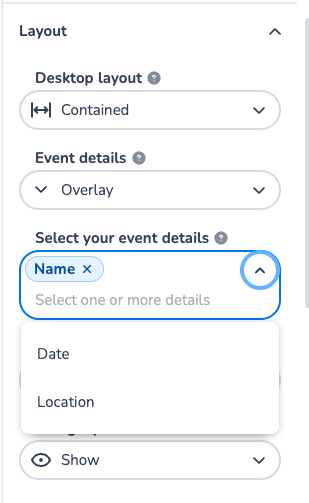
🟢 NEW FEATURE: Split event details in the shop 🟢
Hi Ticketing Pro,
We have added the setting to split up your event details in the shop. This means you can configure the display of event name, date and location individually. The setting can be changed in the shop designer at 'Layout', where you can select how to display the details and which details you want to show.
It's now live, let us know if you have any questions.
Release note 07-05-2026
🟢 NEW FEATURE ALERT: Shopping Cart 🟢
Hi Ticketing Pro,
The moment is finally here, carts is live!
🔁 Core Architectural Change
The cart now lives on the server instead of in the browser.
This enables:
-
Accurate inventory management
-
Immediate ticket and seat reservation
-
Reliable cart persistence
-
Support for complex business rules
-
Improved performance under high traffic
🚀 Key Improvements
🎟️ Immediate Ticket & Seat Reservation
-
Tickets and seats are reserved instantly when added to the cart
-
“Best Available” seats are claimed immediately
-
No risk of tickets selling out between selection and checkout
⚙️ Atomic & Sequential Server Processing
-
All cart operations are processed sequentially
-
Prevents race conditions and “cart out of sync” issues
-
Ensures correct final cart state even during rapid changes
🔄 Reliable Cart Persistence
-
Cart survives page refreshes and browser restarts
-
Cart data is stored on the server instead of locally in the browser
🧠 Conditional Ticketing & Automations
-
Products can automatically appear or disappear based on cart contents
-
Business rules are enforced server-side for improved speed and reliability
💸 Updated Discount Code Handling
-
Discount codes are validated early
-
Applied only at checkout to prevent pricing confusion
-
During shopping, discounts are shown as pending
🧾 Full Pricing Breakdown
-
Clear overview of:
-
Product prices
-
Service fees
-
Transaction fees
-
Discounts
-
-
Fees dynamically recalculate when cart changes
🚦 Navigation Protection (New)
-
Navigation is temporarily blocked while cart updates are in progress
-
Prevents customers from leaving before operations complete
⚡ Pricing Performance Optimization
-
Pricing calculations are reusable across identical orders
-
Faster checkout during high-traffic on-sales
🎯 Overall Impact
The new cart system:
-
Is more stable under heavy load
-
Prevents seat conflicts and race conditions
-
Enables more advanced ticketing flows
-
Guarantees: “If it’s in your cart, it’s yours”
-
Significantly improves reliability and performance
Release note 07-05-2026
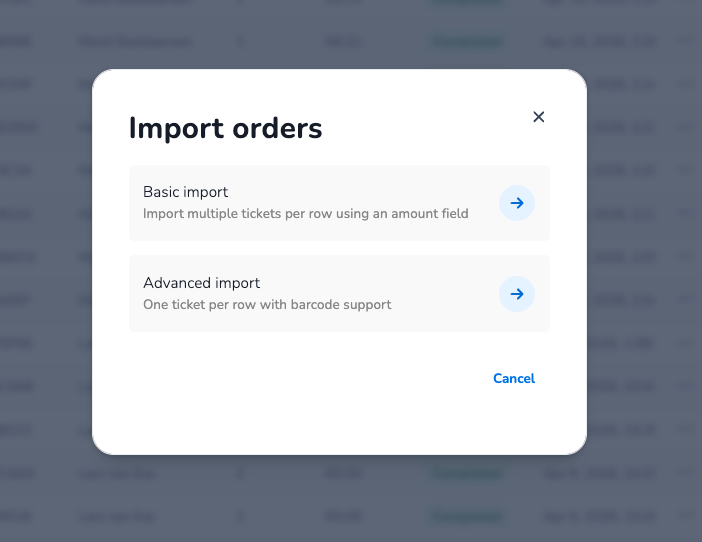
🟡 NEW FEATURE: Basic order import 🟡
What if importing an order was easier? You know.. like on the old platform. Good news! We now support both ways of importing orders, this means you can now choose to either do a simple import using ticket amounts or go advanced and import your tickets line-by-line with custom barcode support.
Now live on test, give it a try and let us know what you think.
Release note 07-05-2026
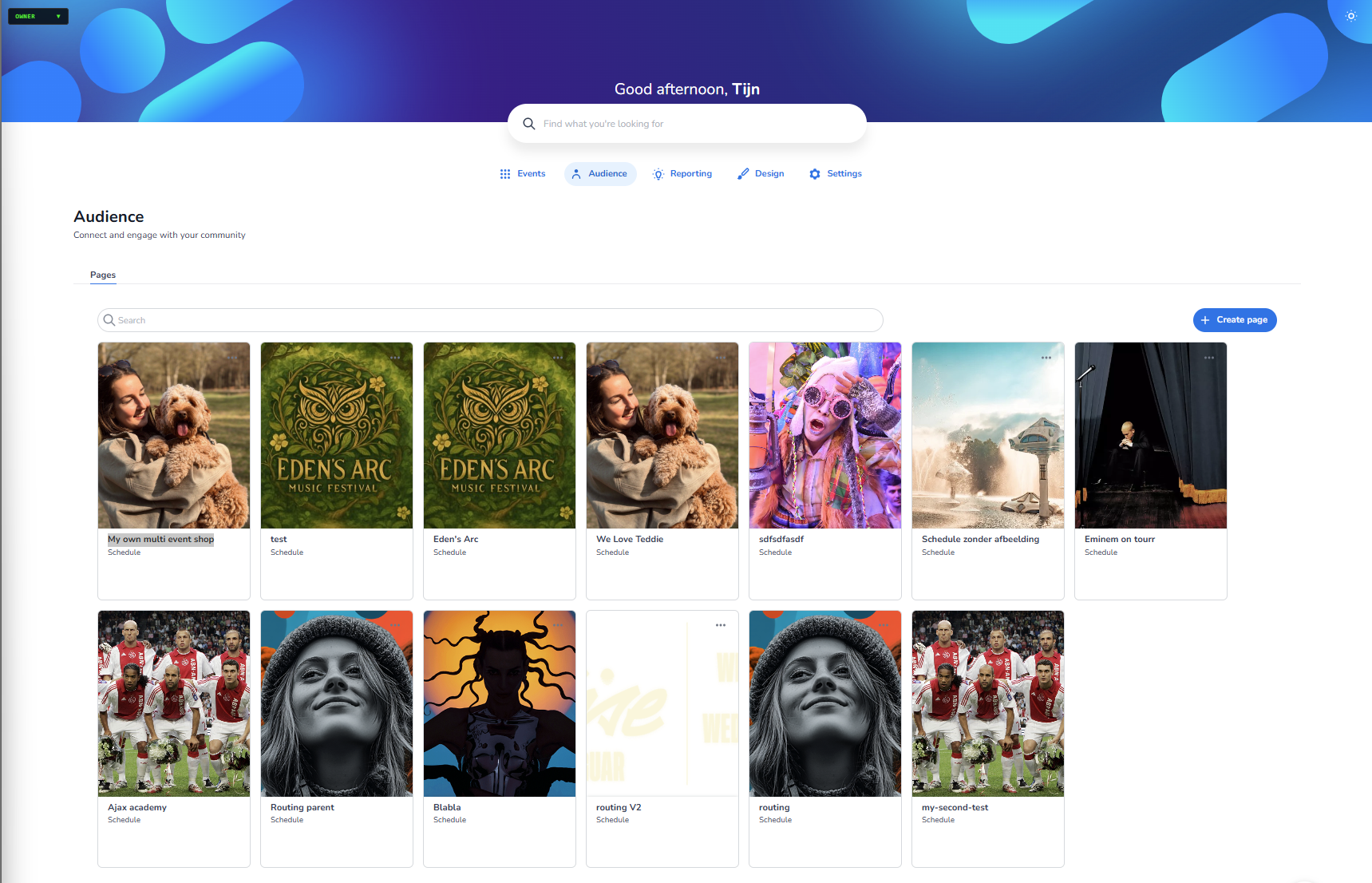
Added Audience as new button within the dashboard, here you can connect and engage with you community. Within this you can add multi event shops see image
Release note 08-05-2026
A new feature in guestlist orders is build, you can now choose between free payment and external payment.