
Overview
The Integrations section is located in:
Dashboard → Internal → Integrations
This section is used to configure and manage external system integrations at organisation level.
It allows administrators to:
-
Connect external data platforms
-
Enable seating integrations
-
Manage API credentials
-
Activate or deactivate system-level integrations
Changes made here apply organisation-wide.
Available Integrations
The Integrations page is divided into separate configuration blocks.
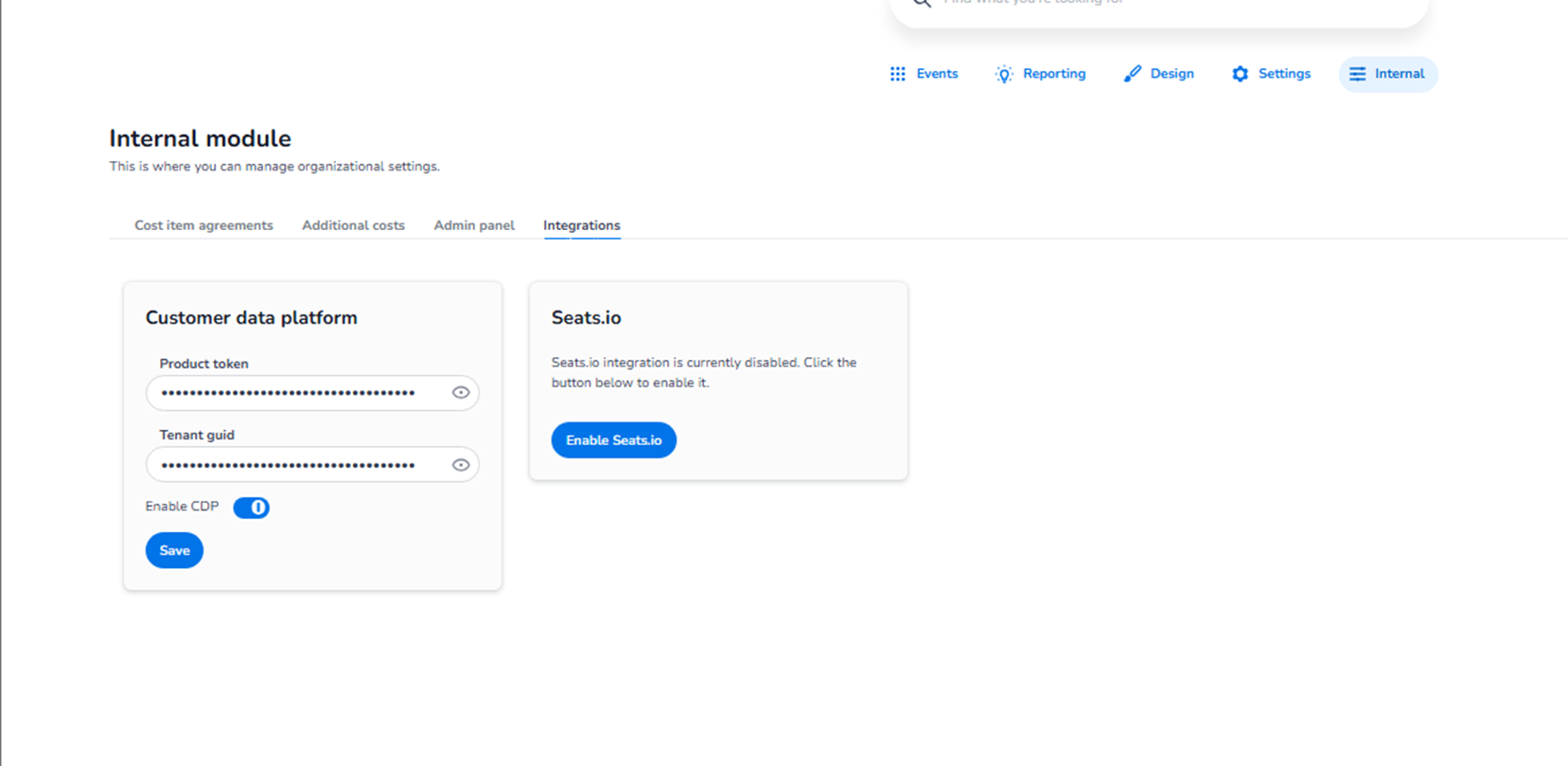
Customer Data Platform (CDP)
This block allows you to configure integration with a Customer Data Platform.
Fields Available
-
Product token
-
Tenant GUID
These fields are used to authenticate and connect the ticketing platform to an external CDP environment.
Enable CDP Toggle
Toggle: Enable CDP
Purpose:
-
Activates or deactivates the CDP integration.
-
When enabled, customer data can be synchronised with the connected platform.
Save Button
Used to:
-
Store the configured credentials.
-
Apply integration changes.
Impact:
-
Controls customer data synchronisation.
-
Enables external data enrichment and segmentation.
-
Supports marketing and CRM workflows.
http://Seats.io Integration
This block manages the integration with http://Seats.io , typically used for:
-
Seating plans
-
Reserved seating layouts
-
Interactive seat selection
Enable http://Seats.io Button
Button: Enable http://Seats.io
Purpose:
-
Activates the seating integration.
-
Connects the ticketing system to http://Seats.io functionality.
Impact:
-
Enables reserved seating configuration.
-
Allows seat map integration within events.
-
Supports interactive seat selection during checkout.
If disabled:
-
Seating plans cannot be used.
-
Only general admission configurations are available.
What This Section Controls
The Integrations section controls:
-
External system connectivity
-
Data platform integrations
-
Seating system activation
-
API-level connections
It influences:
-
Customer data processing
-
Marketing automation workflows
-
CRM data synchronisation
-
Reserved seating functionality
Important Considerations
-
Incorrect credentials will prevent integration from functioning.
-
Changes apply at organisation level.
-
Enabling integrations may affect event configuration capabilities.
-
API tokens and GUIDs should be handled securely.
This section should only be accessed by authorised administrators.
Functional Summary
Within Internal → Integrations, the user can:
-
Configure Customer Data Platform credentials
-
Enable or disable CDP integration
-
Activate http://Seats.io integration
-
Manage organisation-wide system connections
This section governs how the ticketing platform connects to external systems and advanced functionality.