
Learn how to work with Mobile Service Cloud through the e-learning in CM University. Short videos and quizzes guide agents through the dashboard and conversations, and admins through the settings.
What is CM University?
CM University is the e-learning platform for CM.com products. It brings all courses, learning tracks, and webinars together in one place, so you can learn at your own pace.
On your home screen you can:
-
continue where you left off in the learning tracks you are enrolled in, with your progress shown per track
-
see the courses you completed recently
-
browse the full catalogue to find and enroll in more courses
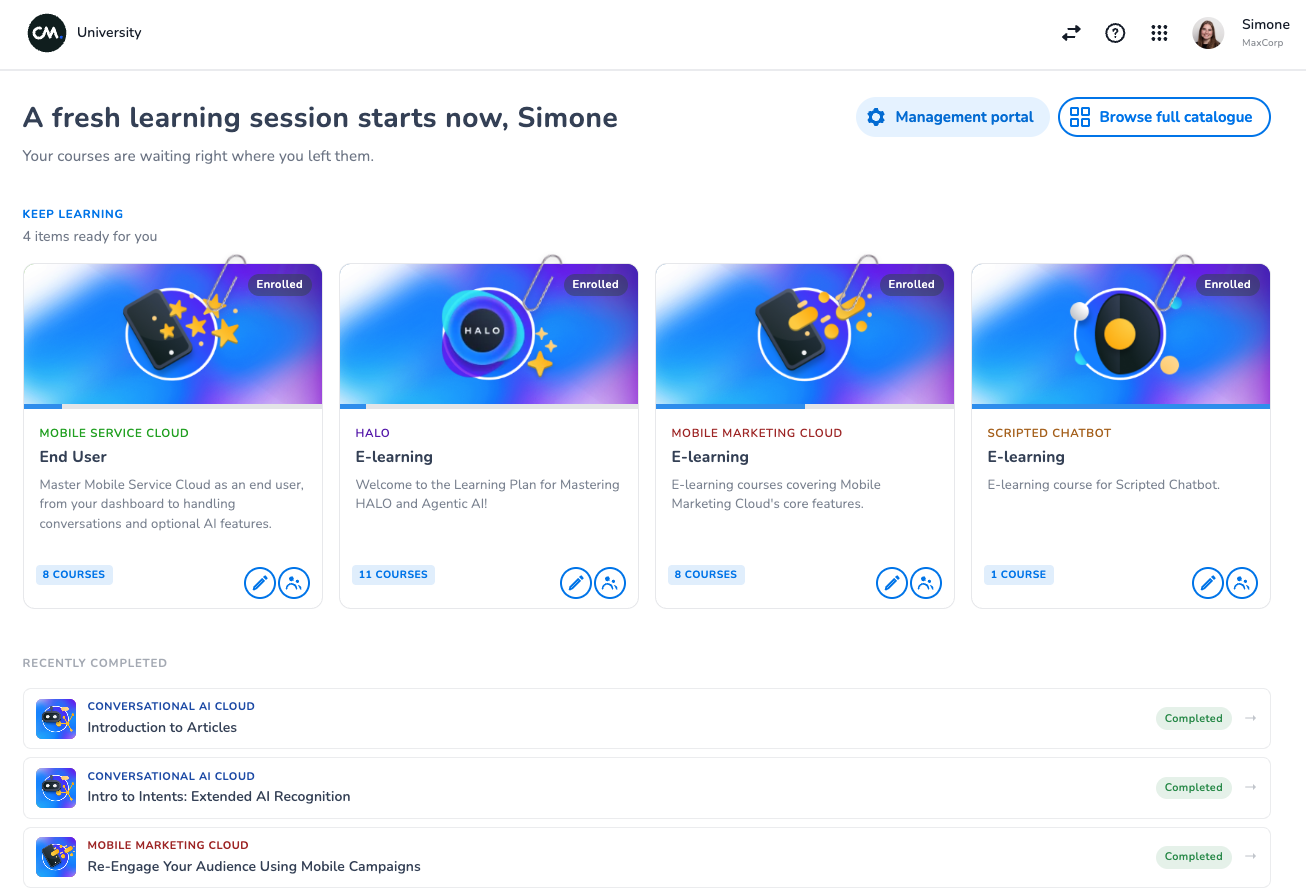
Each product has its own learning tracks. A track groups related courses in a logical order, and a course combines short videos, text, and quizzes.
Important for Mobile Service Cloud users: you need your own CM Platform account to log in to CM University. If you do not have one, you cannot log in and cannot reach the e-learnings. Ask the platform owner in your organization to create a CM Platform account for every colleague who needs access.
Where do I find CM University?
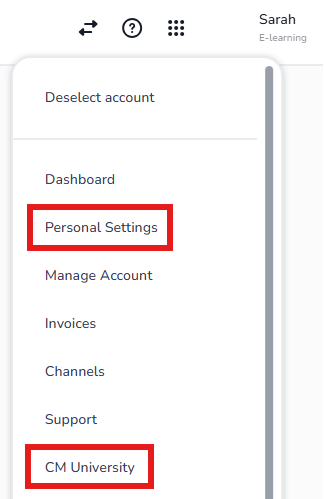
Open CM University at cm.com/app/university. You can also reach it from the CM Platform: click your name in the top right corner and select CM University.
If you saved a bookmark or shortcut for the old e-learning address (learn.cm.com), it now redirects to CM University. We recommend updating it to cm.com/app/university.
How do I log in?
CM University uses single sign-on (SSO). Log in with the same CM Platform account you use for your other CM.com tools. There is no separate e-learning password to create or remember.
Every user needs their own CM Platform account. If you do not have one yet, ask the platform owner in your organization to set one up for you. Once your account exists, you get access to CM University automatically.
In which language can I learn?
Quizzes and course texts are available in multiple languages. To change your language, click your name in the top right corner, select Personal settings and then Preferences.
The videos are in English. Subtitles are available in your selected language, so you can follow along in the language you prefer.
Which e-learnings are available?
CM University groups the e-learning for Mobile Service Cloud into learning tracks:
-
End User: learn how to work in Mobile Service Cloud as an agent, from your dashboard to handling conversations, including optional AI features.
-
Settings (for Admins): learn how to configure Mobile Service Cloud, from general settings to Native Voice and the Analytics Portal. Meant for admins.
-
Webinars and Use Cases: watch recorded webinars and real-world use cases for getting more out of Mobile Service Cloud.
Tracks and courses are updated regularly. Open the catalogue in CM University for the current overview.
Why do I not see any courses on my home screen?
The first time you log in, your home screen may not show any courses yet. Your recommended courses are matched to the products your organization uses, and this happens automatically within a day.
You do not have to wait. Open the course catalogue and enroll yourself in any course you want to follow. Once your recommended courses are matched, they are added to your home screen as well.
What changed compared to the previous e-learning platform?
The e-learning platform at learn.cm.com has been replaced by CM University. Your courses and your progress were migrated, so you can continue where you left off. The old address learn.cm.com redirects to the new address, cm.com/app/university, so existing links keep working.