
By default, HALO automatically answers your users in their own language. It can detect 89 languages and respond to the user in that detected language. You also have several options to influence HALO’s language behaviour yourself.
This page explains how HALO picks the language and how you can influence it.
Not all language behaviour works the same for text and voice conversations. Each section below explains for which mode the information applies.
Default language
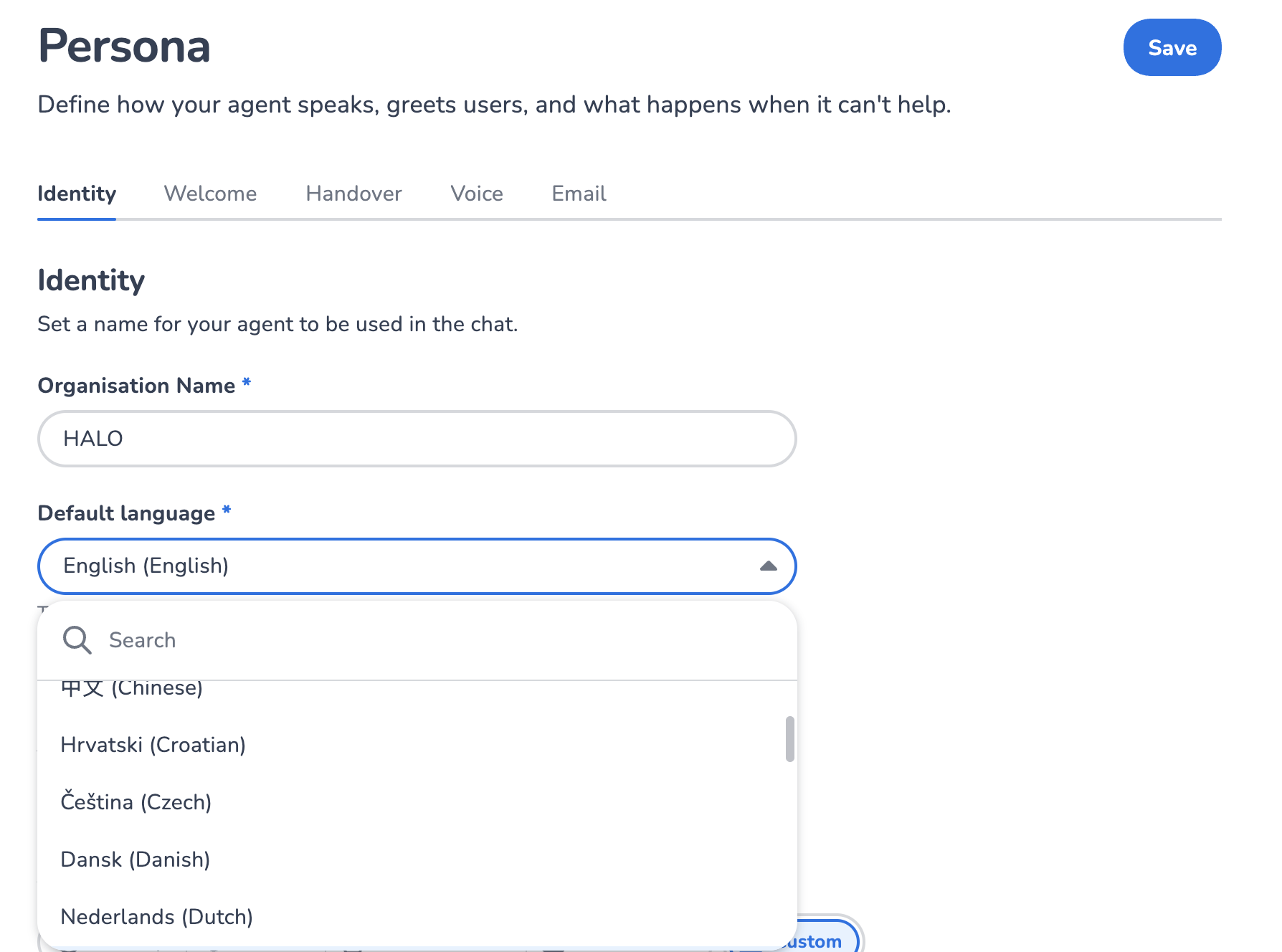
The default language applies to text and voice conversations. It is the base language of your HALO profile. HALO uses it for its welcome messages and as a fallback for language detection when a conversation is too short or ambiguous. To set the default language, open your Persona and pick the Default language on the Identity tab.
Language detection
Language detection applies to text conversations. HALO automatically detects the language of every customer message from 89 languages, and replies in that detected language. In voice calls, automatic language detection is not available. See Voice configuration.
Set language step
You can influence the language of HALO directly with the Set language step, which works for both text and voice conversations. With Keep this language turned on, automatic language detection stays off for the rest of the conversation. With it off, HALO detects the language again on the customer's next message. The language you set is used by your agents that are configured to do so, and for the output of all your tools. The Set language step lets you choose either a language or a language with a locale. Adding a locale gives you control over the specific regional variant of that language.
For voice conversations without automatic detection, the Set language step can be especially useful, for example for setting a specific language locale, or for IVR flows.
Agents
Your agents have the setting Apply tone of voice and automatic translations, which is turned on by default. When it is on, HALO makes sure the agent answers in the conversation language and in the tone of voice of your profile. It only has an effect in text conversations.
You can also turn off this setting, which means the agent decides for itself in which language to answer.
If you turn off this setting, make sure to mention in your agent prompt which language the agent should answer in.
Tools
Some tool steps send a message directly to the customer, for example an Ask user step or the goodbye message of a Handover step. HALO automatically translates these messages to the language of the conversation.
The translation of tool outputs always happens, for both text and voice conversations. To directly control which language your tools answer in, use the Set language step.
Web Conversations
When integrating HALO through Web Conversations, you have several options to influence the language behaviour of HALO:
-
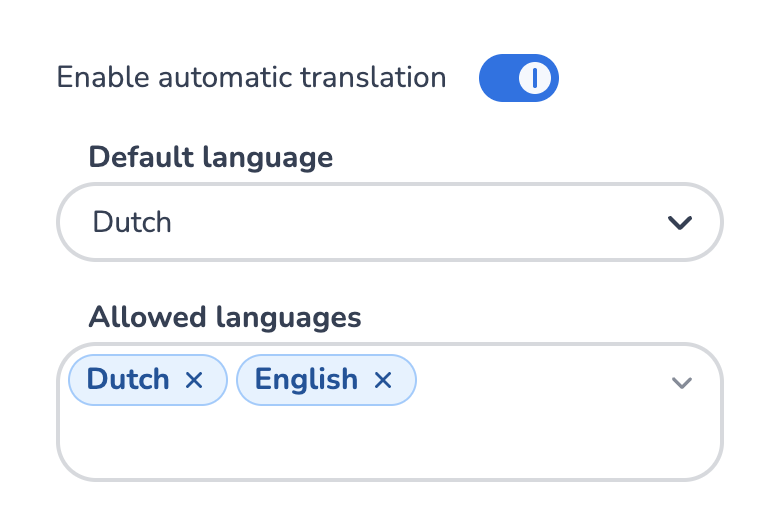
You can override the default language of your HALO profile per Web Conversations configuration, by setting the Default Language property.
-
You can limit the number of languages HALO can detect through the Allowed Languages section.
Voice configuration
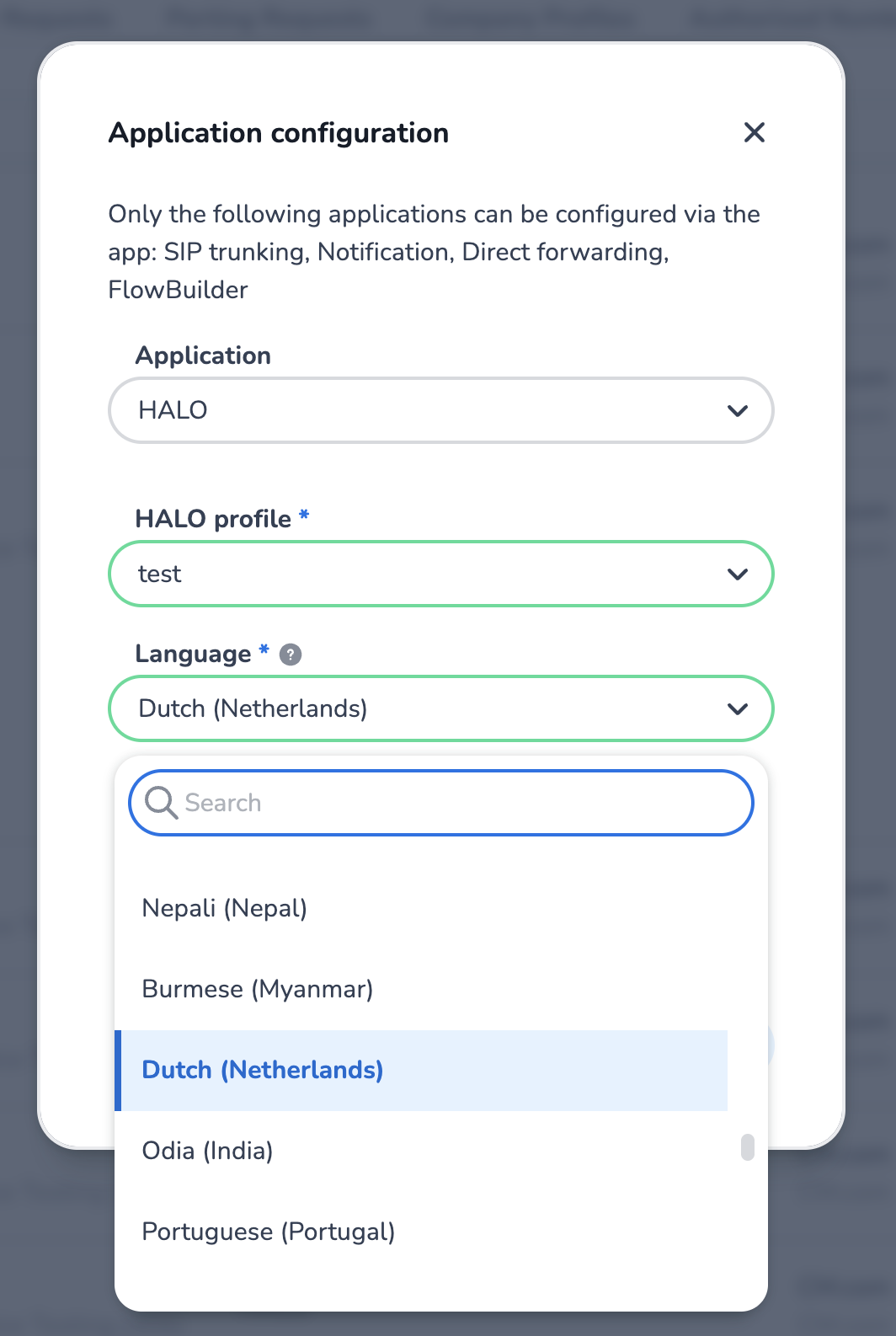
To influence the language HALO speaks in voice conversations, you can adjust your number configuration in CM Voice management. There, you can link a specific phone number to a specific HALO profile with a specific language:
More language settings can be configured on the Voice tab in Persona:
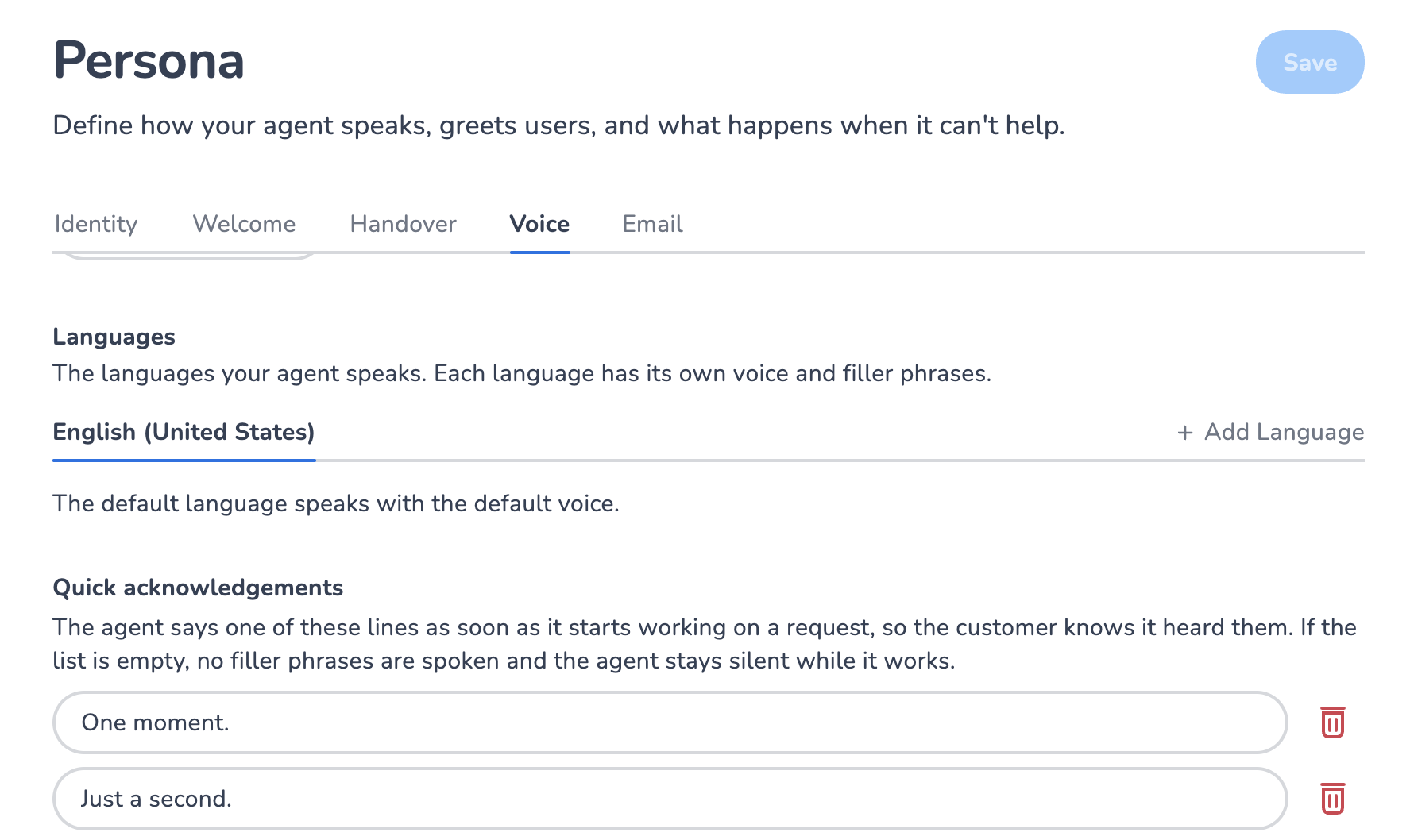
Automatic language detection is disabled for voice calls. Without language detection, the language HALO speaks only comes from your configuration and the Set language step.
Supported languages
HALO can detect and answer in these 89 languages:
-
Afrikaans
af -
Albanian
sq -
Amharic
am -
Arabic
ar -
Armenian
hy -
Assamese
as -
Azerbaijani
az -
Basque
eu -
Bengali
bn -
Bosnian
bs -
Bulgarian
bg -
Burmese
my -
Catalan
ca -
Chinese
zh -
Croatian
hr -
Czech
cs -
Danish
da -
Dutch
nl -
English
en -
Estonian
et -
Filipino
fil -
Finnish
fi -
French
fr -
Galician
gl -
Ganda
lg -
Georgian
ka -
German
de -
Greek
el -
Gujarati
gu -
Hebrew
he
-
Hindi
hi -
Hungarian
hu -
Icelandic
is -
Indonesian
id -
Inuktitut
iu -
Irish
ga -
Italian
it -
Japanese
ja -
Javanese
jv -
Kannada
kn -
Kazakh
kk -
Khmer
km -
Korean
ko -
Kurdish
ku -
Lao
lo -
Latvian
lv -
Lithuanian
lt -
Macedonian
mk -
Malay
ms -
Malayalam
ml -
Maltese
mt -
Marathi
mr -
Mongolian
mn -
Nepali
ne -
Norwegian Bokmål
nb -
Odia
or -
Pashto
ps -
Persian
fa -
Polish
pl -
Portuguese
pt
-
Punjabi
pa -
Romanian
ro -
Russian
ru -
Serbian
sr -
Sinhala
si -
Slovak
sk -
Slovenian
sl -
Somali
so -
Southern Ndebele
nr -
Southern Sotho
st -
Spanish
es -
Sundanese
su -
Swahili
sw -
Swati
ss -
Swedish
sv -
Tamil
ta -
Telugu
te -
Thai
th -
Tsonga
ts -
Tswana
tn -
Turkish
tr -
Ukrainian
uk -
Urdu
ur -
Uzbek
uz -
Venda
ve -
Vietnamese
vi -
Welsh
cy -
Xhosa
xh -
Zulu
zu
Next to these languages, HALO also supports regional variants (locales), such as nl-BE for Dutch in Belgium. These can be especially beneficial for voice conversations, and can be controlled via the Voice tab in Persona, or via the Set language step.