
Setup
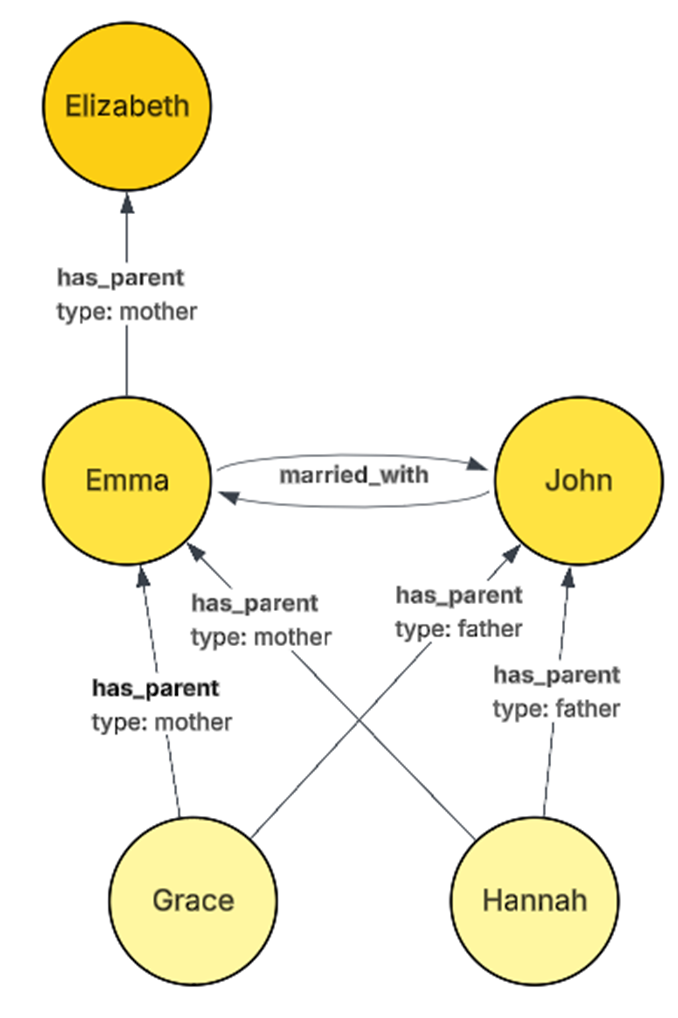
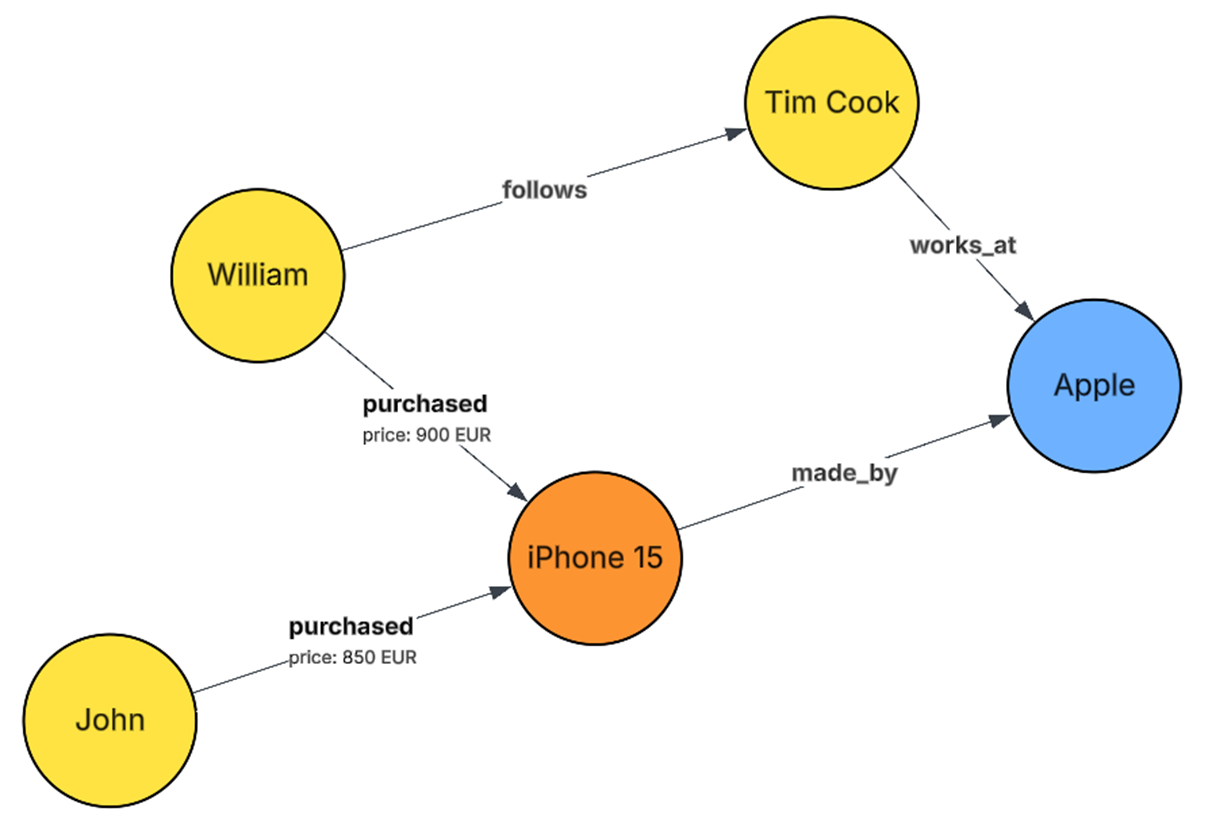
We offer a full generic configuration setup where you can build any structure you would like and even setup relations between objects. You can do this in our data manager.
This example data structure shows how CDP objects can also have related event timelines, and how objects can have relations to other objects such as households, companies, or accounts.
More ideas and use can be found here.
Collect
Begin by collecting data to populate the CDP. Data is the cornerstone that enables automated and personalized communication with your audiences.
Web tracking
The PRO subscription includes a straightforward web tracking tool to help you collect data from your website. This tool gathers information on user activities like page visits and clicks. The data is then sent to the CDP, where it combines with other customer data you have already present. This gives you a complete view of how customers interact with your brand and it keeps the data accurate and respects user privacy.
MMC apps
Email campaigns
Standard app integration where you can initiate email campaigns directly from our email campaigns app and all related events will be captured within the CDP.
However, please remember to first set up your email domain within the email campaigns app before you can start sending emails.
Campaigns
Standard app integration where you can begin sending campaigns directly from our campaigns app and all associated events will be logged within the CDP.
However, remember to first set up your channels within the channels section before initiating any campaigns.
Pages
If you're interested in collecting data through landing pages, use this app. This will facilitate the seamless gathering of data from your landing pages directly into the CDP.
Marketplace
Do you want to connect other data sources, you can do that through our Marketplace solution. Contact your account manager for possibilities.
Personalize
Now that you have data , it is time to personalize, this can be done in different ways, you can create dedicated segments for segmenting your audience and based on this send out communication. Or connect one of the Inspire modules for personalized recommendations and insights.
Activate
You could also think of creating workflows to activate and automate this process and enable product feed and/or web-personalization in combination with our Inspire module to create a full flow of automated personalization.