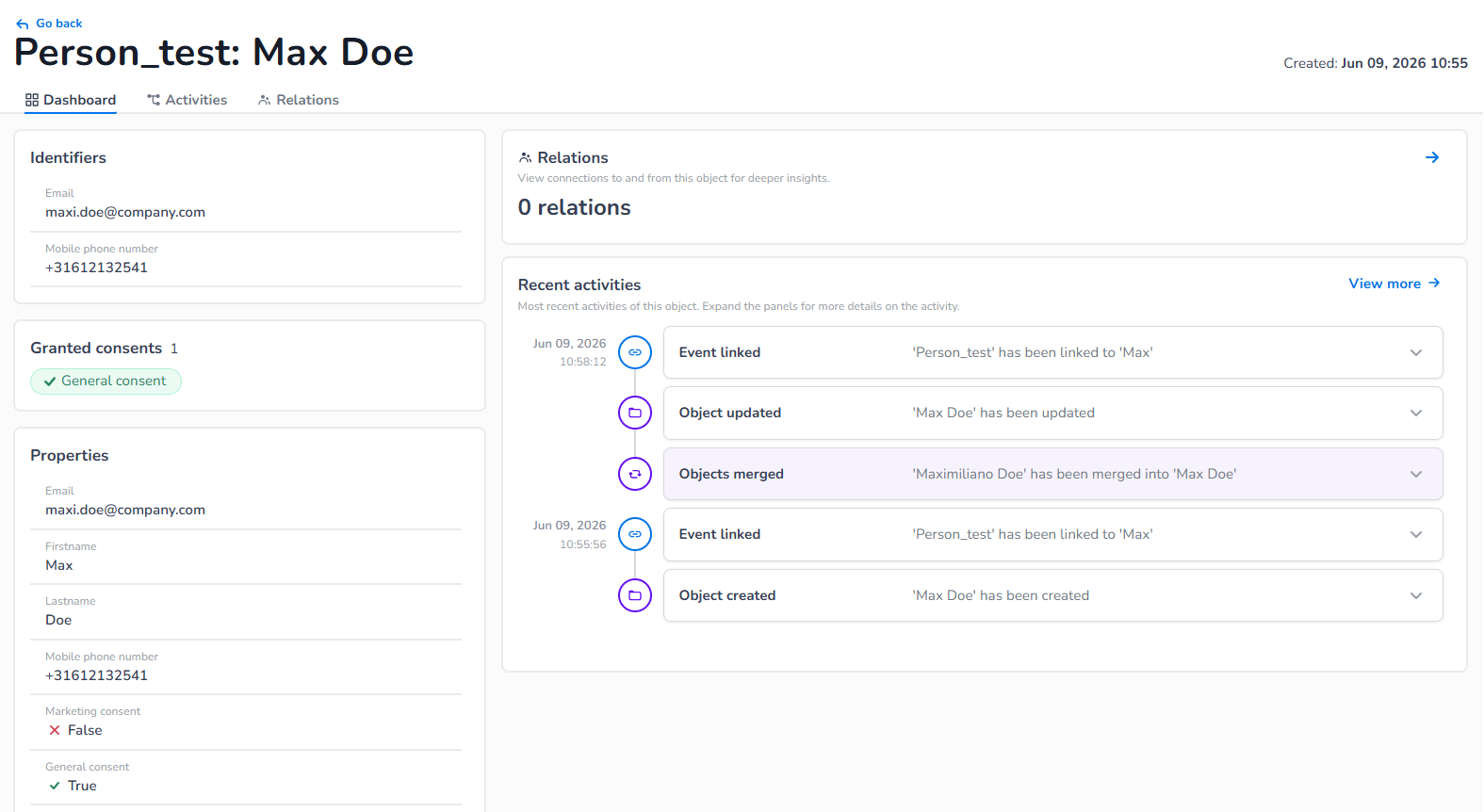
From the Explore Overview, you can click into any object to see more details. Here, you'll find its unique ID’s (in case of an object definition), all its properties and a log of activities related to that object. If you want more information on workflows and segments related to the object, there are additional tabs to explore those areas.
Unique identifiers
All the unique identifiers of an object are grouped together so you can easily see how the object has been build up. Unique identifiers are only present on object level.
Properties
All properties available as setup in the definition of the object, including the unique identifiers. We support objects and arrays, they are by default expanded and can be collapse if needed. You can easily see if a property is an object or an arrays based on its icon and collapsibility.
Recent activities
All activities that happened for this object. This includes all events part of this object and all changes, relations, merges, segment joins and workflow activations. The main object page shows the top 10 recent activities, for all activities for that object visit the activities tab.
Widgets & tabs
Activities tab
On the dashboard you see the latest activates of the object you’re exploring, the tab shows you all activates with a filter on activity type for that specific object.
Relations
Quick glance in how many relations this object has and the most recent added relation, for more details go to the relation tab.
Relations tab
Here you see a list of all relations that are present on the object (object only), a relation can be established between 2 objects as setup in the relation definition.