
Net Promoter Score (and its close cousin, CSAT) is one of the simplest ways to find out how your service is really landing with customers. Mobile Marketing Cloud (MMC) has everything you need to build a fully automated NPS flow on its own — Workflows, triggered campaigns, Pages, and the CDP.
If you also run Mobile Service Cloud (MSC) for conversations, that's a bonus: it gives you a ready-made, service-related trigger (like a conversation closing) to kick the survey off from. MSC isn't a requirement, though — any event MMC can see will do the job.
This article walks through the building blocks and a real-world pattern you can adapt: a multi-language, multi-channel NPS survey that fires automatically, using a service conversation close as one example of a trigger.
The four building blocks
Every NPS setup in MMC is really just four pieces connected together:
-
A trigger event — something that happens in MSC (or elsewhere) that should kick off the survey, such as a conversation being archived or resolved.
-
A message — an email, WhatsApp, or SMS campaign that invites the customer to give feedback, sent through a Workflow.
-
A survey page — built in the Pages app, where the customer actually answers the questions.
-
A place to store the answers — the Customer Data Platform (CDP), where responses land as profile or event data you can report on.
Once you can picture those four pieces, most NPS setups are a variation on the same theme.
An example pattern: survey after a service conversation closes
To make the four building blocks concrete, here's one popular setup from the service domain: a customer chats with support over WhatsApp or email, the conversation gets archived in MSC, and — after giving them a bit of breathing room — they receive a short survey asking how it went.
MSC is what makes this particular trigger possible — it's not a general requirement for NPS in MMC. Everything from Step 2 onward (filtering, sending, the survey, and storing responses in the CDP) works exactly the same regardless of what starts the workflow. If you don't run MSC, just swap Step 1 for a trigger from whatever system you do have — see "Pick a different trigger" below for options.
Here's how that's typically wired up:
Step 1: Pick your trigger event in a Workflow
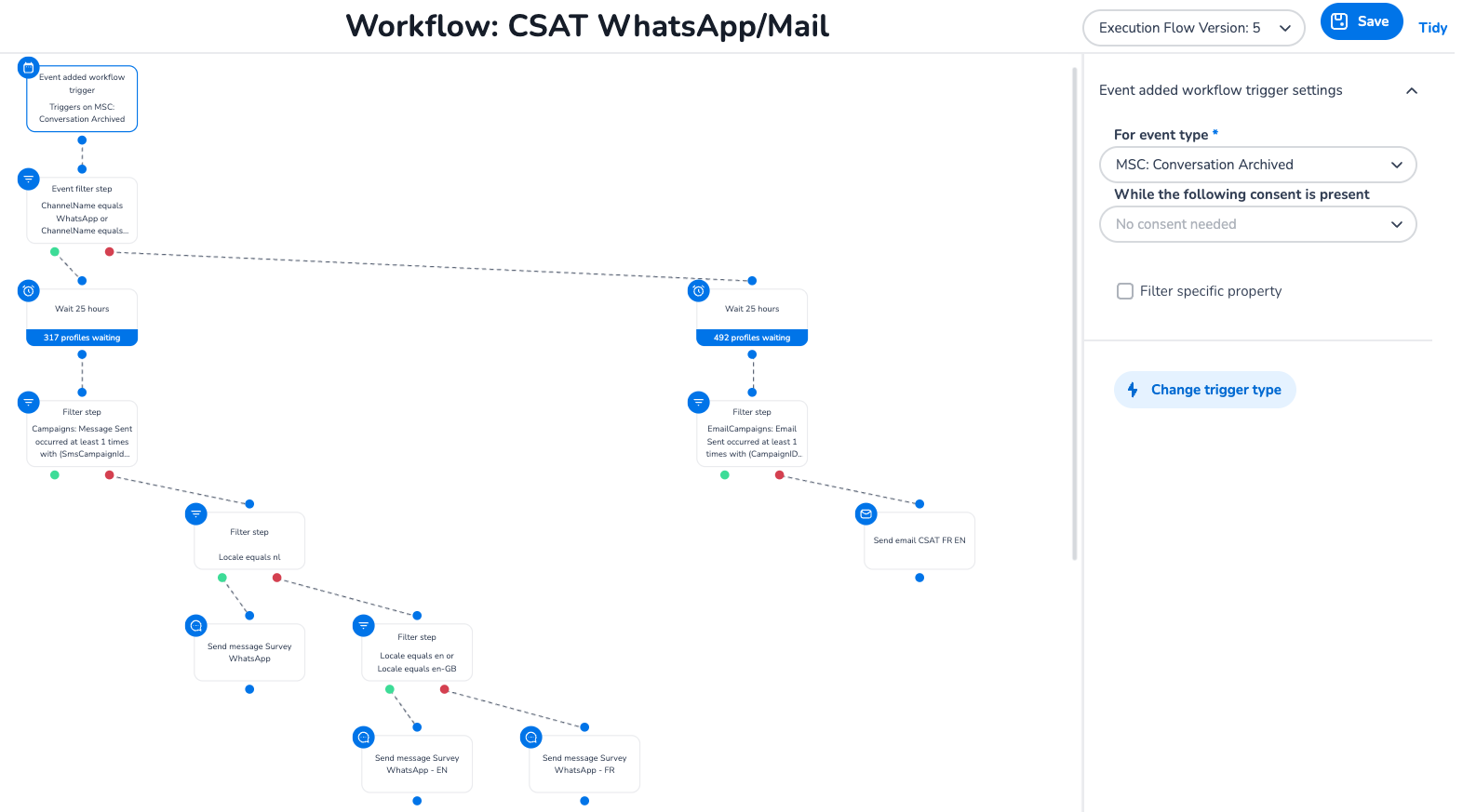
In Workflows, start with an event trigger. In this example, that's "MSC: Conversation Archived," which fires whenever a service conversation is closed, regardless of which channel it happened on — a natural fit if you're already using MSC alongside MMC.
If you're not running MSC, this step just looks different, not missing: any event that reaches MMC can start the same flow — an ecommerce order being delivered, a form submission, a CDP segment entry, a scheduled/date-based trigger, or a custom event sent in via API. Swap the trigger, keep everything downstream (filters, campaigns, survey, CDP capture) the same.
Tip: Unlike native MSC events, events from your systems reach MMC via webhook. Our implementation specialist or support must configure that connection manually. Before you build the workflow, decide which event(s) should trigger the survey and contact implementation or support to ensure the webhook is set up and sending data when you need it.
From there, add a short wait step (commonly 24–25 hours) so the customer isn't asked for feedback the moment the triggering event happens — give the experience a chance to sink in first.
Step 2: Filter and branch by channel and language
Not every customer should get the same message. Use filter steps to branch the workflow by:
-
Channel — did the conversation happen on WhatsApp, email, chat, etc.? Route each to the matching campaign type.
-
Language/locale — split into branches per locale (e.g.,
nl,fr,en/en-GB) so each customer gets a survey in their own language. -
Whether they've already been messaged — a filter step checking against your triggered campaigns avoids double-sending.
This is where a single trigger event fans out into several parallel, localized branches — one workflow, many outcomes.
Step 3: Send the invite via a triggered campaign
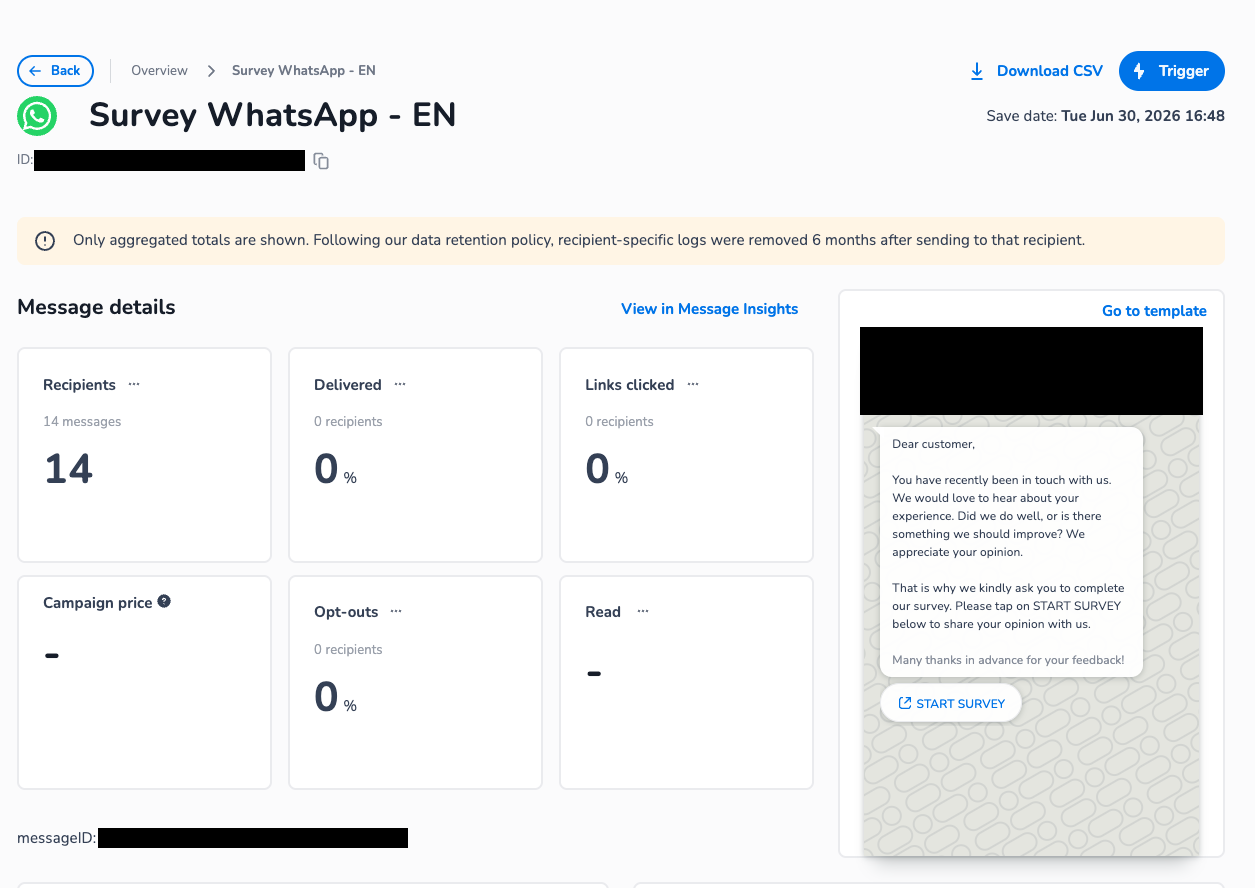
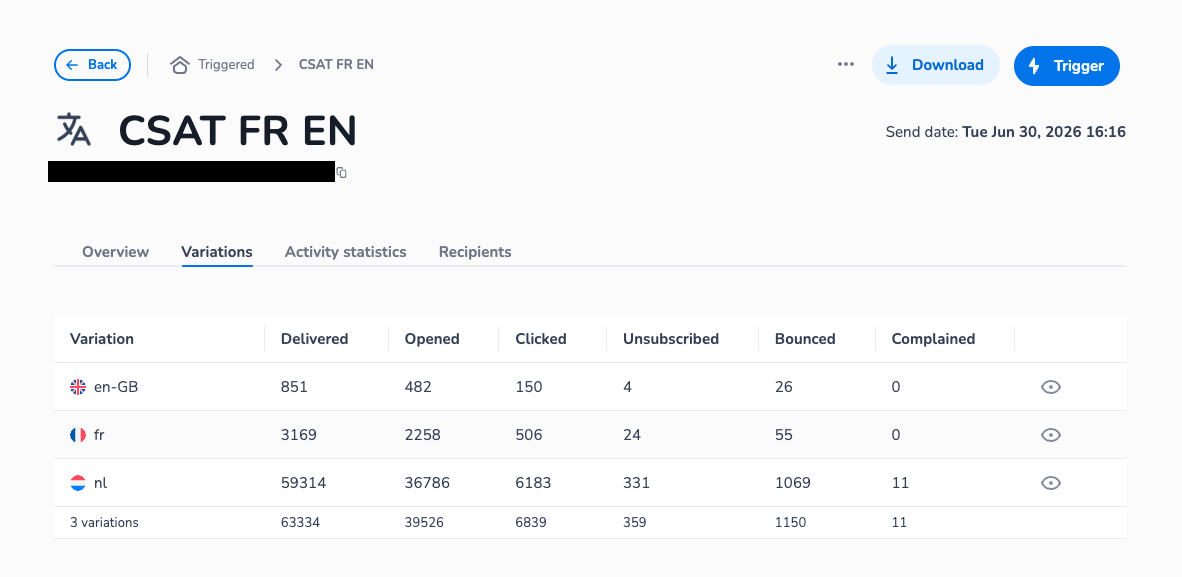
Each branch ends in a Send message step tied to a triggered campaign — one for WhatsApp, one for email, per language. Keep the message short: a friendly line explaining why you're asking, and a clear call-to-action button (e.g., "Start Survey") that links to your survey page.
Step 4: Build the survey in Pages
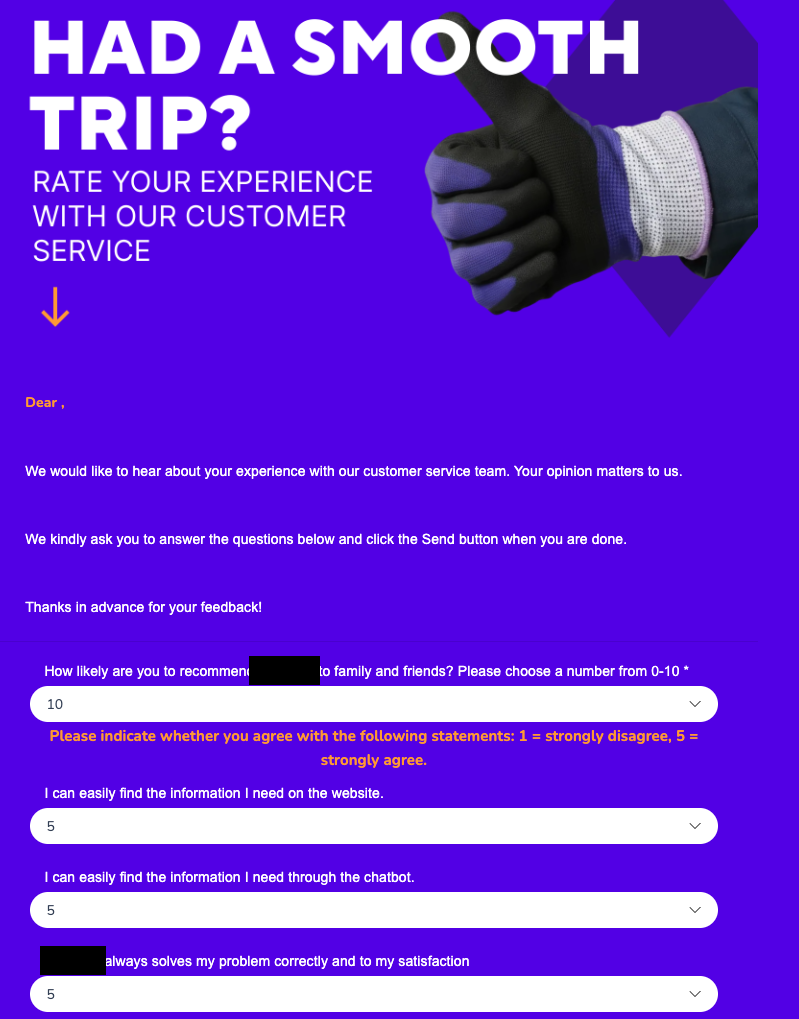
The CTA link lands on a page built with the Pages app. Keep it lightweight:
-
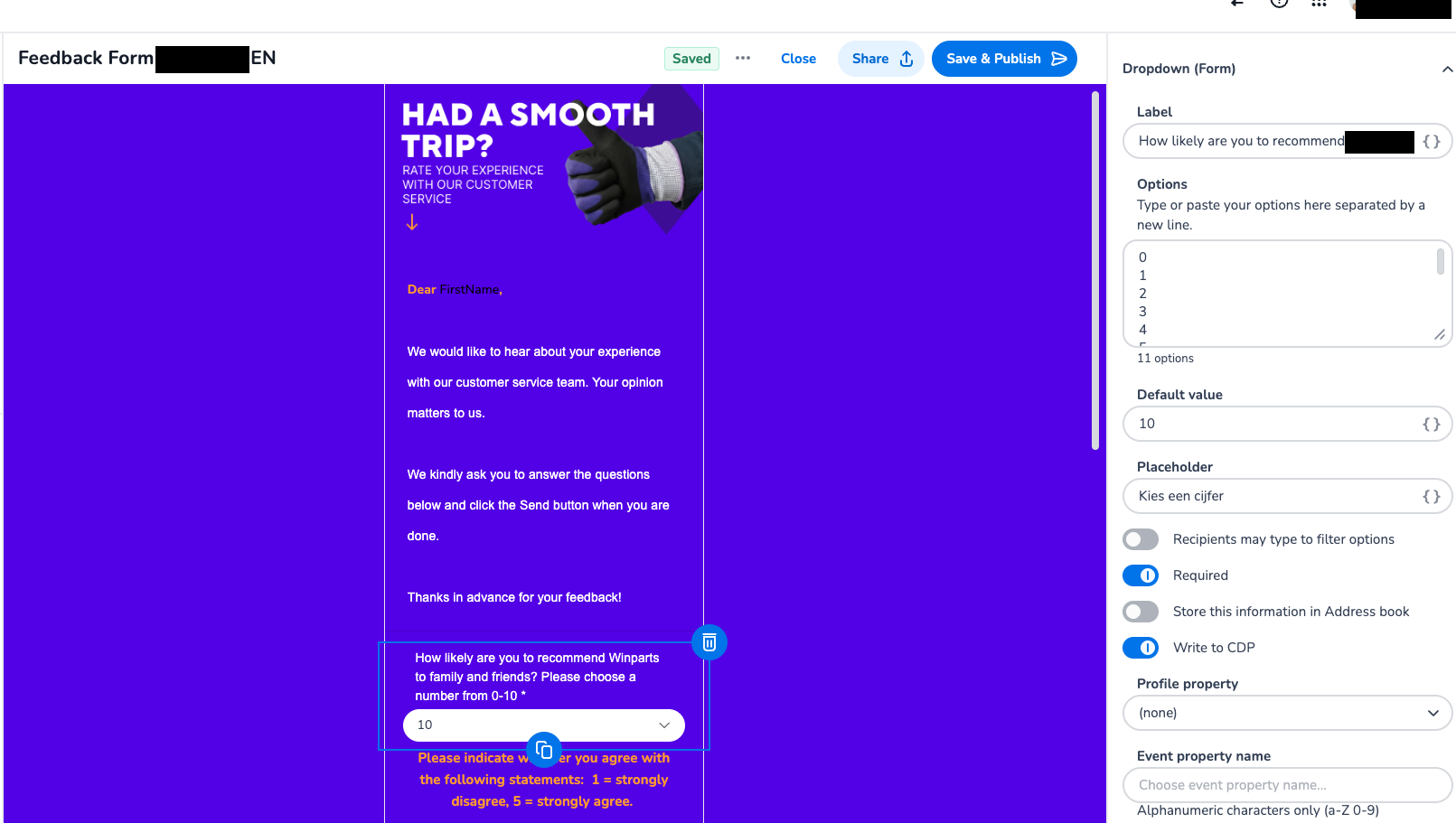
One clear NPS question — "How likely are you to recommend us to family and friends? (0–10)"
-
A couple of supporting statements on a 1–5 agreement scale, if you want more diagnostic detail (e.g., "I could easily find the information I needed")
-
An open text field for qualitative feedback ("What went well, and what could we improve?")
-
Personalization tokens (like the customer's first name) to keep it feeling direct rather than generic
Each field can be configured to write straight into the CDP and, optionally, be stored against the recipient's profile — no manual export needed.
Step 5: Let responses flow into the CDP
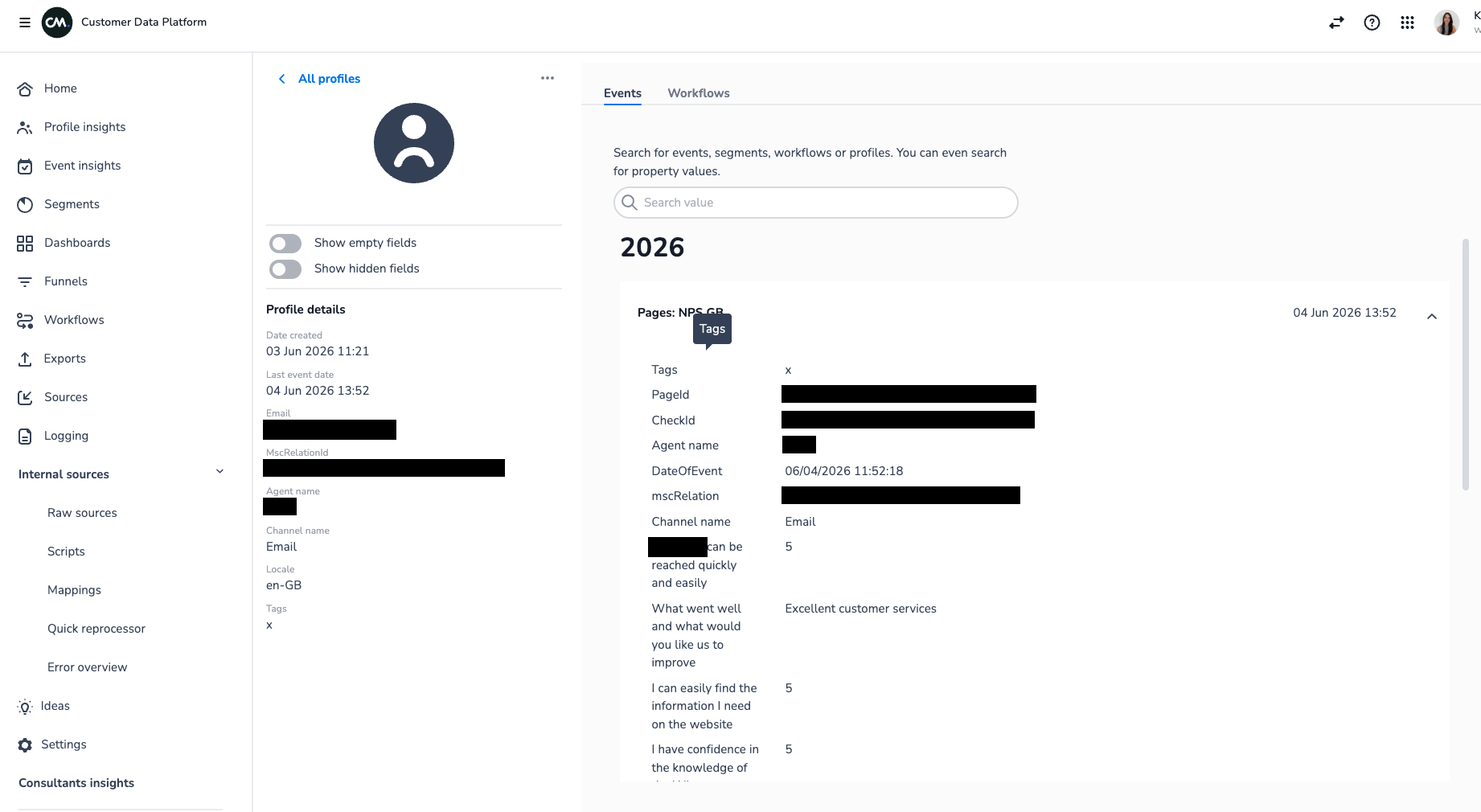
Because each form field is mapped with "Write to CDP" enabled, every submission shows up as an event on the customer's profile — channel, locale, the agent who handled the case, the score, and any free-text answers. This is what turns a one-off survey into a data source: you can segment on it, build dashboards from it, or trigger follow-up workflows from it (for example, routing detractors to a manager for a callback).
Step 6: Monitor and iterate
Once it's live, keep an eye on the same metrics you'd track for any campaign — delivery and open/read rates by channel and language, click-through to the survey, and completion rate on the form itself. Low click-through usually points to the invite message; low completion usually points to the survey being too long.
Ways to adapt this for your own setup
The pattern above is deliberately generic — treat it as a starting template, not a fixed recipe. Common variations worth considering:
-
Pick a different trigger. MSC's conversation-archived event is one option among many, not a requirement — any event the platform can see will work the same way. Ecommerce order delivered, subscription renewal, ticket resolution, a CDP segment entry, a fixed time after signup, or a custom event pushed in via API can all sit in the same spot at the start of the workflow.
-
More channels. SMS or in-app push work the same way as WhatsApp/email in the workflow — just swap the send step.
-
Score-based branching. Add a follow-up workflow that reads the NPS score back from the CDP and branches: promoters get a review request, detractors get routed to a human for follow-up.
-
Frequency capping. Add a filter step that checks "has this customer already received an NPS survey in the last X days" to avoid survey fatigue.
-
Single vs. multi-language. If you only serve one market, you can drop the locale-branching step entirely and keep the workflow much simpler.
Quick checklist before you go live
-
Trigger event chosen — MSC if you have it, or any other event MMC can see — and wait time set
-
If the trigger isn’t a native MSC event, identify which event(s) from your systems must be sent to our application, and involve support to set up the webhook
-
Locale filters in place if you're running multi-language
-
Triggered campaign(s) built with a clear, short invite and one obvious CTA
-
Survey page built in Pages with the NPS question first, everything else optional
-
Form fields mapped to write to CDP so responses are queryable afterward