
The My Profile page allows you to manage your own settings in a simple and efficient way. It is essentially the same as the existing Team → User Details page, but now it’s accessible for you directly. This gives you more autonomy and flexibility to manage your own profile and assignments.
If you don’t see the ‘My Profile’-page, contact your CM.com contact person.
How to Access My Profile?
-
Open the three-dot menu in the bottom-left corner of the app.
-
Click Settings.
-
The My Profile page will open immediately.
What You See Depends on Your Access
-
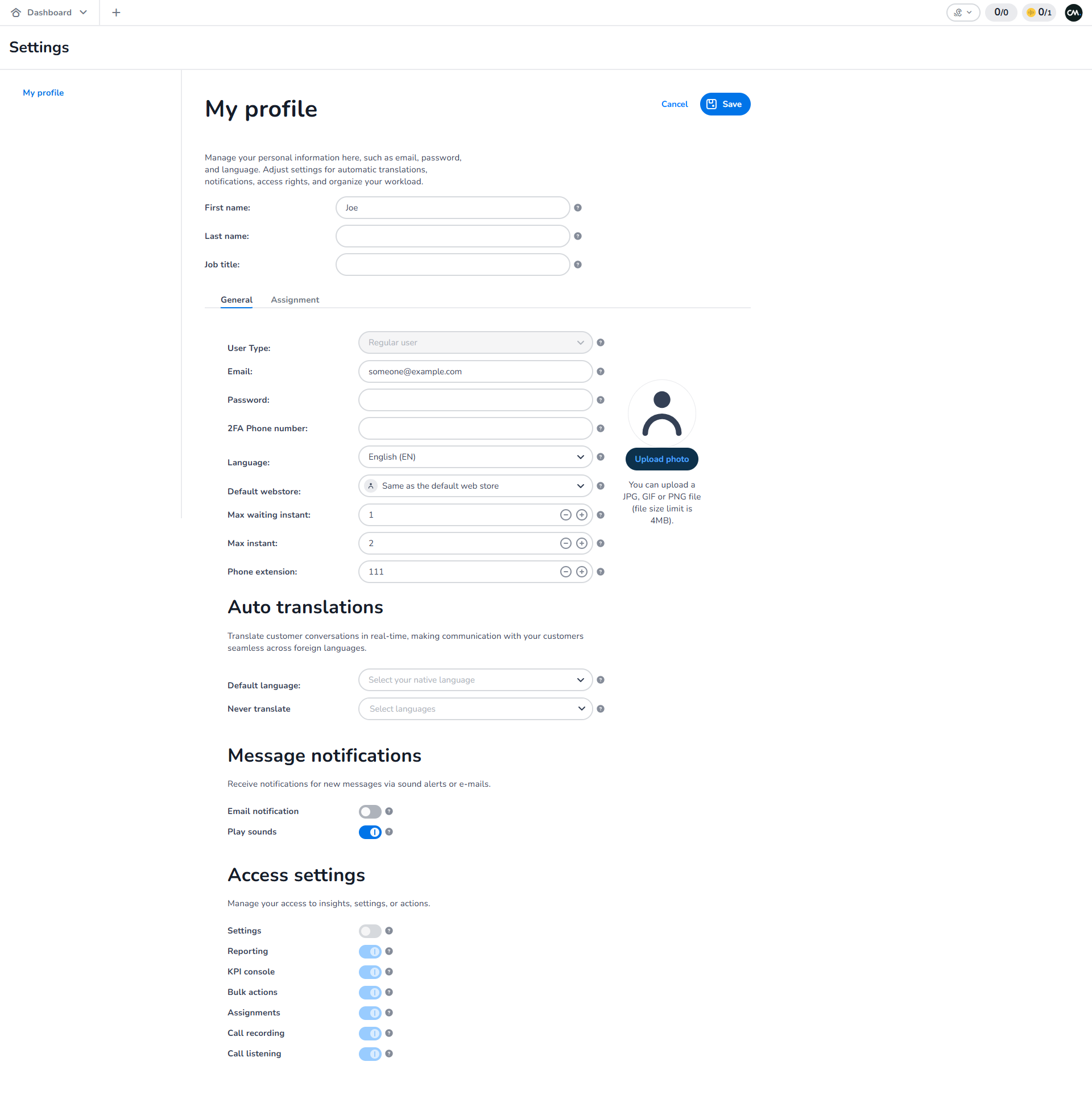
If you don’t have access to Settings:
You will only see My Profile in the navigation on the right side.
-
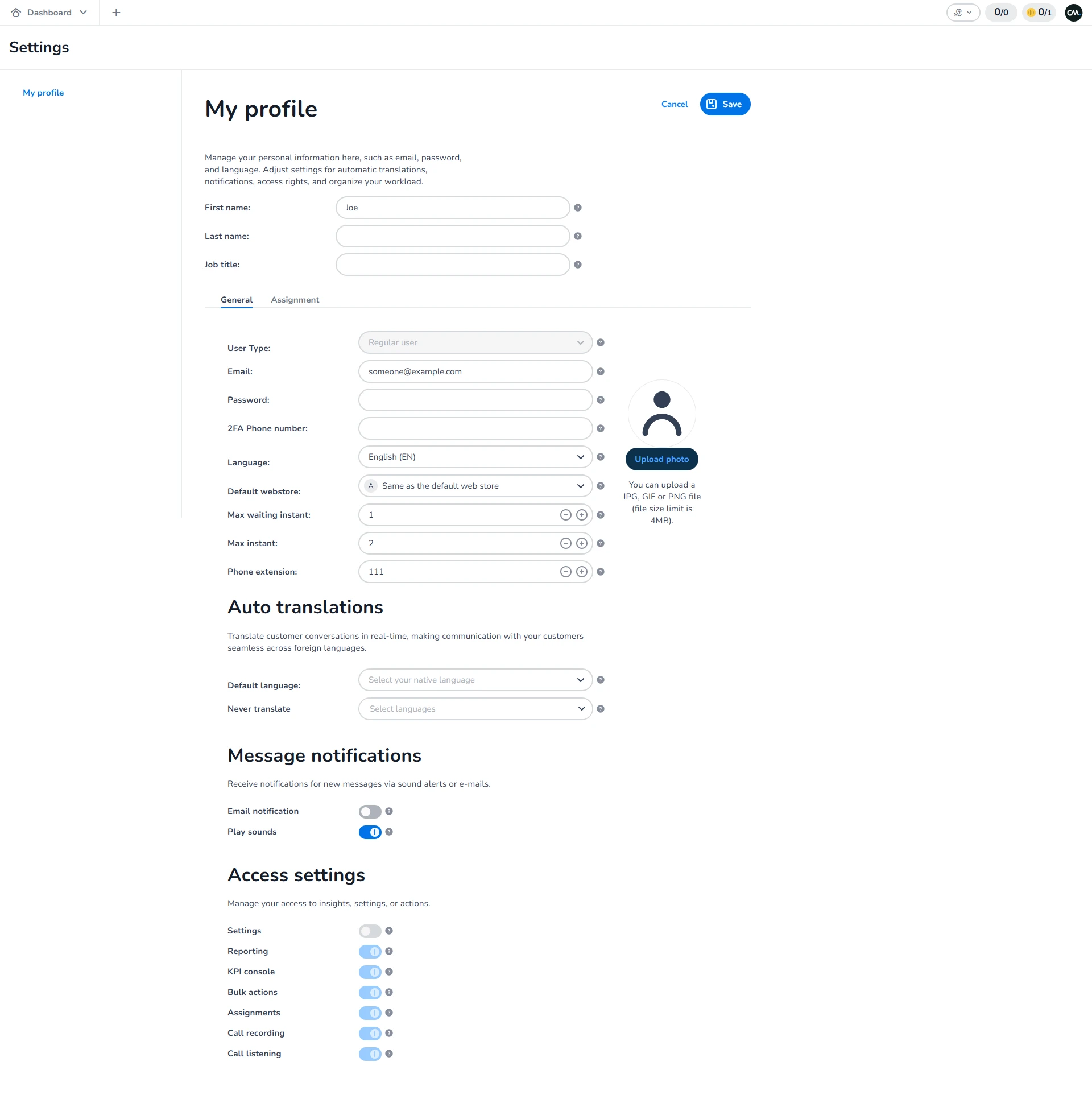
If you do have access to Settings:
You will see My Profile plus all other available settings pages in the navigation menu.
What You Can Manage
On the My Profile page, you can update your own settings (except access permissions), such as:
-
Email
-
Password
-
Language Preferences
-
Default Webstore
Changes to your language will take effect after you log out and log back in.
You can also manage your own Assignments for Webstores and Channels.
Managing Your Assignments
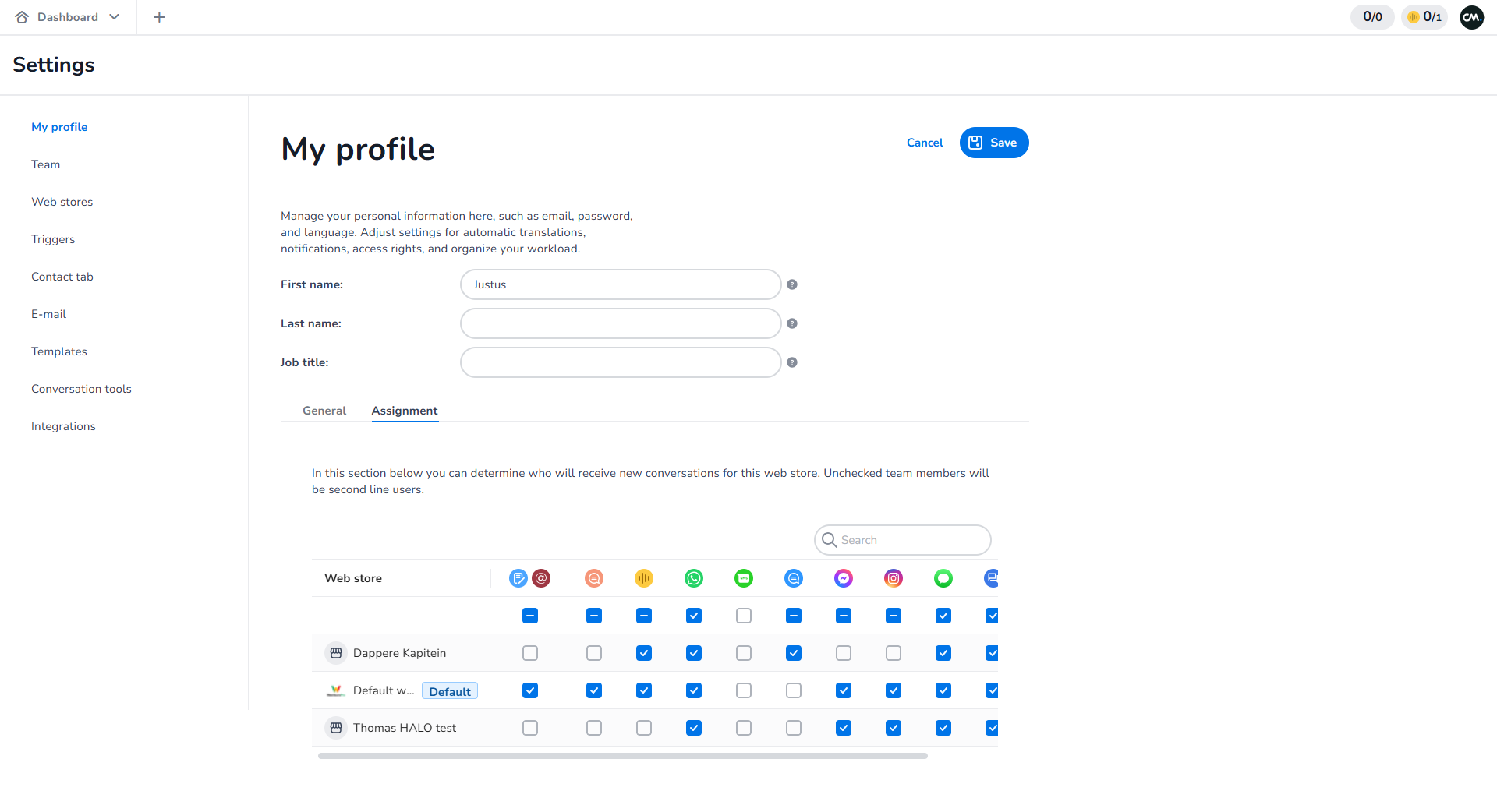
If you have access to Assignments, you can manage them directly from the Assignments tab on the My Profile page.
-
See which webstores are assigned to you.
-
Adjust your own assignments for Webstores and Channels.
For example, if you uncheck a box under a channel (such as WhatsApp) for a specific webstore, you will no longer receive incoming conversations from that channel for that webstore.
Connected Webstores
If the feature Only show connected webstores (in webstore settings) is enabled for your subscription:
-
You will only see the webstores that are connected to you on the My Profile page.
-
These connected webstores can be managed in the Webstore settings (by someone with the right permissions).
How This Fits Into Mobile Service Cloud
The My Profile page is part of the broader settings within Mobile Service Cloud. Together with the other settings pages, it helps you personalize your environment and manage your own details and assignments in one place.
E-learning Video
Would you like to see My Profile in action? Watch the e-learning video for Mobile Service Cloud users: