How to create a transformation
Transformations convert incoming event data (definitions of type event) into structured objects (definitions of type object) that are easier to use and understand. During this process, raw data is reshaped and organized to create clear, meaningful representations. These transformed objects help you see the bigger picture of customer interactions, enabling more informed decisions and effective engagement strategies.
Plan the Transformation
Before jumping into the transformations, clearly define the purpose of the transformation. Identify the event definition you're working with and the object(s) you aim to create. Consider any data mapping, filtering, or calculations needed to achieve the desired outcome. Then decide if you need a basic transformation or an advanced one, basic transformations allow you to 'map' your input definition data to 1 output object definition, so for example a 'Newsletter subscribed' event to object 'Person'. If you want to create relations, multiple outputs or do custom scripting you need advanced transformations.
Basic transformation
A basic transformation cannot be 'transformed' into an advanced transformation
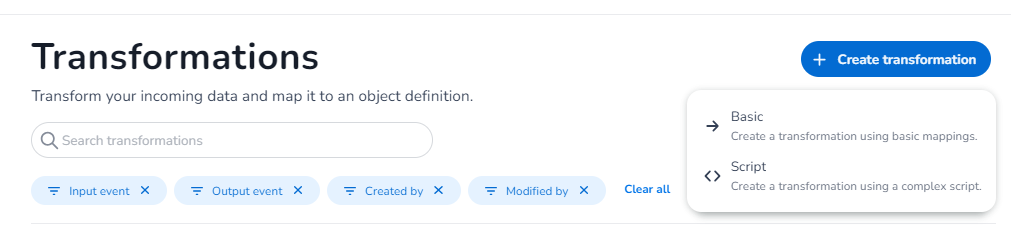
Navigate to the transformation section within the CXP interface. Create new transformation and select the type of transformation you want to build, basic or advanced.
Define name
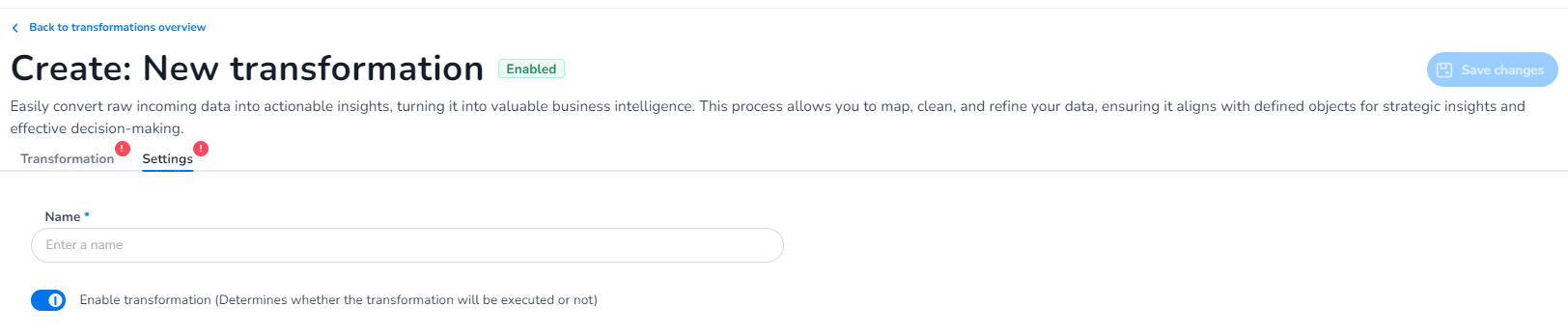
Begin your transformation by giving it a logical name so you can easily find it back.
Define input
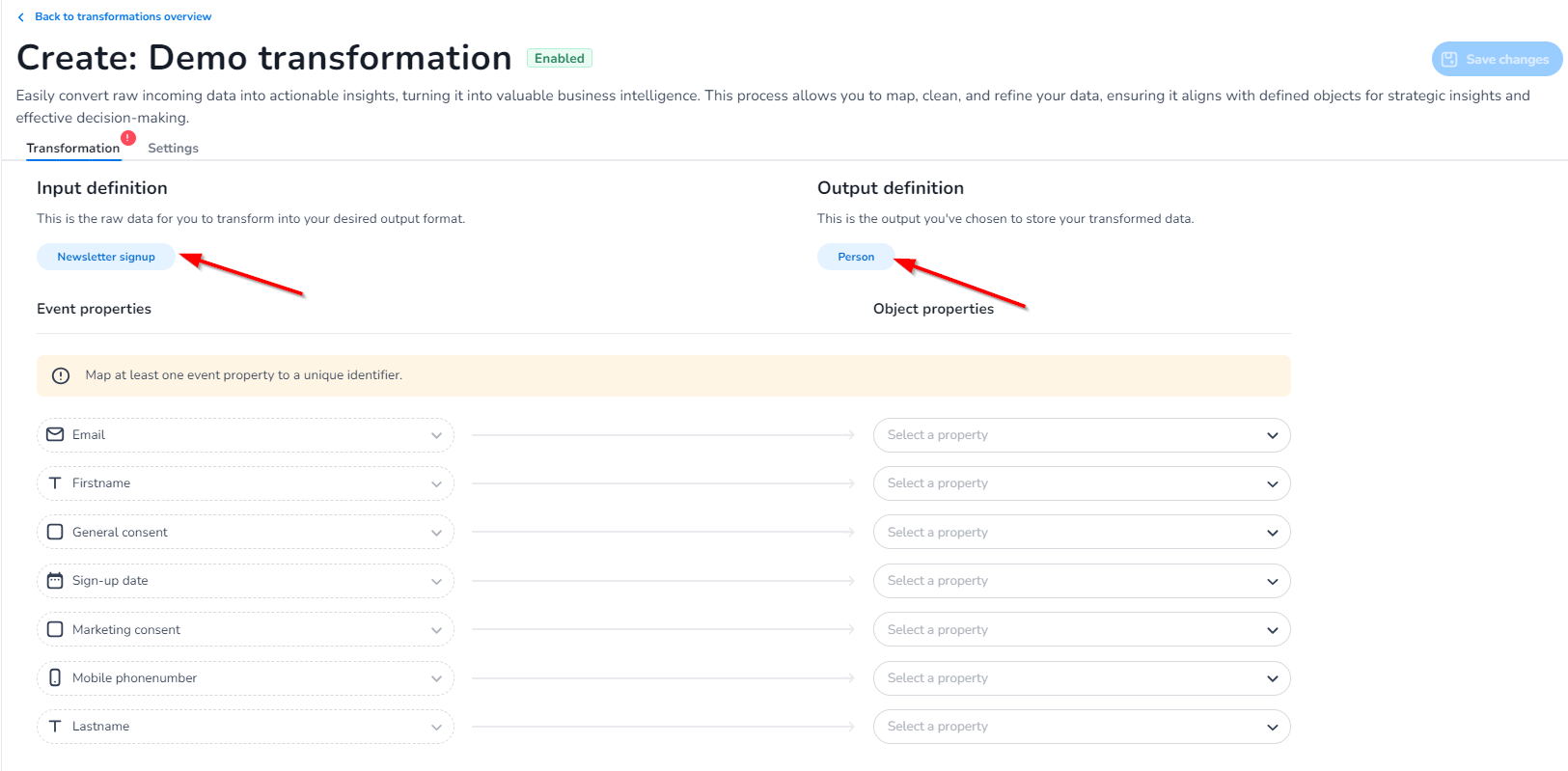
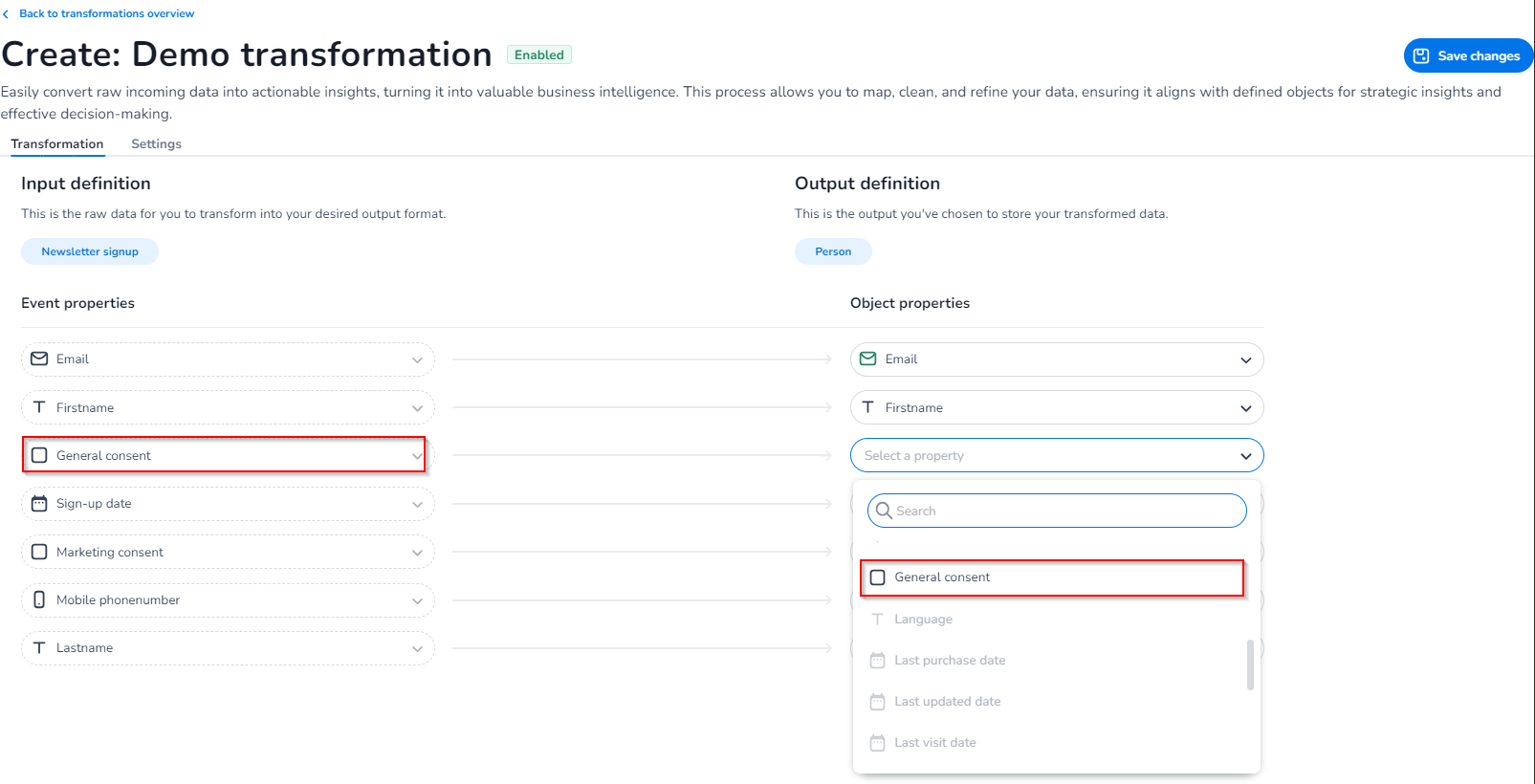
Specify the event definition that serves as the input for your transformation (only 1) and select the output definition (only 1) where you want to output your event data to. For multiple outputs you need advanced transformations
Transform
Use mapping logic to assign values from the event properties to the corresponding fields in the target object. Map at least one event property to a unique object identifier, without it we cannot create a unique object.
We do a check on property types, meaning we do not allow the mapping of a date to a string field for example or an email to a Boolean, this to ensure correct data processing and avoid errors.
Activate the Transformation
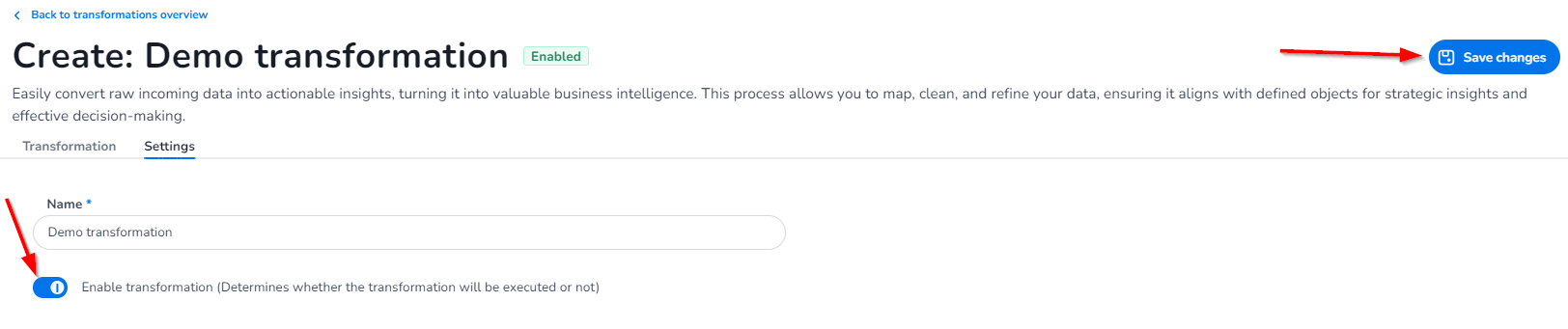
Once validated, save and activate the transformation (in transformation settings). Monitor its performance and behavior in real-time data processing to identify any areas for refinement.