
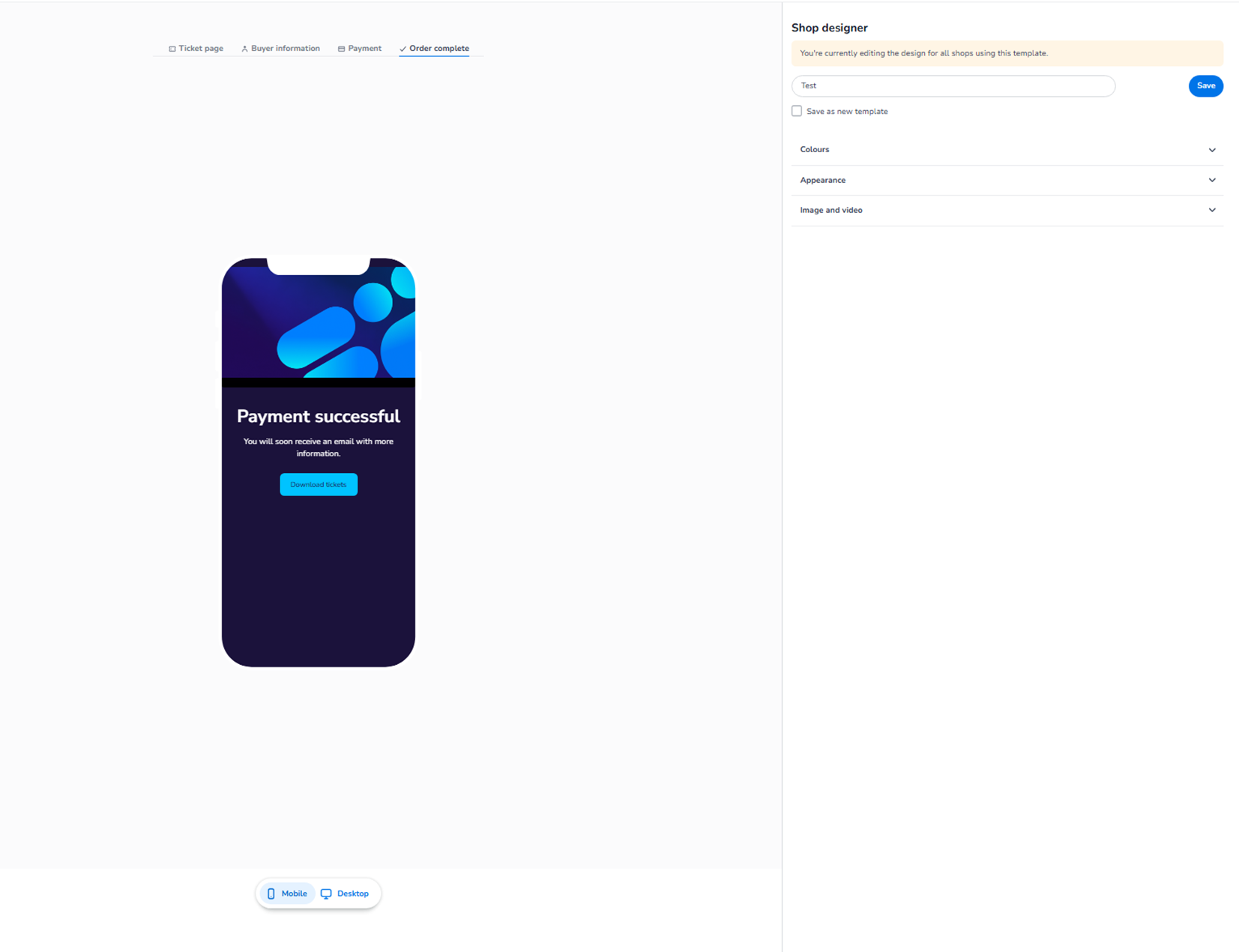
This section appears inside:
Design → Shop design → Edit → Order complete
It controls the visual styling of the final confirmation page shown after a successful payment.
This is the page where customers see:
-
Payment confirmation
-
Success message
-
Ticket download button
-
Next-step instructions
It is the final step in the checkout flow.
What This Section Controls
The Order complete design controls:
-
Background styling
-
Confirmation message appearance
-
Button styling (e.g. “Download tickets”)
-
Overall branding of the success screen
It does not control email confirmations or ticket generation logic — only the visual presentation.
All styling applies to both Mobile and Desktop.
The layout differs per device, but the configuration is shared.
Available Configuration Sections
Inside Order complete, you will typically find:
-
Colours
-
Appearance
-
Image and video
These function similarly to the other checkout steps but apply specifically to the success page.
Colours
The Colours section allows you to define:
Background
Defines the overall page background colour after payment.
This is often used to:
-
Reinforce branding
-
Create a celebratory or positive tone
Text
Controls the readability of:
-
“Payment successful”
-
Confirmation messages
-
Supporting information
Primary Button
Defines the styling of the main action button (e.g. “Download tickets”).
This is important because:
-
It directs users to access their tickets
-
It reduces confusion after payment
Secondary Styling
If available, this controls supporting elements like navigation or extra actions.
Opacity settings allow subtle blending effects.
Appearance
The Appearance section ensures consistency across all checkout steps.
You can configure:
-
Font
-
Button shapes (round, rounded, square)
-
Blending effects
-
General UI styling
These settings maintain a unified brand experience across:
-
Ticket page
-
Buyer information
-
Payment
-
Order complete
Image and Video
You can configure:
-
Background image
-
Header image
-
Optional background video
These visuals appear behind or above the confirmation message.
Important:
-
The success message must remain clearly readable.
-
Visuals should enhance, not distract.
Purpose of This Page
The Order complete page has three main goals:
-
Confirm the payment was successful.
-
Reassure the customer.
-
Direct the customer to the next step (e.g. download tickets).
A clear, branded success page improves:
-
Customer confidence
-
Professional perception
-
Post-purchase satisfaction
What This Section Does NOT Control
The Order complete design does NOT control:
-
Payment validation
-
Email sending
-
Ticket generation
-
Refund logic
Those are managed elsewhere in the system.
Functional Summary
Within Shop design → Order complete, the user can:
-
Style the success page background
-
Define confirmation message appearance
-
Configure the main ticket download button
-
Apply brand visuals
-
Ensure consistent styling across checkout
This section ensures the final moment of the purchase experience feels:
-
Clear
-
Professional
-
Branded
-
Trustworthy
It controls visual presentation only, not transactional logic.