
Overview
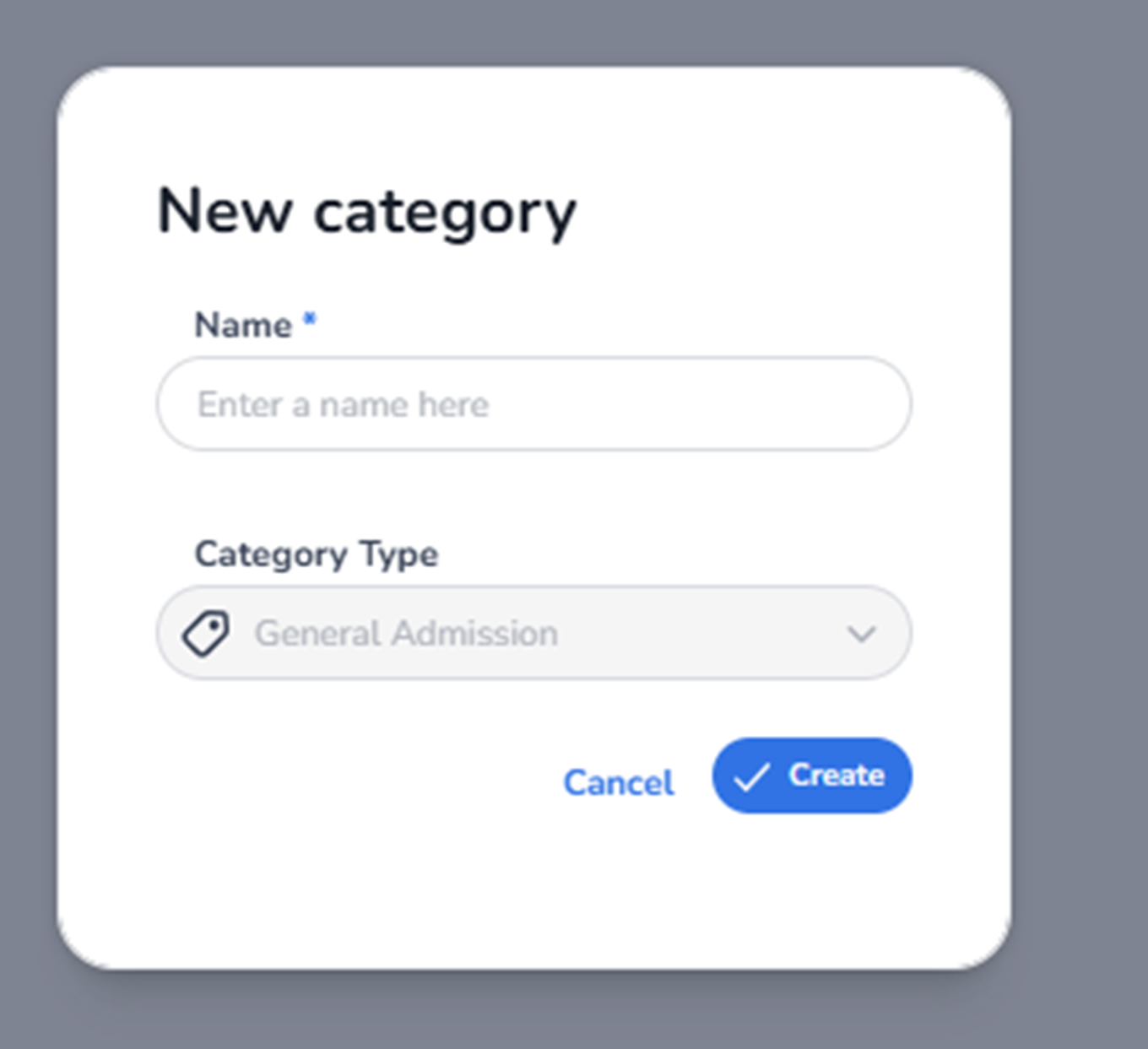
This modal appears when the user selects Create category from the + Create dropdown in the Inventory tab.
It is used to create a new ticket category within the ticket inventory structure.
A category is a structural container used to organise ticket types.
It does not represent a sellable ticket itself.
What You See in This Screen
Modal Title
New category
Indicates the user is creating a new ticket category.
-
Name (Required Field)
Field label: Name*
Input placeholder: Enter a name here
Purpose:
-
Define the category name.
-
This name will be shown in the ticket inventory list.
-
Used to group tickets logically (e.g., Regular, VIP, Early Bird, Backstage, etc.).
Important:
-
This field is required.
-
Without a name, the category cannot be created.
Impact:
-
Determines how tickets are structured and displayed in Inventory.
-
Helps organise large ticket sets clearly.
-
Category Type
Field label: Category Type
Default example shown: General Admission
Purpose:
-
Defines the type of ticket category.
-
Determines the logical behaviour or classification of tickets within this category.
Possible usage:
-
General Admission
-
Other category types depending on platform configuration
Impact:
-
May influence ticket behaviour later (e.g., seating logic, access rules).
-
Defines the functional nature of tickets created inside this category.
The category type is selected via a dropdown.
-
Action Buttons
Cancel
Purpose:
-
Closes the modal without saving.
-
No category will be created.
Create
Purpose:
-
Saves the new category.
-
Adds the category to the Inventory list.
After creation:
-
The new category appears as a row in the ticket inventory.
-
Tickets can then be created inside this category.
What This Screen Actually Controls
This screen controls:
-
Structural grouping of tickets
-
Logical organisation of ticket types
-
Ticket inventory hierarchy
It does NOT:
-
Create sellable tickets
-
Configure pricing
-
Configure availability
-
Configure pools
-
Configure checkout
It strictly defines the category container.
Important Considerations
-
A category must exist before tickets can be organised within it.
-
The category name should clearly represent the ticket group.
-
Category Type may affect how tickets behave later in the ticketing flow.
Deleting or modifying categories later may affect how tickets are structured in Inventory.
Functional Summary
Within Ticketing → Tickets → Inventory → Create Category, the user can:
-
Define a new ticket category
-
Set a category name (required)
-
Select a category type
-
Add structural organisation to the ticket inventory
This screen influences:
-
Ticket organisation
-
Inventory structure
-
Logical grouping of ticket types
It is a structural configuration step within the ticketing setup process.