
Overview
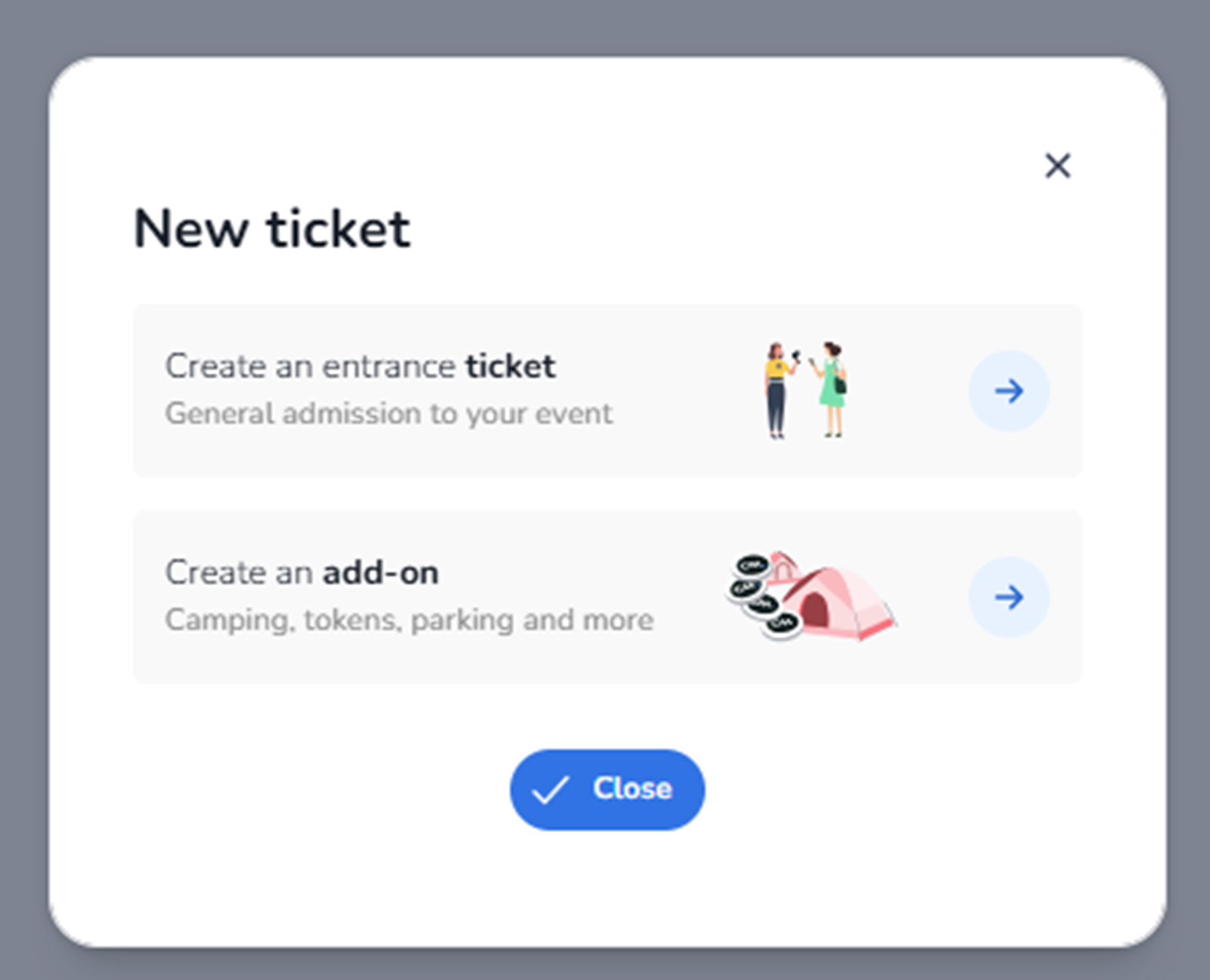
This modal appears when the user clicks + Create → Create ticket in the Inventory tab.
It is the first step in the ticket creation flow.
The user must choose what type of sellable item they want to create:
-
An entrance ticket
-
An add-on product
This screen determines the ticket type before entering detailed configuration.
What You See in This Screen
Modal Title
New ticket
Indicates the start of the ticket creation process.
Top-right corner:
-
X (close icon)
Closes the modal without creating anything.
-
Create an entrance ticket
Description shown:
“Create an entrance ticket
General admission to your event”
Purpose:
-
Create a standard event access ticket.
-
Used for entry to the event.
Typical use cases:
-
General Admission
-
VIP Entry
-
Early Bird Access
-
Day Pass
-
Weekend Pass
Impact:
-
Creates a ticket that grants access to the event.
-
Will later require configuration such as pricing, availability, and rules.
Right side:
-
Arrow button (→)
Selecting this continues to the detailed ticket configuration screen.
-
Create an add-on
Description shown:
“Create an add-on
Camping, tokens, parking and more”
Purpose:
-
Create a non-entrance product.
-
Used for additional purchasable items linked to the event.
Typical examples:
-
Parking tickets
-
Camping access
-
Food & drink tokens
-
Merchandise
-
Locker rental
Impact:
-
Does not grant event entry by itself.
-
Can be sold alongside or attached to entrance tickets.
Right side:
-
Arrow button (→)
Selecting this continues to the add-on configuration flow.
-
Close Button
Button: Close
Purpose:
-
Cancels the action.
-
Closes the modal without creating anything.
What This Screen Actually Controls
This screen controls:
-
The type of sellable object being created
-
Whether the object grants event access (entrance ticket)
-
Or represents an additional product (add-on)
It does NOT:
-
Configure pricing
-
Configure availability
-
Assign pools
-
Set sales channels
It only determines the object type before configuration begins.
Important For The Agent
When the user selects Create ticket, the agent must:
-
Recognise that a selection modal appears.
-
Identify whether the intention is:
-
Event entry → Select Create an entrance ticket
-
Additional product → Select Create an add-on
-
-
Continue to the appropriate configuration flow.
The distinction is critical:
-
Entrance tickets control event access.
-
Add-ons extend the commercial offering but do not provide entry rights.
This modal defines the foundational ticket type before detailed setup.
AFTER THIS STEP YOU CAN GUIDE TO CREATE ADD ON Ticketing – Create Add-On (Configuration) OR CREATE AN ENTRANCE TICKET Ticketing – Create Entrance Ticket , BASED ON THE USERS PREFERENCE, IN THERE CONTINUE WITH THE STEPS