
Setting Up a Page with CXP
-
Set the page to use CXP as a data source when creating or editing a page (instead of the legacy Address Book logic).
-
Select a CXP definition to specify which customer object the page is for. This can be left empty if no CXP data needs to be pre-filled.
Reading and Writing Data with Form Fields
To add fields that can dynamically show CXP data and update it on submit:
-
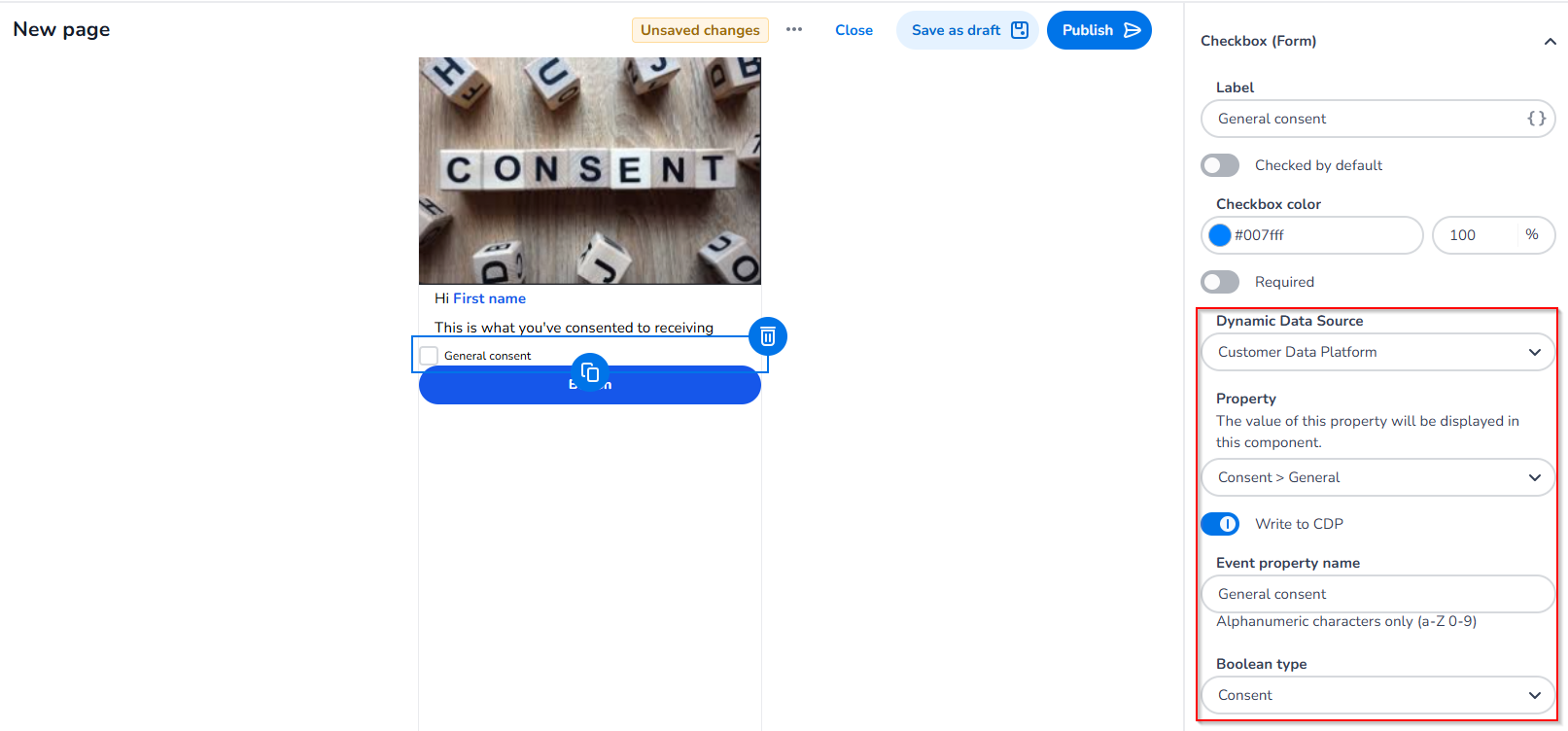
To dynamically show data from the CXP, select CXP as the dynamic data source and choose the property you want the field to display.
-
If you want a field's value to be sent back to the CXP on submit, enable write to CXP and enter the name the field should have in the CXP event.
-
You can later map this event field to the object property you want in the CXP.
-
Using Merge Tags
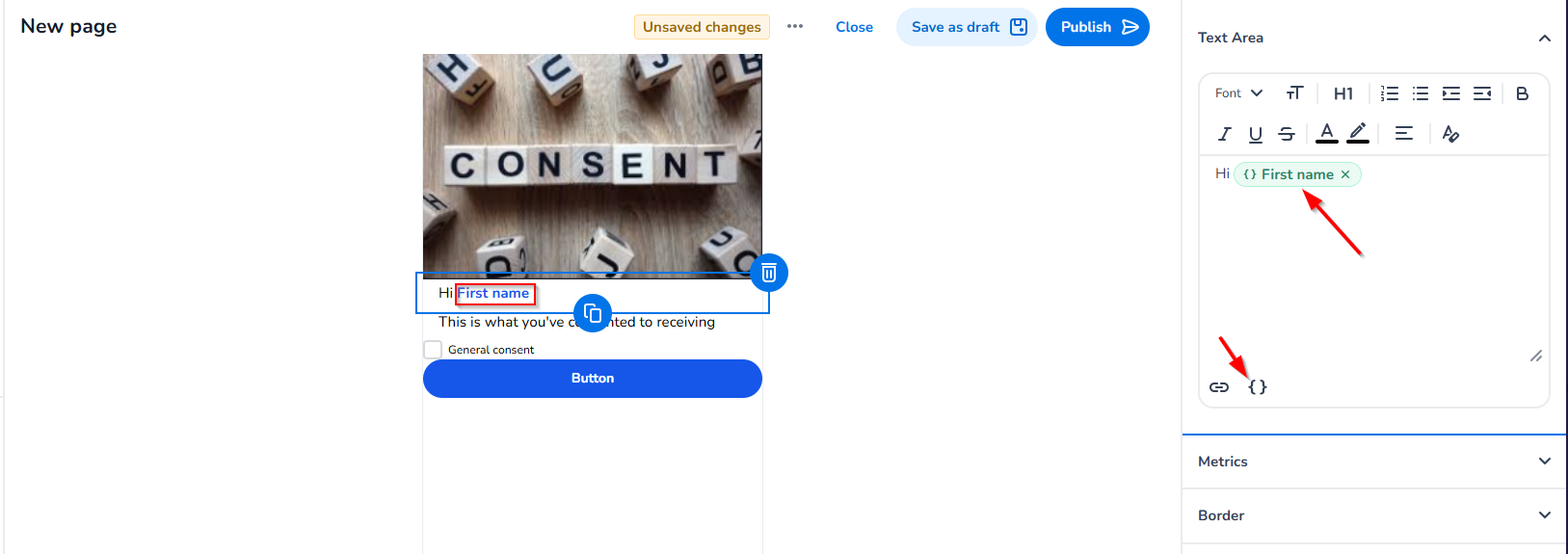
Merge tags allow you to insert dynamic, personalised content directly into text elements on your page — for example, greeting a customer by name: Hi {First name}.
To insert a merge tag:
-
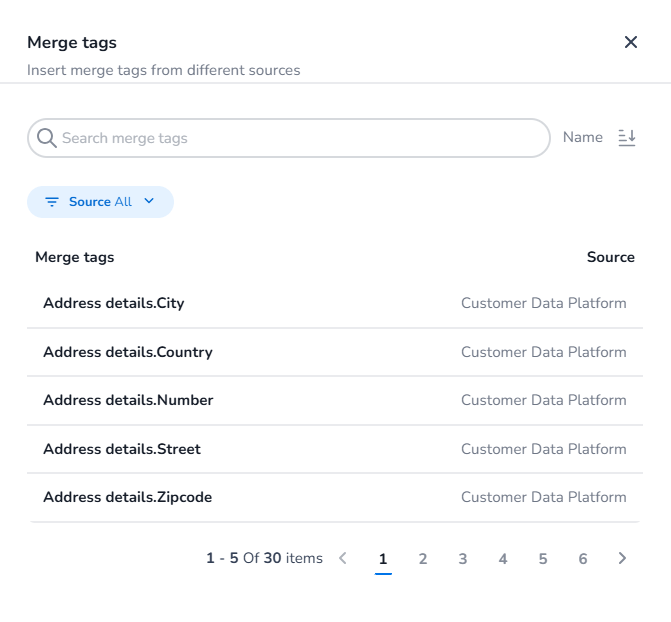
Click the { } icon in the text area toolbar to open the Merge Tags panel.
-
Use the search bar to find a specific tag, or browse by source using the Source filter.
-
Select a tag from the list. Available sources include:
-
Customer Context Platform — customer properties such as name, address details, and more.
-
Product Feed — if you have a product feed connected, product properties will appear here as an additional source of merge tags.
-
-
The tag will be inserted inline into your text and will resolve to the actual value when the page is rendered.
Note: Merge tags only resolve correctly when the page has a CXP definition set, so the platform knows which customer's data to use.
Write data to CXP
-
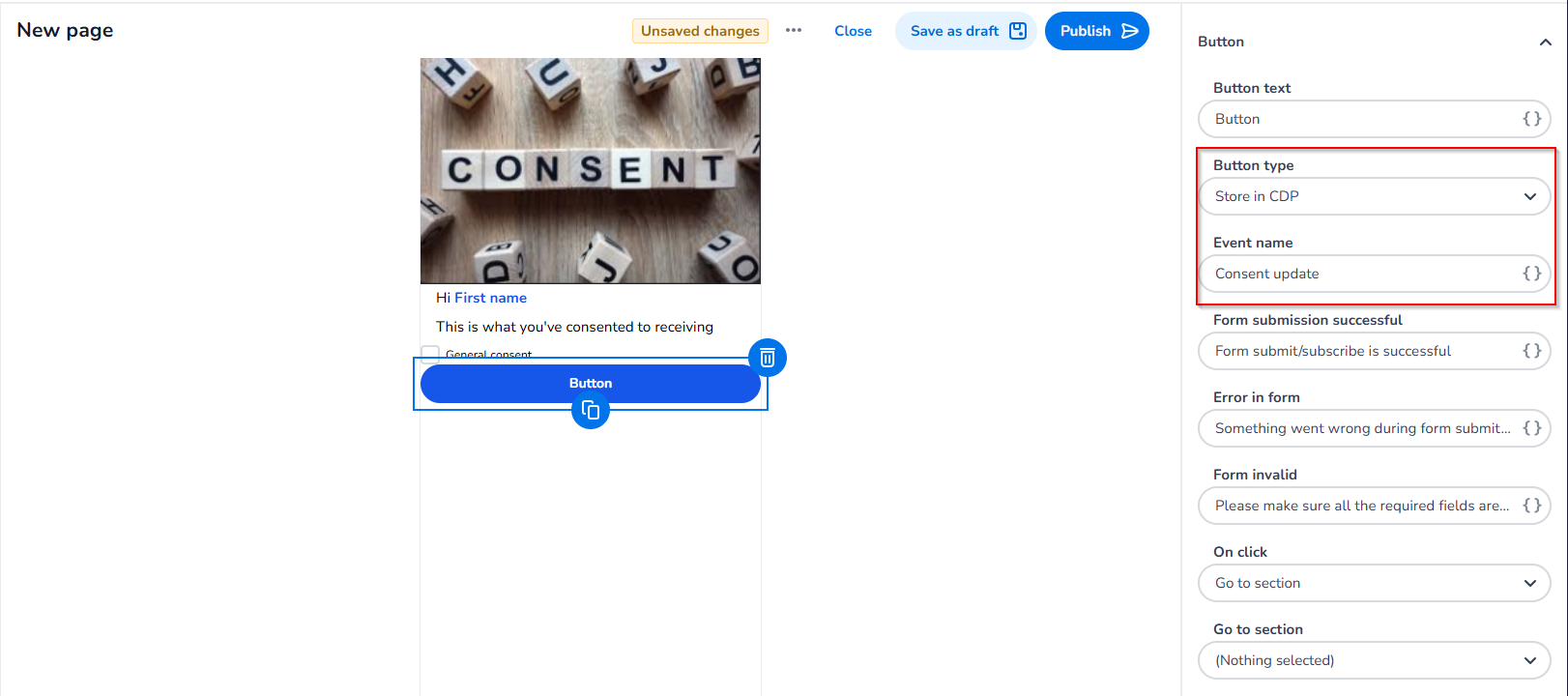
Add a button field to the page so that on user submit, the changes are sent to the CXP.
-
Select Store in CXP as the button type and enter the event name as it will appear in the CXP.
-
When you save & publish the page, the event type and its properties (those marked as write to CXP) will be created in the CXP.
Good to Know
-
If you use a page in email campaigns, the CXP definition of the page and the email must match in order to determine the correct property values for the fields.
-
When an email is sent, the recipient data is used to pre-fill the page values, and on submit, the data is submitted using the correct unique identifier.