
Introduction
Since the January 2026 release, every user in the Agent Inbox can access their own My Profile page to manage their personal preferences and account settings — no Admin involvement needed for the basics.
This is the user-facing equivalent of the settings-managed User Settings page.
How to access My Profile
-
Click the three-dotted menu in the bottom-left corner of the Agent Inbox.
-
Choose Settings.
-
Select My Profile from the sidebar.
If you do not see Settings in the three-dotted menu, your account does not have Settings access by default. Ask your success manager or someone with access to settings to enable "My Profile for users without Settings access" on your account.
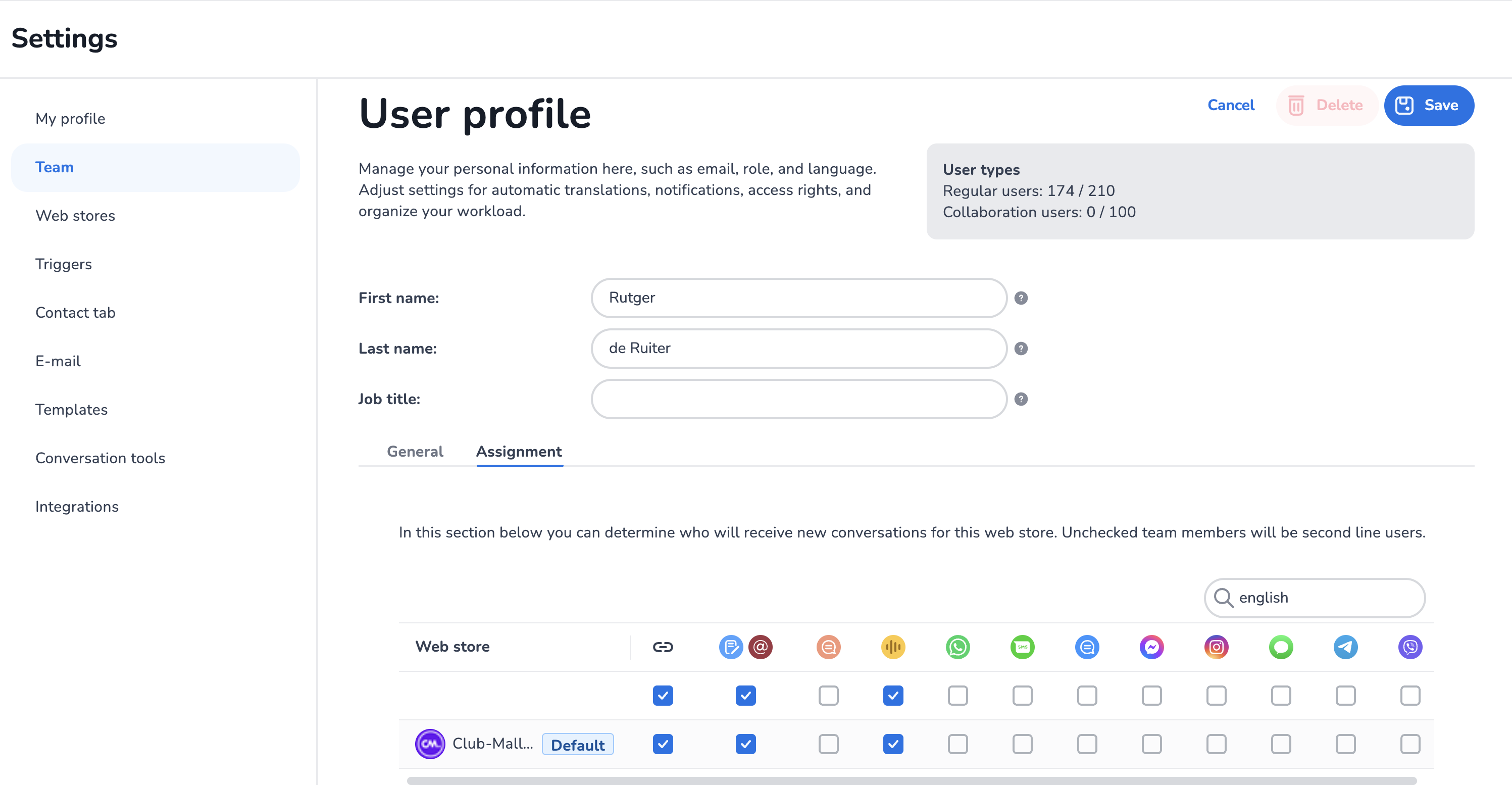
What you can manage in My Profile
|
Section |
What it controls |
|---|---|
|
First name / Last name |
How you appear internally and (if shown) externally |
|
E-mail address |
Login e-mail and notification destination |
|
Password |
Your own password — change it here at any time |
|
Language |
The language of the Agent Inbox application for you |
|
Auto translation |
Default language to translate into, and languages to never translate. See How Do I Configure Auto Translations? |
Assignments tab — webstores and channels
If access to settings is enabled on your account, an Assignment tab is available on your profile. From there you can manage which webstores/channels you are assigned to — useful for agents who self-manage their availability across departments.
If you do not see the Assignment tab, the feature is disabled for your account. Reach out to your success manager or someone with access to settings to enable it.
What you cannot manage in My Profile
For your own safety and account governance, the following remain Admin-only:
-
User type (Regular vs. Collaboration)
-
Function
-
2FA phone number
-
Phone extension (VoIP)
-
Maximum instant conversations
-
Default webstore
-
Access settings (to Settings, Reporting, KPI, Bulk actions)
If you need any of these changed, contact your success manager or someone with access to settings.
For users with access to settings: enabling My Profile
By default, My Profile is available to all users who have Settings access. To make it available to all users (regardless of Settings access):
-
Reach out to support or your Customer Success Manager and ask for the feature to be enabled for your account.
The Assignment tab on My Profile is a separate toggle — also enabled via support / CSM.
E-learning video
A new e-learning video covering My Profile is planned. The existing video covers settings-managed user settings only: