
To start receiving inbound calls, you will need a DDI number. Please visit the numbers page in the Voice Management app for more information about numbers.
Setup
Please follow these steps to set up inbound calling:
-
In order to receive incoming calls on one your DDI numbers, we need to know to which IP address(es) we should route incoming calls to. We call this a 'Distribution Group'. You can create a distribution group by going to our Voice Management app.
-
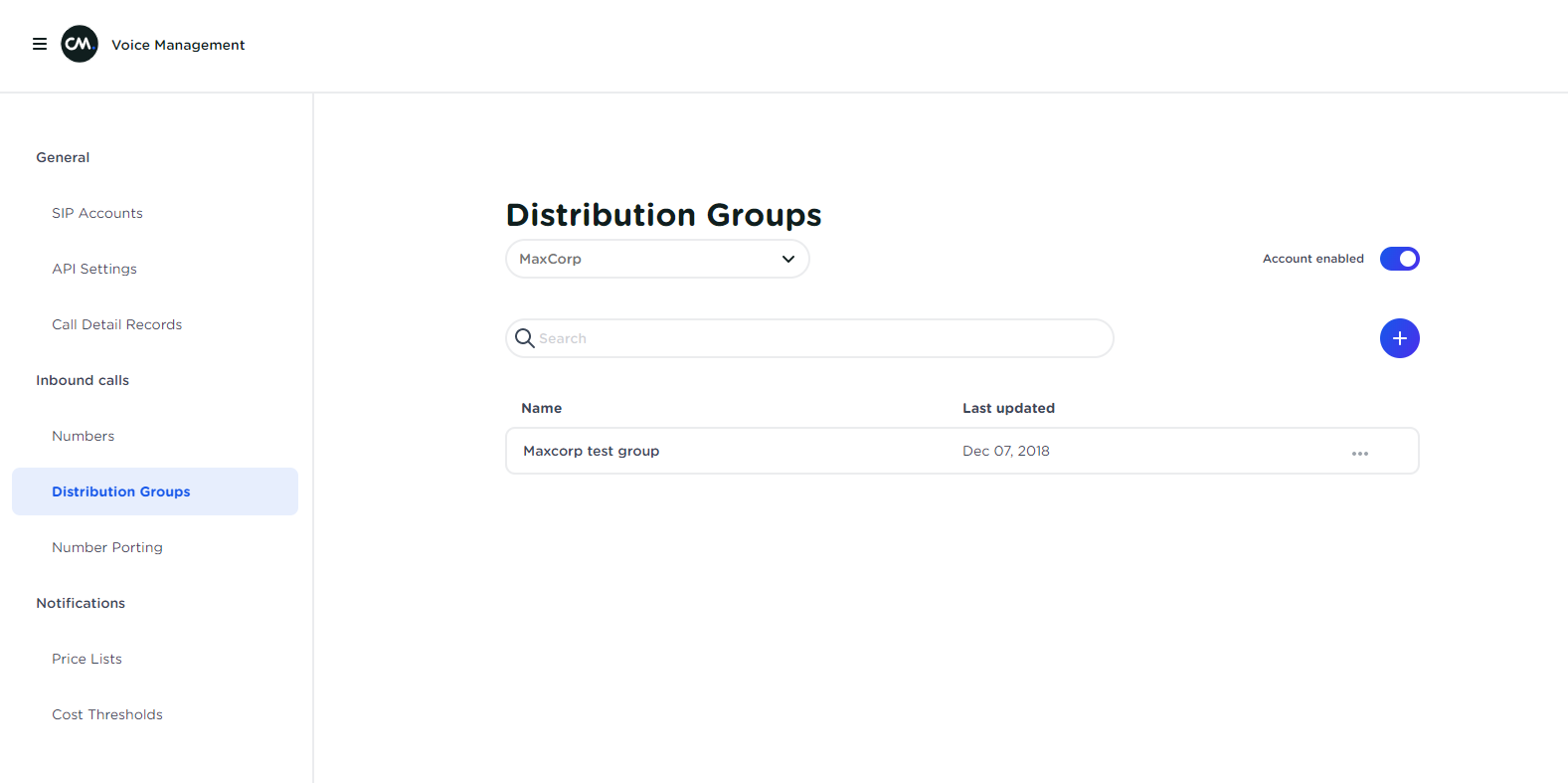
Click on 'Distribution Groups' in the menu on the left. This will open the Distribution Group overview:
-
Click the '+' button to create a new Distribution Group
-
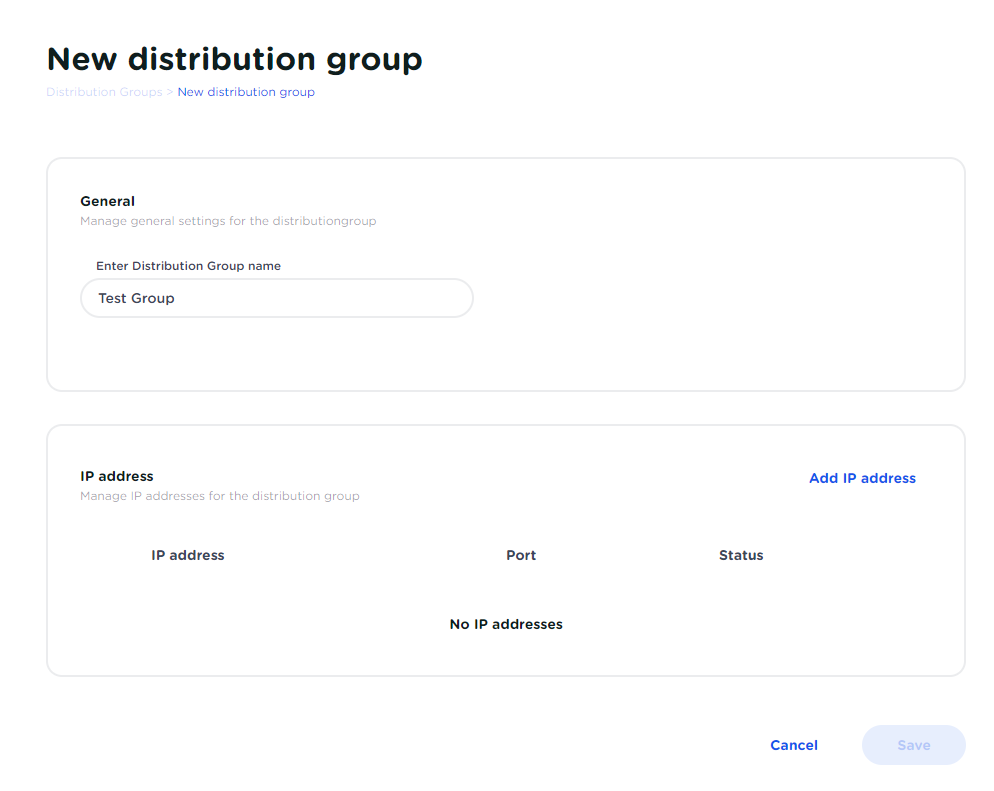
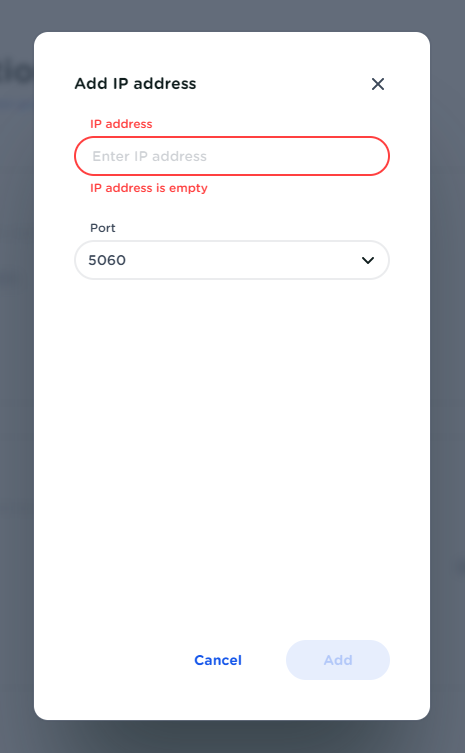
Enter a name for the new Distribution Group and add the IP addresses. These are typically the IP addresses of the IP-PBX system we should route incoming calls to:
-
After creating a Distribution Group, you are now ready to link a DDI number to a Distribution Group. Navigate to your 'Numbers' overview via the menu on the left.
-
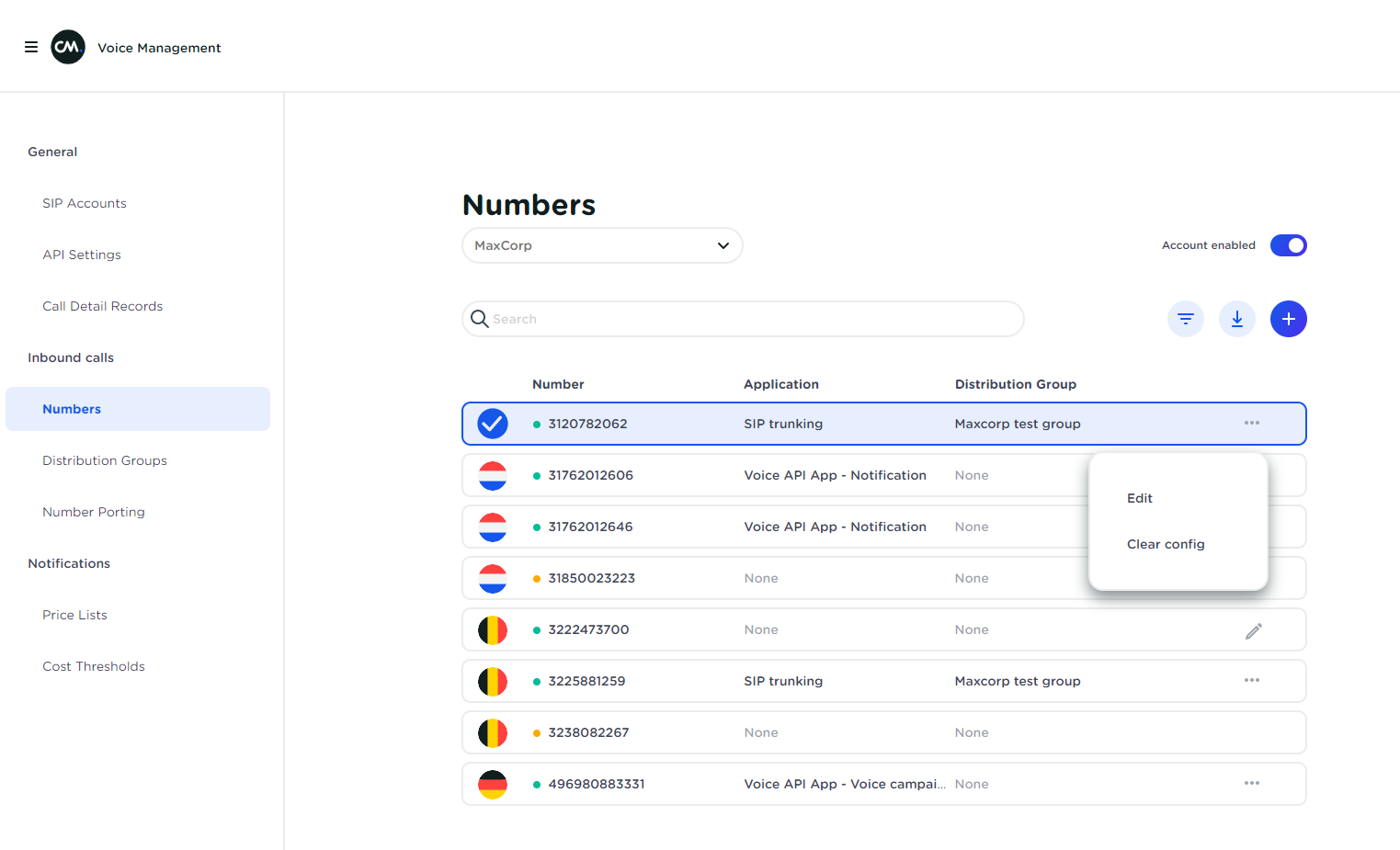
In your number overview, select the number that you want to link to the Distribution Group, click on the 3-dotted menu, and select 'Edit'.
-
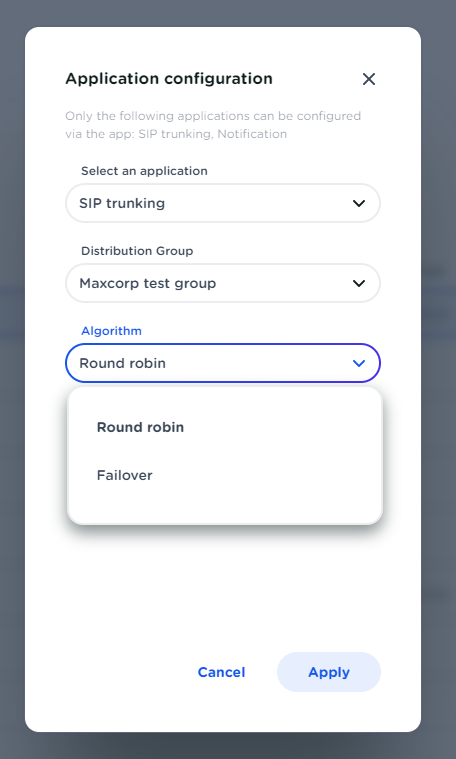
In the 'Application Configuration' window, select SIP Trunking for regular incoming calls to your phone system. You can also select how we should route calls to your IP addresses. If you have multiple IP addresses we can route:
-
Round Robin: We equally distribute incoming calls to the IP addresses in your Distribution Group
-
Fail-over: We first try to route to the first IP address in your Distribution Group. If that IP is not available, we try the next, and so on.
Your number is now fully configured for incoming calls. If you have any difficulties or further questions with incoming call configuration, please contact us via http://www.cm.com/support
Important
You will find our IP’s in your techform. This form can be downloaded from the SIP accounts page.
Please make sure your telephony system accepts incoming calls from our IPs and responds with a '200 OK' reply to the SIP OPTIONS messages we send from “sip:[email protected]”
FAQ