
This guide explains what you, as the customer, need to provide to enable the integration between your BloomReach CRM with Marketplace
1. Prerequisites
Before proceeding, ensure you have the following:
-
Access to your BloomReach Engagement account.
-
Admin permissions to generate API credentials.
2. Provide Your Bloomreach API Credentials
To connect your Bloomreach CRM to our platform, you need to generate and share the following API credentials:
Steps to Generate API Keys
-
Log in to your Bloomreach Engagement account.
-
Navigate to Settings (gear icon) in the top-right corner.
-
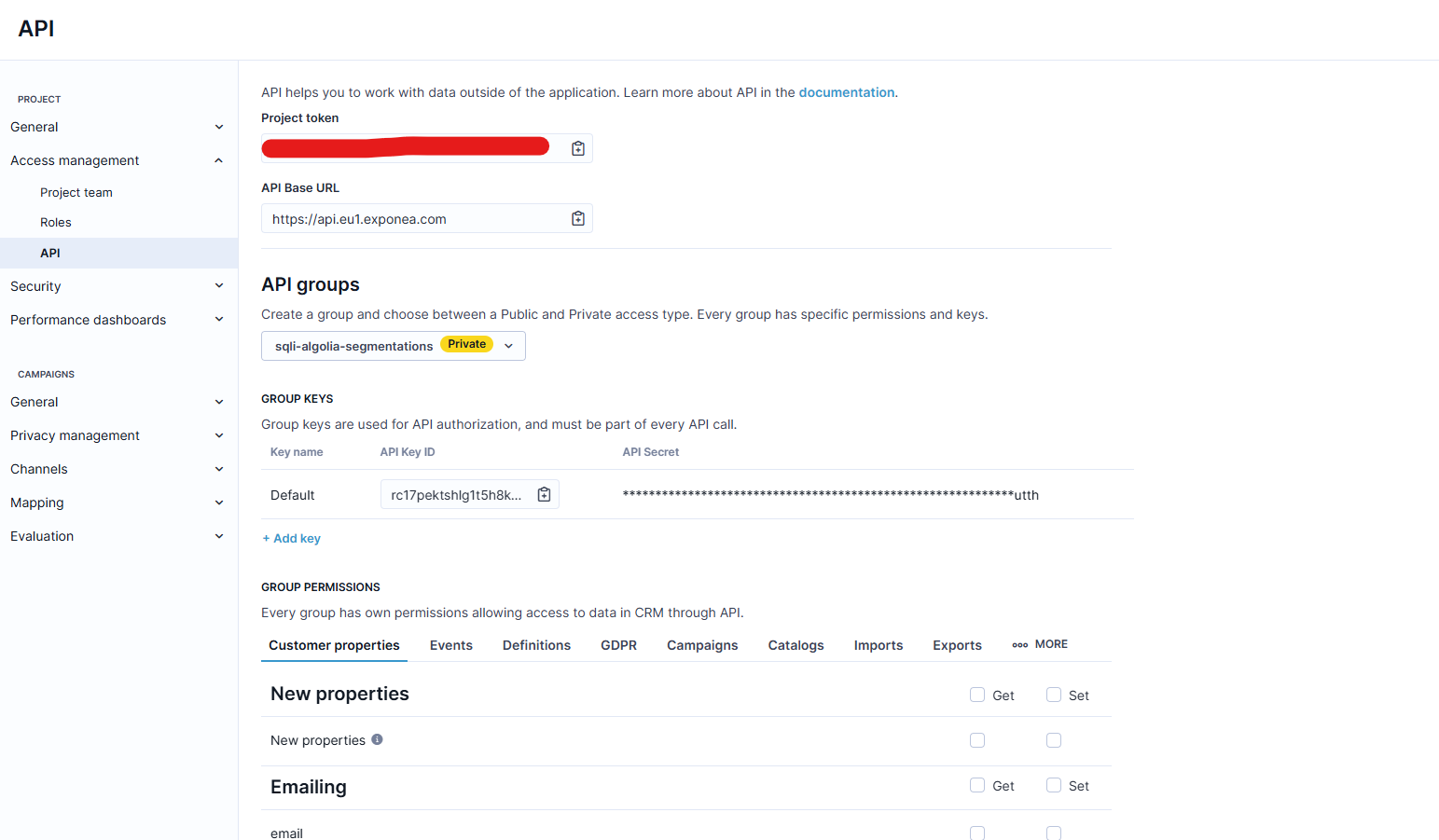
In the left sidebar, click on "Project Settings".
-
Select "API" or "Access Management".
-
Click on "Create New API Key" or "Generate API Key".
-
Select the required scopes for the integration:
-
Customer/Contact Scopes:
customers.read,customers.write -
Event Scopes:
events.read,events.write. -
Catalog Scopes:
catalog.read,catalog.write. -
Campaign Scopes:
campaigns.read,campaigns.write. -
Consent Scopes:
consent.read,consent.write.
-
-
Click "Generate API Key".
-
Copy and securely store the following details:
-
API Key ID
-
API Secret
-
Project Token
-
Base URL
-
⚠️ Important: The API Secret will only be displayed once. Ensure you copy and store it securely.
3. Test the Integration
Once you've provided the required credentials, our team will test the integration to ensure everything is working correctly.