
Customer Setup
This guide explains what you, as the customer, need to provide to enable the integration between your Shopify CRM and our platform.
1. Prerequisites
Before proceeding, ensure you have the following:
-
Access to the Shopify platform.
-
Admin permissions to create apps and generate API credentials.
2. Create a Shopify Account
To enable the integration, you need to create a Shopify account. Follow these steps:
Steps to Create a Shopify Account:
-
Go to Shopify .
-
Click on Start free trial.
-
Select I’m just starting and then click Skip All.
-
Select the country where your business will be located and click Next.
-
Continue with your email and enter the required credentials.
-
Once completed, a Shopify ID will be created, and you will be redirected to the Shopify homepage.
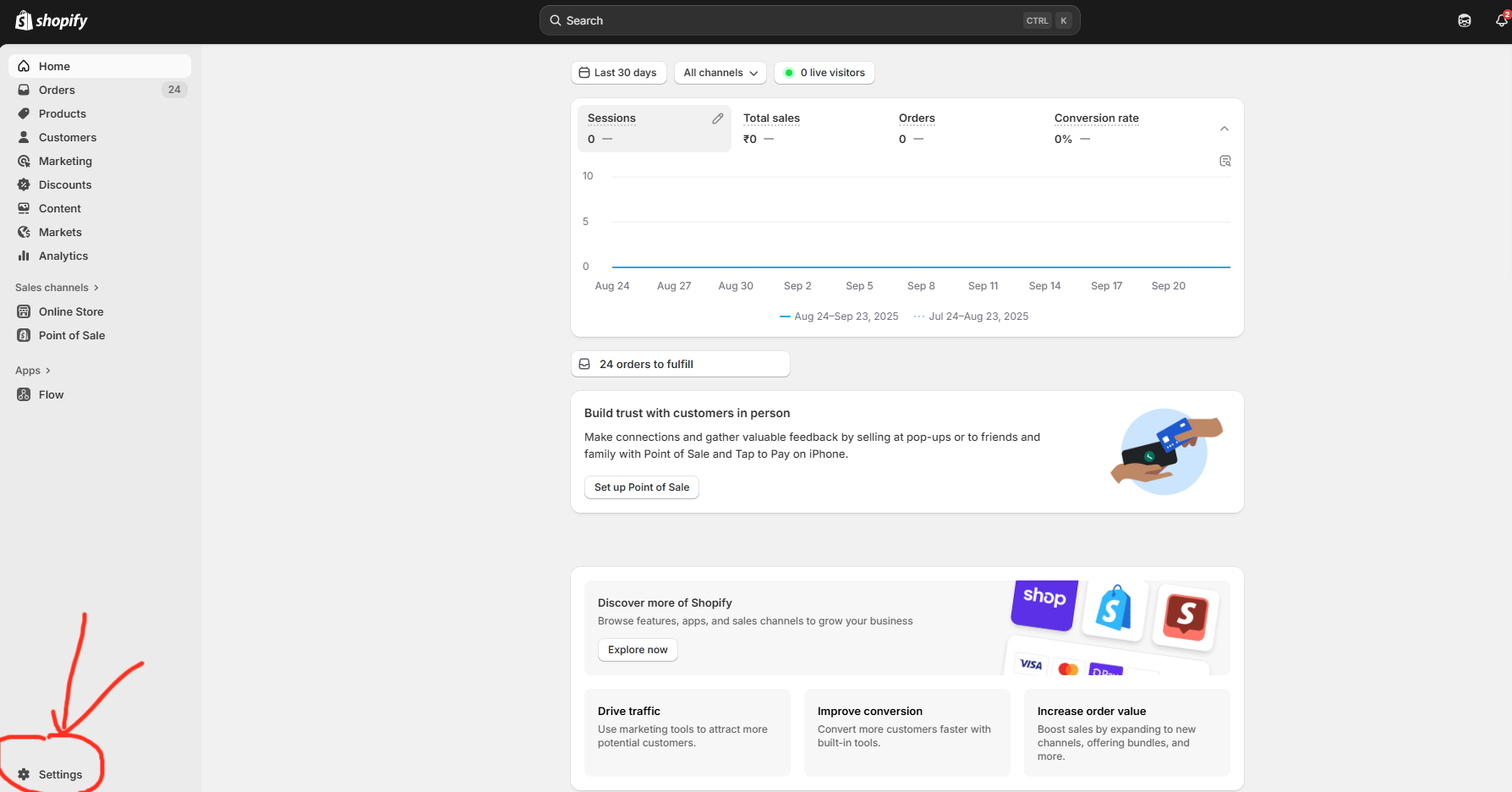
3. Retrieve Resource URL
Steps to Retrieve Resource URL:
-
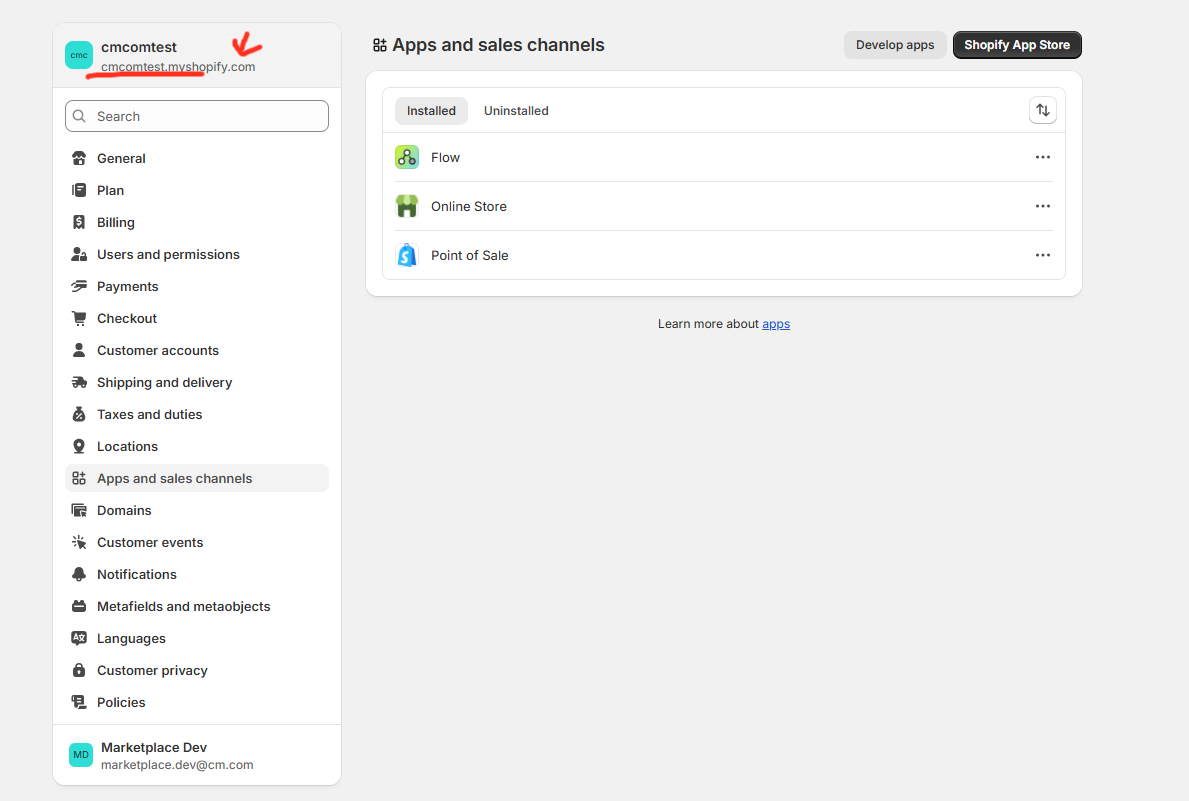
After creating your Shopify account, note down the Resource URL for your store.
-
Example:
https://cmcomtest.myshopify.com -
⚠️ Important: Save this URL securely, as it will be required for the integration.
-
4. Generate Access Token
To enable API access, you need to create an app and generate an Access Token. Follow these steps:
Steps to Generate Access Token:
-
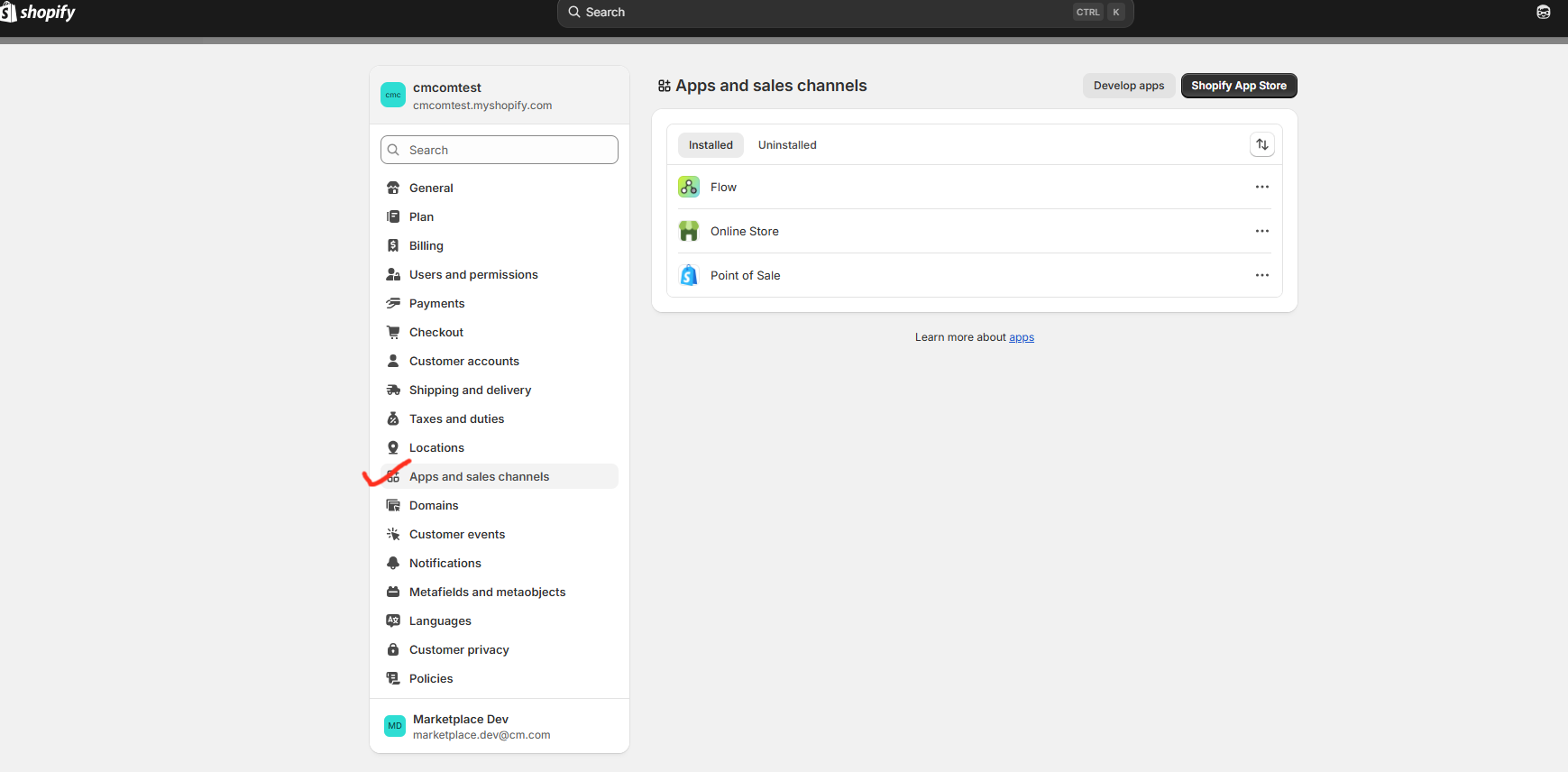
In the Shopify portal, navigate to Settings > App and sales channel.
-
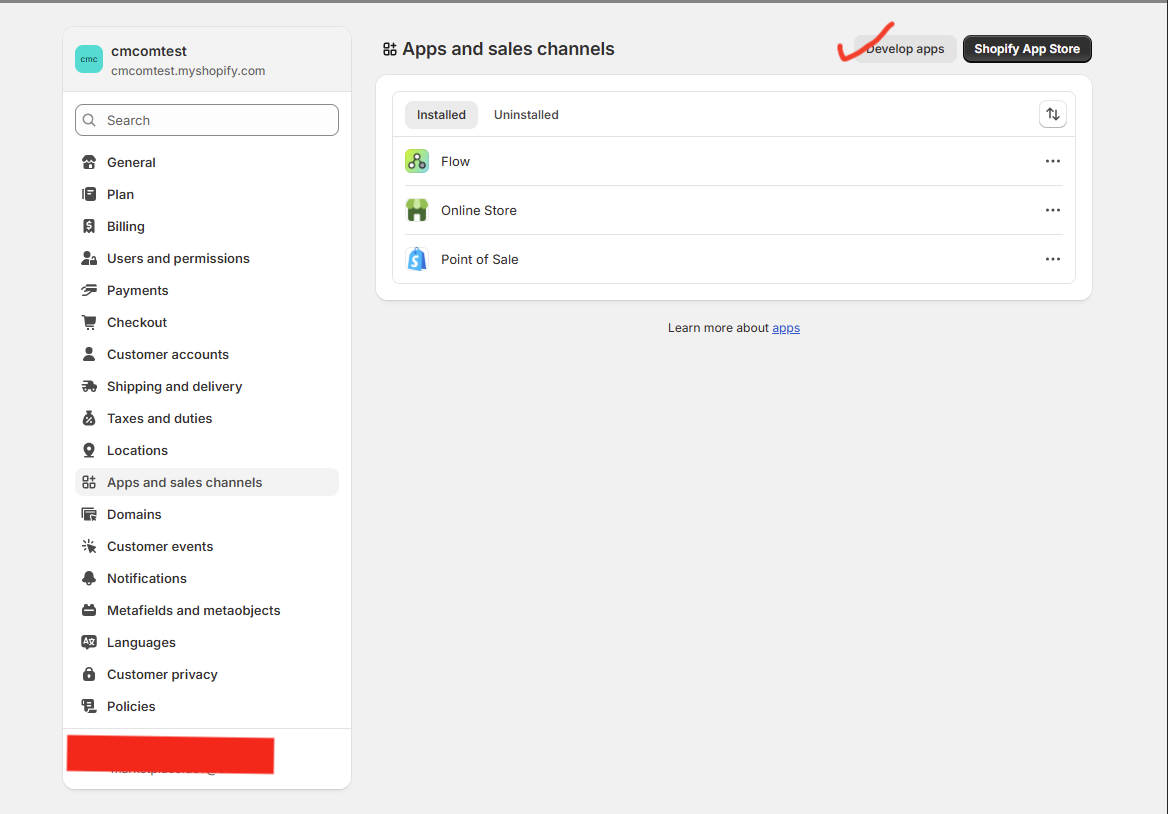
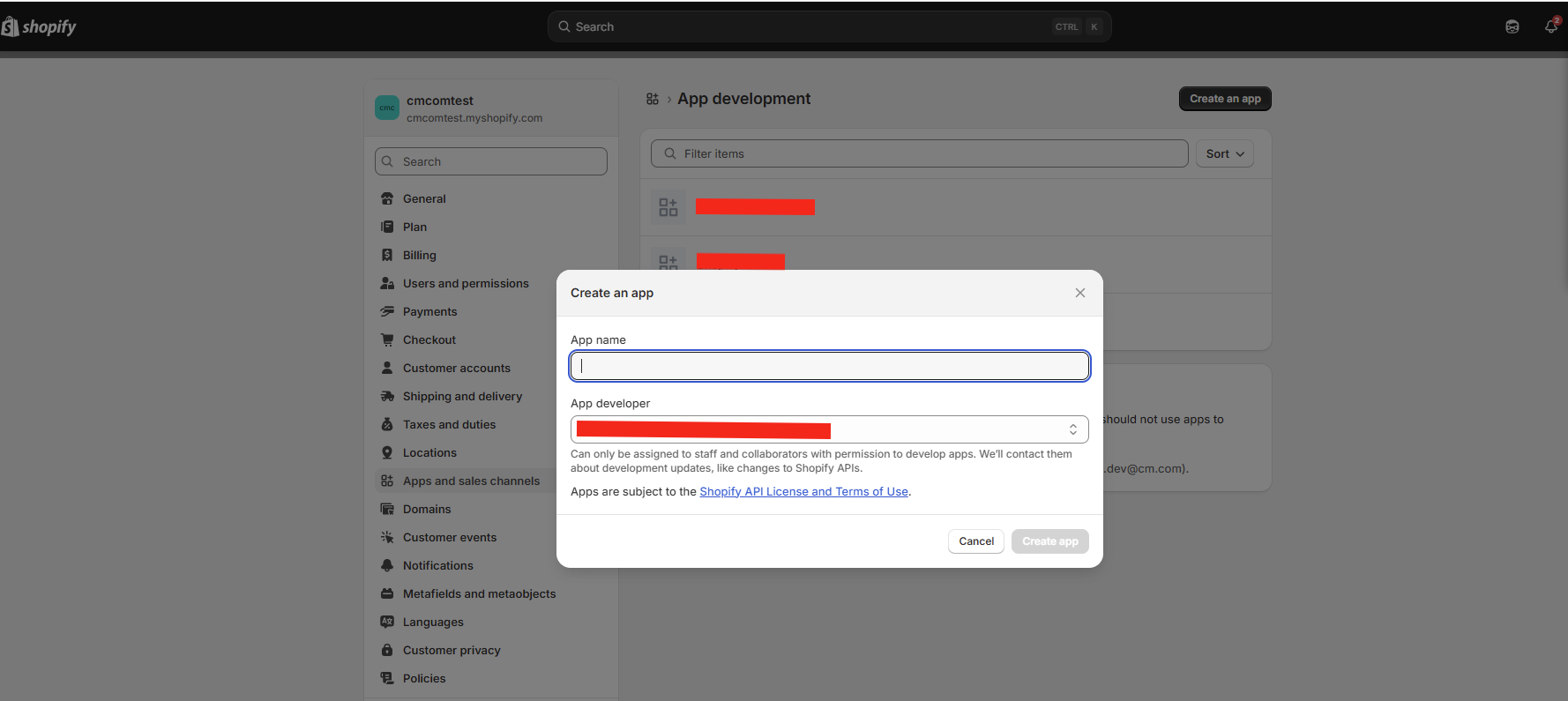
Click on Develop apps and then click Create an app.
-
Enter a name for the app (e.g., "Marketplace Integration") and click Create app.
-
Click on Configurations, then Admin API Integration, and then Configure.
-
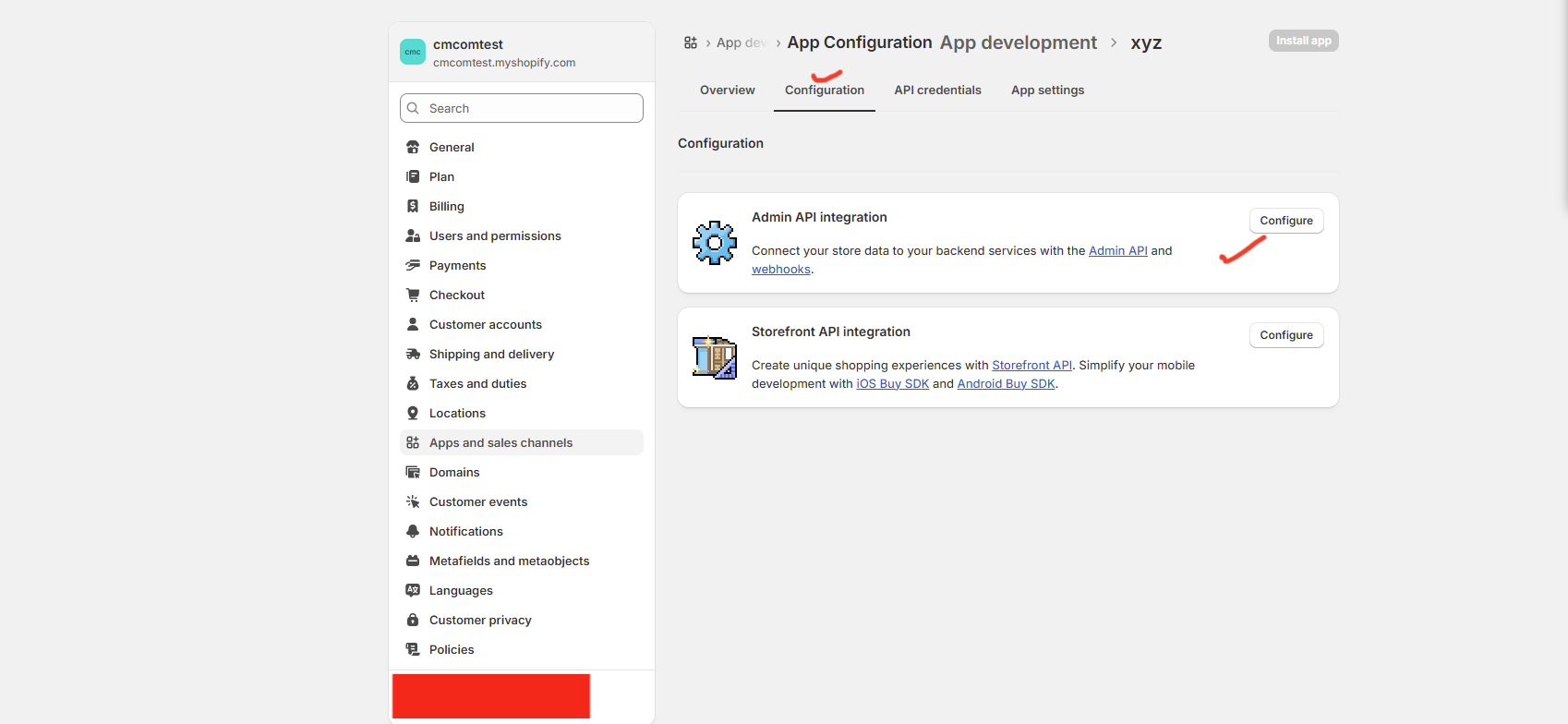
Under Admin API Permissions, select All and add the following basic permissions:
-
Read customer data
-
Read order data
-
-

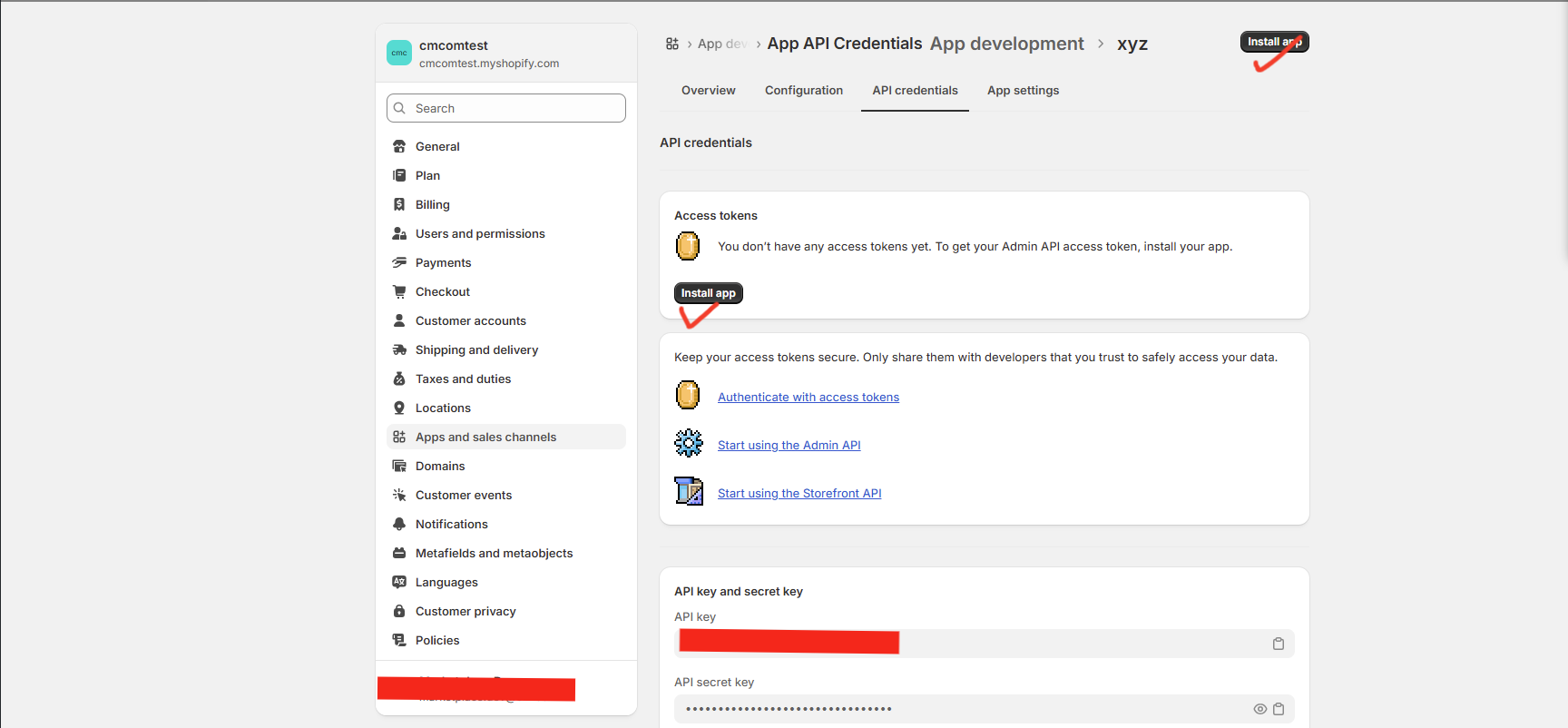
Install the app by clicking Install App.
-
After installation, you will be redirected to the API Credentials page.
-
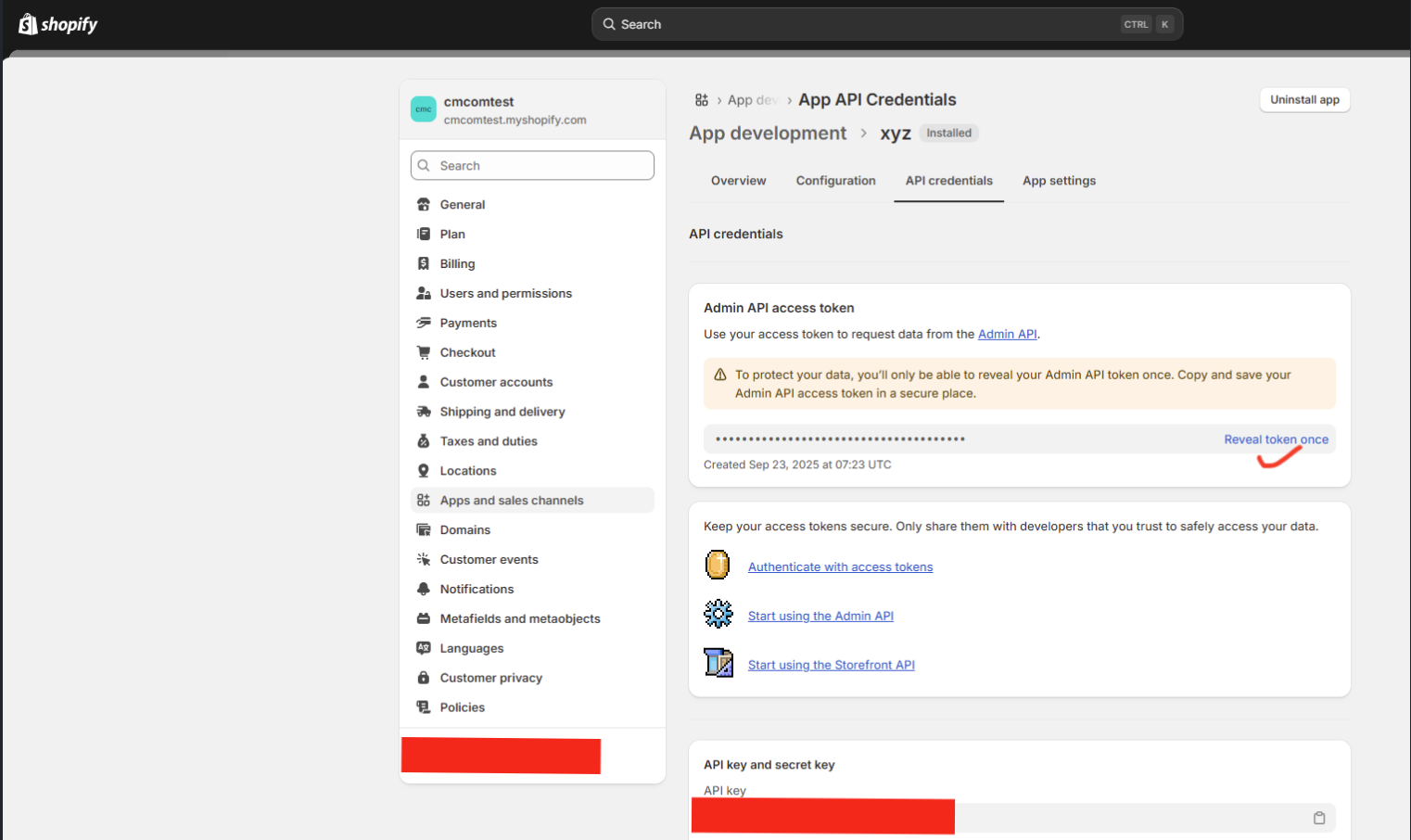
Under Admin API Access Token, click Reveal Token and copy the Access Token.
⚠️ Important: Save this token securely, as it will not be displayed again.
5. Share Details with the Delivery Team
Once you have the following details, share them with the delivery team:
-
Resource URL
-
Access Token