
This guide explains what you, as the customer, need to provide to enable the integration between your CDP CRM and our Marketplace.
1. Prerequisites
Before proceeding, ensure you have the following:
-
Access to your CDP account.
-
Access to the Marketplace platform.
2. Generate API Token and Tenant ID
To enable the integration, you need to generate an API token and provide your Tenant ID. Follow these steps:
Steps to Generate API Token and Retrieve Tenant ID
-
Log in to your CDP account.
-
In the left navigation menu, click on the Settings icon.
-
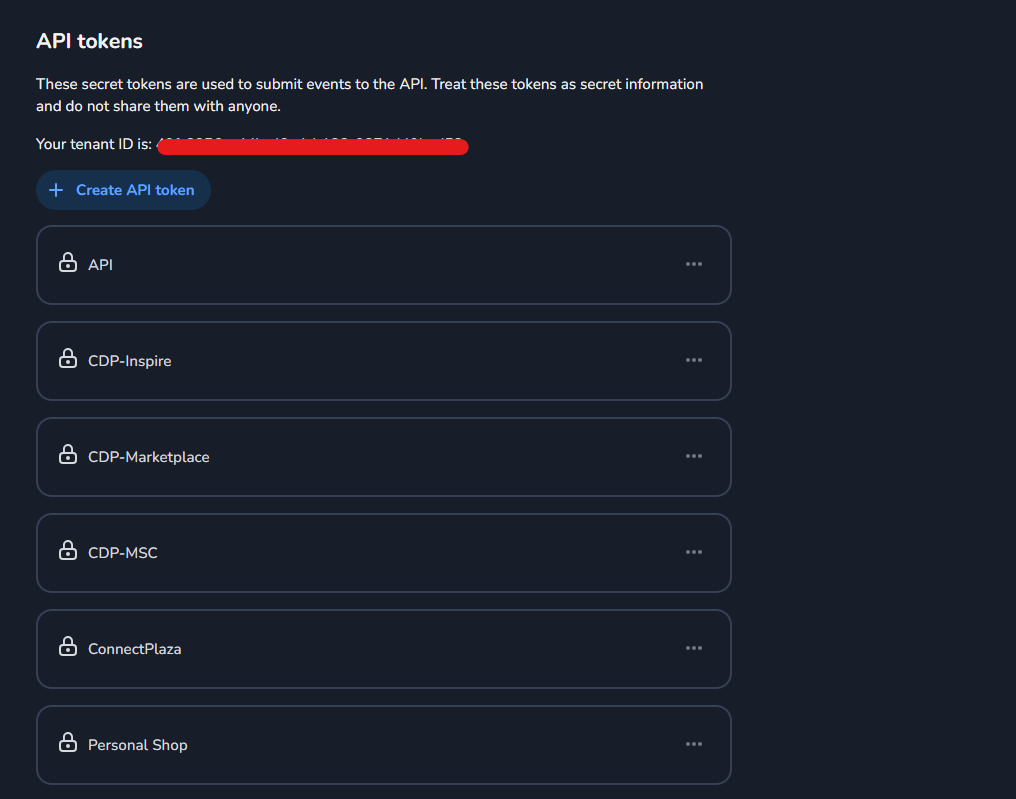
Under the General tab, scroll down to the API Token section.
-
Locate your Tenant ID and copy it. Save it securely for later use.
-
Click on Create API Token.
-
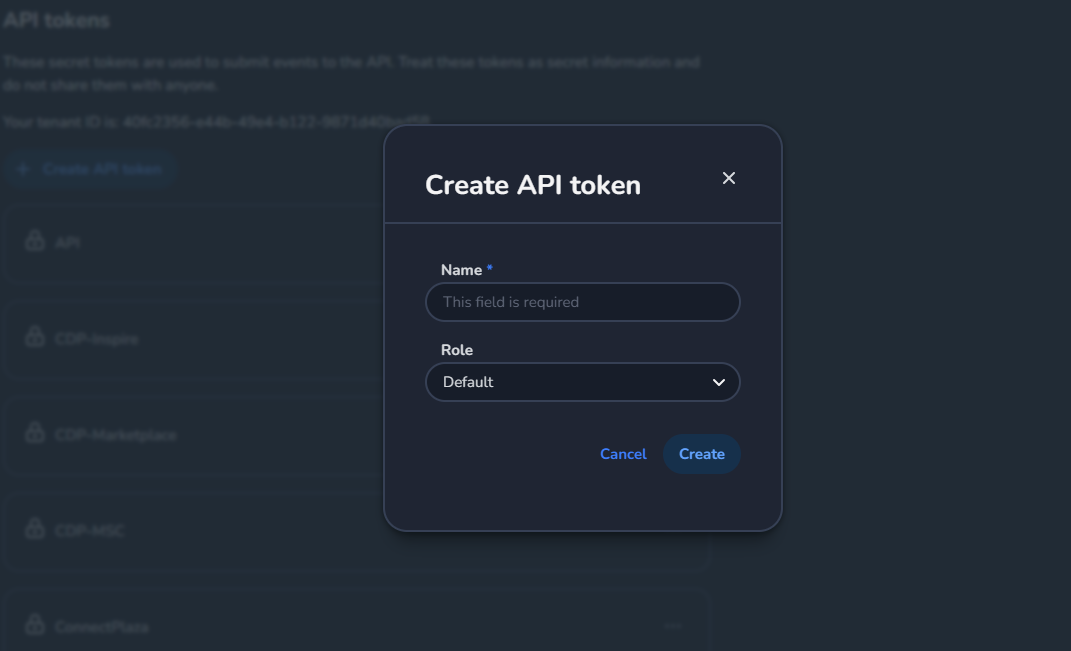
In the token creation form:
-
Role: Select Default.
-
Name: Enter a descriptive name, such as
CDP Integration with Marketplace.
-
-
Generate the token and copy it. Save it securely, as it will not be displayed again.
What to Provide
-
Tenant ID
-
API Token
3. Retrieve Profile Type ID
To enable profile data synchronization, you need to provide the Profile Type ID. Follow these steps:
Steps to Retrieve Profile Type ID
-
In your CDP CRM account, navigate to the Profile Insights section from the side navigation menu.
-
Open any profile.
-
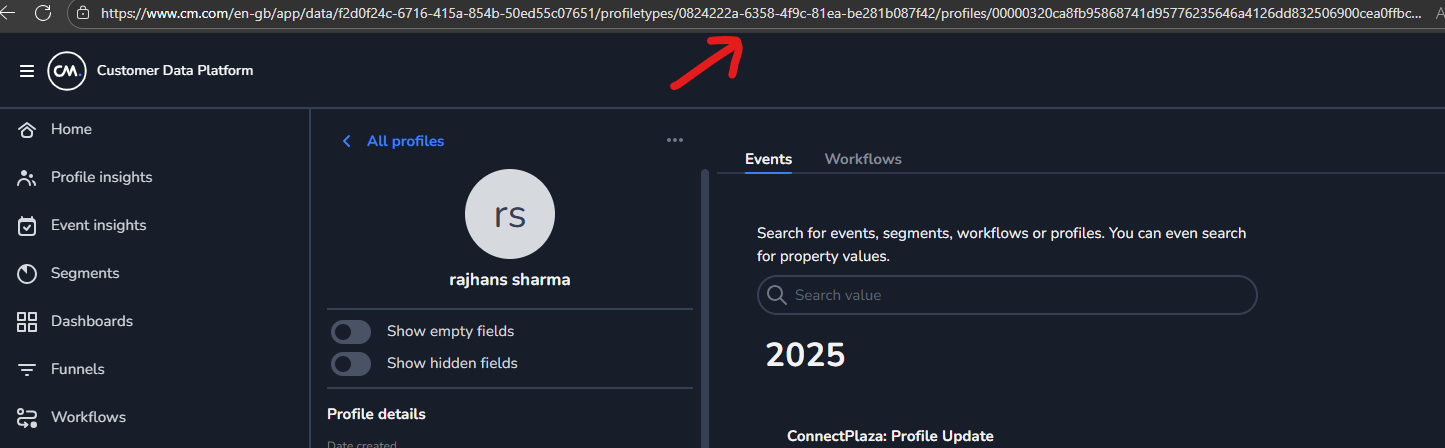
In the browser's URL bar, locate the Profile Type ID after the
/in the URL.-
Example: If the URL is
profiletypes/12345, the Profile Type ID is12345.
-
-
Copy the Profile Type ID and save it securely.
4. Share Details with the Delivery Team
Once you have the following details, share them with the delivery team:
-
Tenant ID
-
API Token (Product Token)
-
Profile Type ID