
This guide explains what you, as the customer, need to provide to enable the integration between your Zendesk Sales CRM and our platform.
1.Prerequisites
Before proceeding, ensure you have the following:
-
A valid email address to create a Zendesk Sales account.
-
Admin permissions to generate an Access Token.
2. Create a Zendesk Sales Account
To enable the integration, you need to create a Zendesk Sales account. Follow these steps:
Steps to Create a Zendesk Sales Account
-
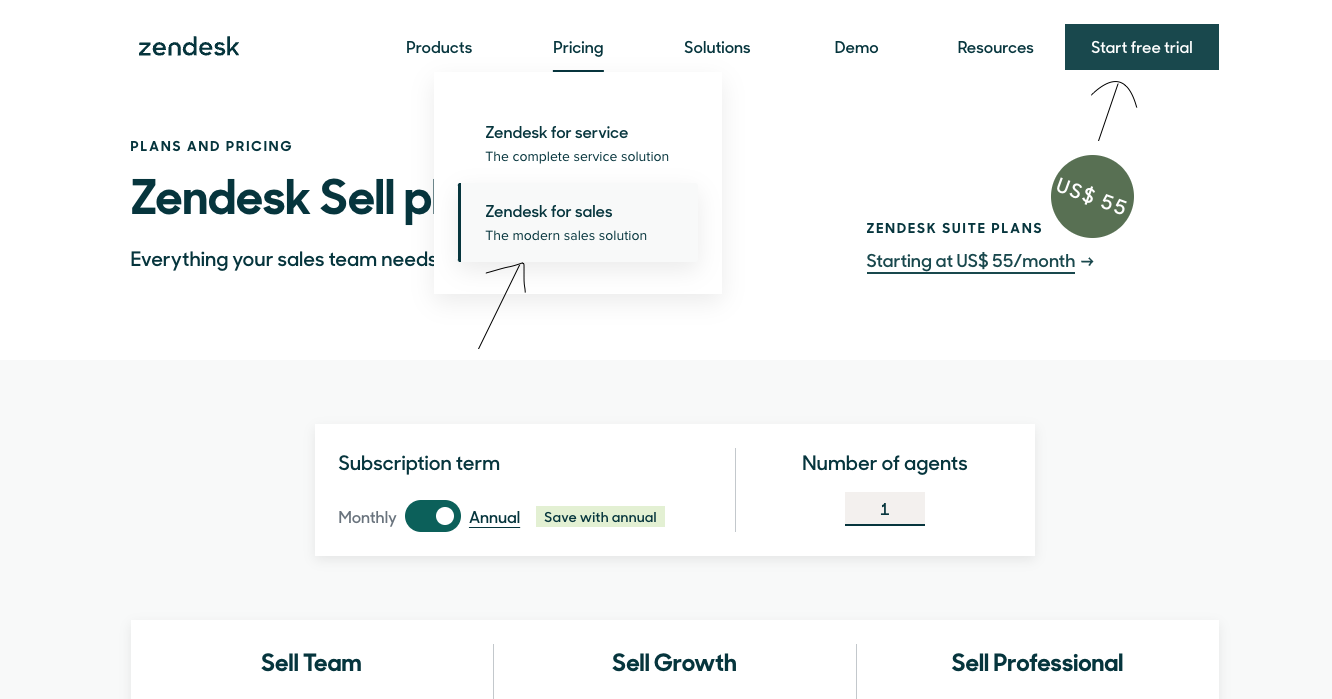
Go to Zendesk
-
Click on Pricing and then select Zendesk for Sales.
-
Click on Free Trial.
-
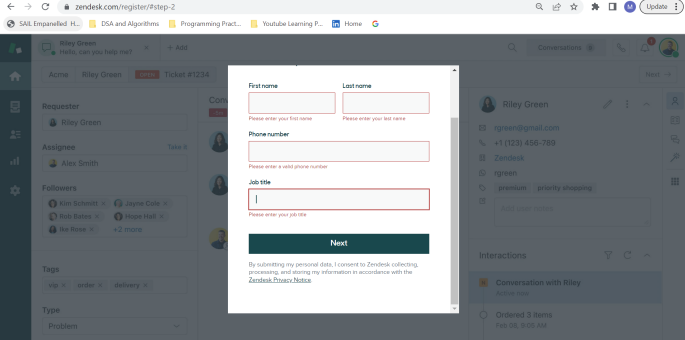
Enter your email address and click Next.
-
Fill out the required details (e.g., name, company name, etc.) and click Complete Trial Signup.
-
Check your email inbox for a verification email. Open the email and click on Verify Your Account.
3. Access the Zendesk Sales Dashboard
Steps to Access the Dashboard
-
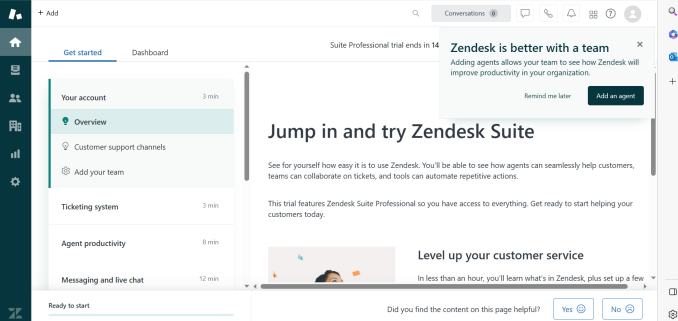
After verifying your account, log in to Zendesk Sales.
-
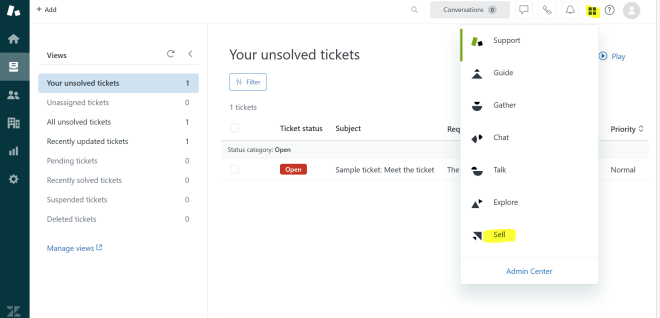
Click on Sell to access the Zendesk Sales CRM.
-
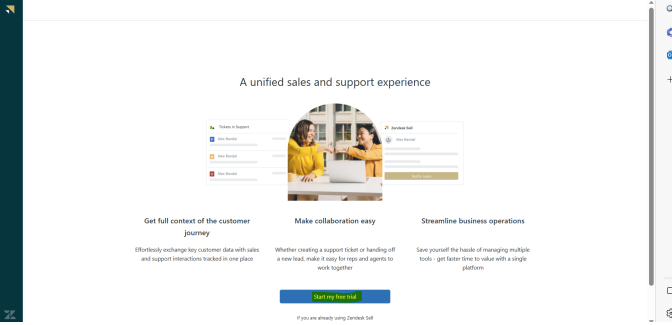
Click on Start My Free Trial. You will be redirected to the Dashboard page of Zendesk Sales CRM.
4. Generate Access Token
To enable API access, you need to generate an Access Token. Follow these steps:
Steps to Generate Access Token
-
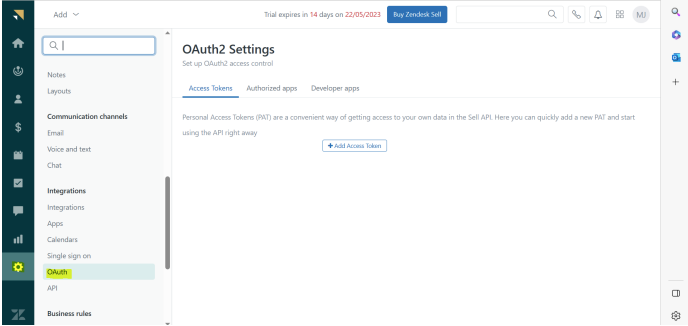
In the Zendesk Sales Dashboard, click on Settings.
-
Navigate to OAuth under the Integrations section.
-
Click on Add Access Token.
-
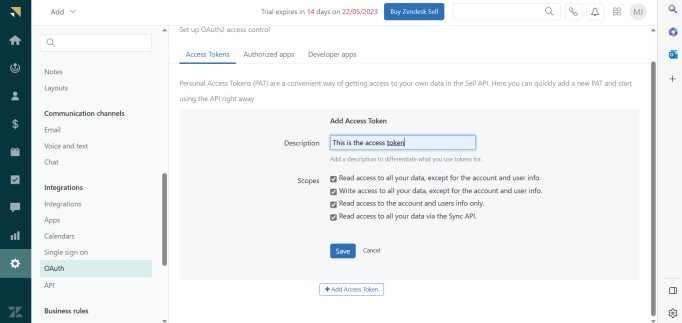
Provide a description for the token (e.g., "Marketplace Integration") and click Save.
-
Copy the Access Token value and save it securely, as it will not be displayed again.
5. Share Details with the Delivery Team
Once you have the following details, share them with the delivery team:
-
Access Token