
Overview
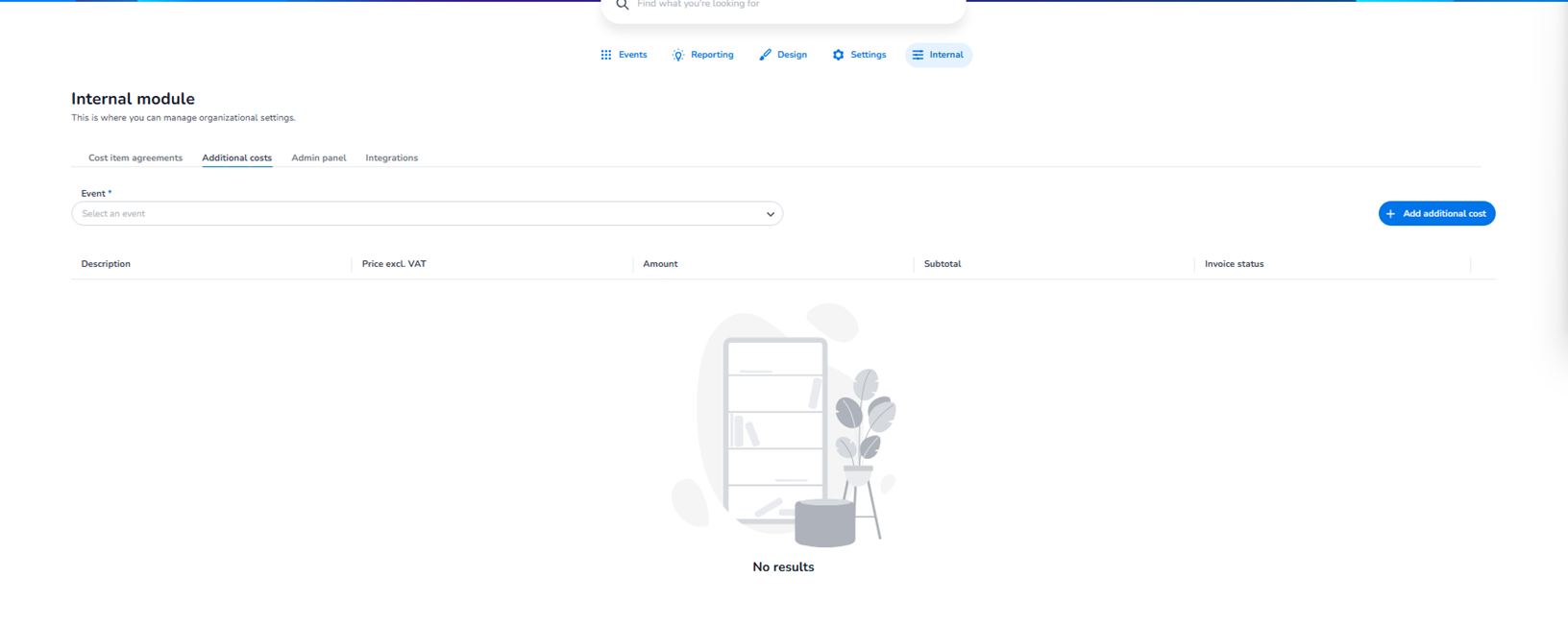
The Additional costs section is located in:
Dashboard → Internal → Additional costs
This section is used to manage event-specific additional financial items that are not part of the standard cost item agreements.
It allows administrators to:
-
Add extra costs to an event
-
Track manually added cost entries
-
Monitor invoice-related status
This section is typically used by:
-
Finance teams
-
Internal operations
-
Account managers
Top Navigation
Within the Internal module, you will see tabs such as:
-
Cost item agreements
-
Additional costs (active in this screenshot)
-
Admin panel
-
Integrations
The active tab determines which internal configuration area you are managing.
Event Selection
At the top of the page, you will see:
Event (required field)
Dropdown: Select an event
Purpose:
-
Choose the specific event for which you want to manage additional costs.
-
Additional costs are linked to individual events.
You must select an event before adding or viewing entries.
Add Additional Cost Button
On the right side:
+ Add additional cost
Purpose:
-
Create a new additional cost entry for the selected event.
This allows you to manually define:
-
Description of the cost
-
Price excluding VAT
-
Quantity (amount)
-
Calculated subtotal
-
Invoice handling
This button opens the configuration flow for creating a new cost item.
Table Overview
Below the event selector, you will see a structured table.
Columns include:
-
Description
-
Price excl. VAT
-
Amount
-
Subtotal
-
Invoice status
If no entries exist, you will see:
No results
If entries are available, they will be displayed in this table.
Each row represents an additional financial item linked to the selected event.
What This Section Controls
The Additional costs section allows you to:
-
Register extra event-related costs
-
Add operational or custom service fees
-
Track invoice status
-
Manage event-level financial adjustments
This section does NOT configure:
-
Platform service fee agreements
-
Payment provider fees
-
Refund cost logic
Those are managed under Cost item agreements.
When To Use This Section
Use Additional costs when you need to:
-
Add custom event charges
-
Register manual financial adjustments
-
Include operational support costs
-
Track special service items
-
Add non-standard billing components
This is often used for:
-
Extra services
-
Custom agreements
-
Event-specific adjustments
Important Considerations
-
Costs are linked per event.
-
VAT handling should match accounting standards.
-
Invoice status helps track billing progress.
-
Entries here affect financial reporting for the selected event.
Functional Summary
Within Internal → Additional costs, the user can:
-
Select an event
-
View existing additional cost entries
-
Add new additional cost items
-
Monitor invoice-related status
This section supports event-level financial flexibility beyond standard cost agreements.