
Overview
The Add New Product function allows users to create a new ticket product within Entrance Management.
A product represents a ticket type that can later be linked to events, used in entrance plans, and validated during scanning.
Products must exist before:
-
Tickets can be imported or issued
-
Entrance plans can apply validation rules
-
Scan rules can target specific ticket types
This configuration defines the access structure of your event.
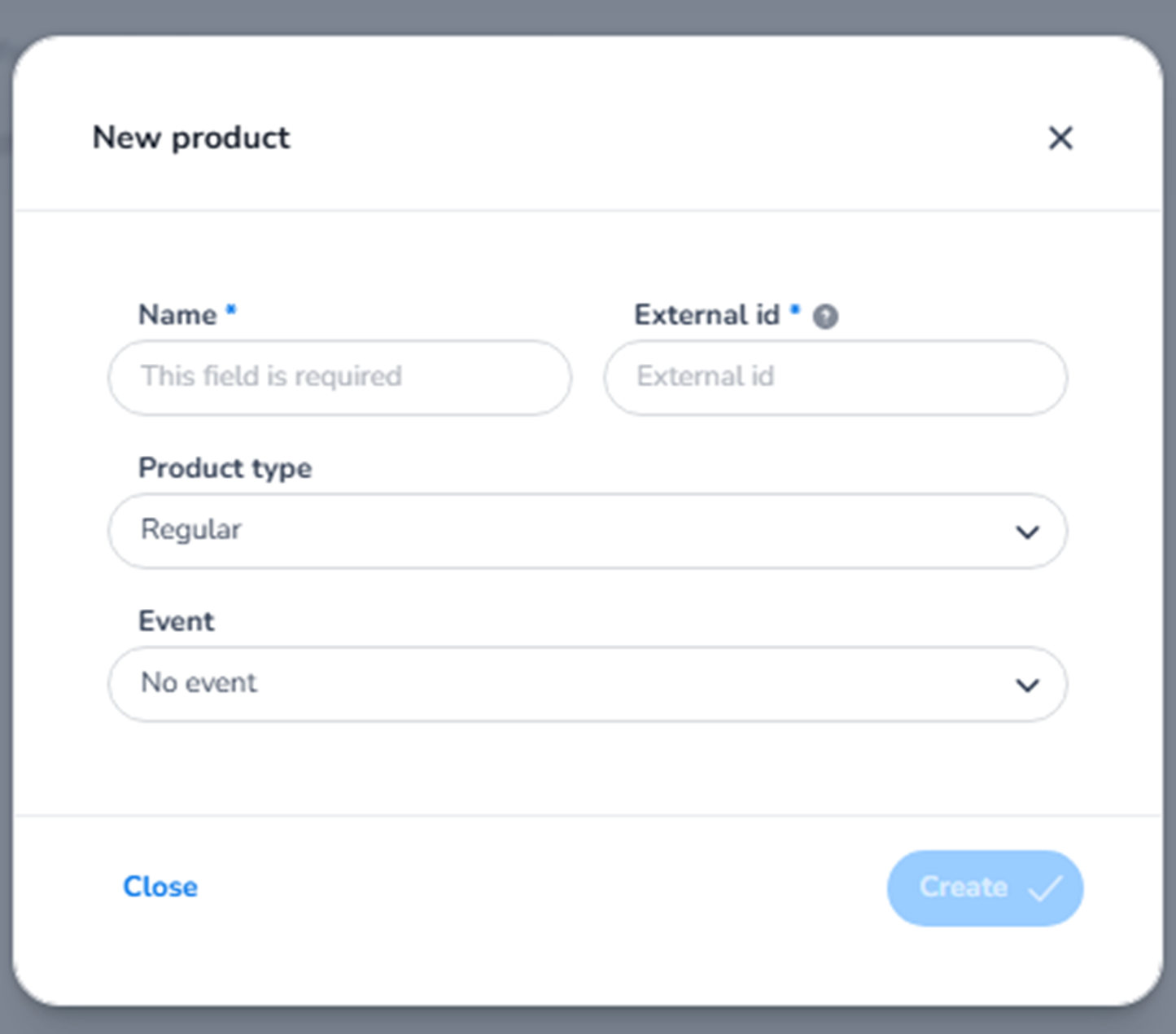
EM – Product Creation Window
When selecting + Add product, a configuration window appears with the following fields:
EM – Name (Required)
Field: Name*
Purpose:
-
Defines the visible name of the product.
-
Represents the ticket type in:
-
Event configuration
-
Entrance plans
-
Scan validation rules
-
Reporting
-
Examples:
-
Regular
-
VIP
-
Early Access
-
Staff
This is the primary identifier for operational use.
EM – External ID
Field: External ID
Purpose:
-
Optional unique identifier.
-
Used for:
-
API integrations
-
External ticketing systems
-
Synchronisation with third-party platforms
-
Important:
This field is mainly used for technical or integration purposes and does not affect scanning logic directly.
EM – Product Type
Field: Product type (Dropdown)
Default: Regular
Purpose:
-
Classifies the product into a category.
-
Used for:
-
Filtering
-
Reporting
-
Operational segmentation
-
Examples may include:
-
Regular
-
VIP
-
Special access
This classification does not define capacity — it defines category and business logic grouping.
EM – Event
Field: Event (Dropdown)
Purpose:
-
Links the product to a specific event.
-
A product must be associated with one event.
Important:
Without linking a product to an event:
-
It cannot be used in entrance plans.
-
It cannot be validated during scanning.
-
It cannot be used for ticket import.
EM – Action Buttons
Create
-
Saves the product.
-
Makes it available for:
-
Ticket import
-
Entrance plan configuration
-
Scan rule setup
-
Close
-
Cancels the creation process.
-
No changes are saved.
EM – What This Section Controls
This section defines:
-
Ticket type structure
-
Access differentiation
-
Scan validation targeting
-
Entrance rule configuration
Without products:
-
Tickets cannot be categorised.
-
Entrance plans cannot define validation rules.
-
Scanners cannot differentiate ticket types.
Products form the foundation of structured entrance validation within the system.
If you'd like, I can now also rewrite this in the exact same tone and structure as your Venues or Entrance Plans documentation for full consistency.