
Description
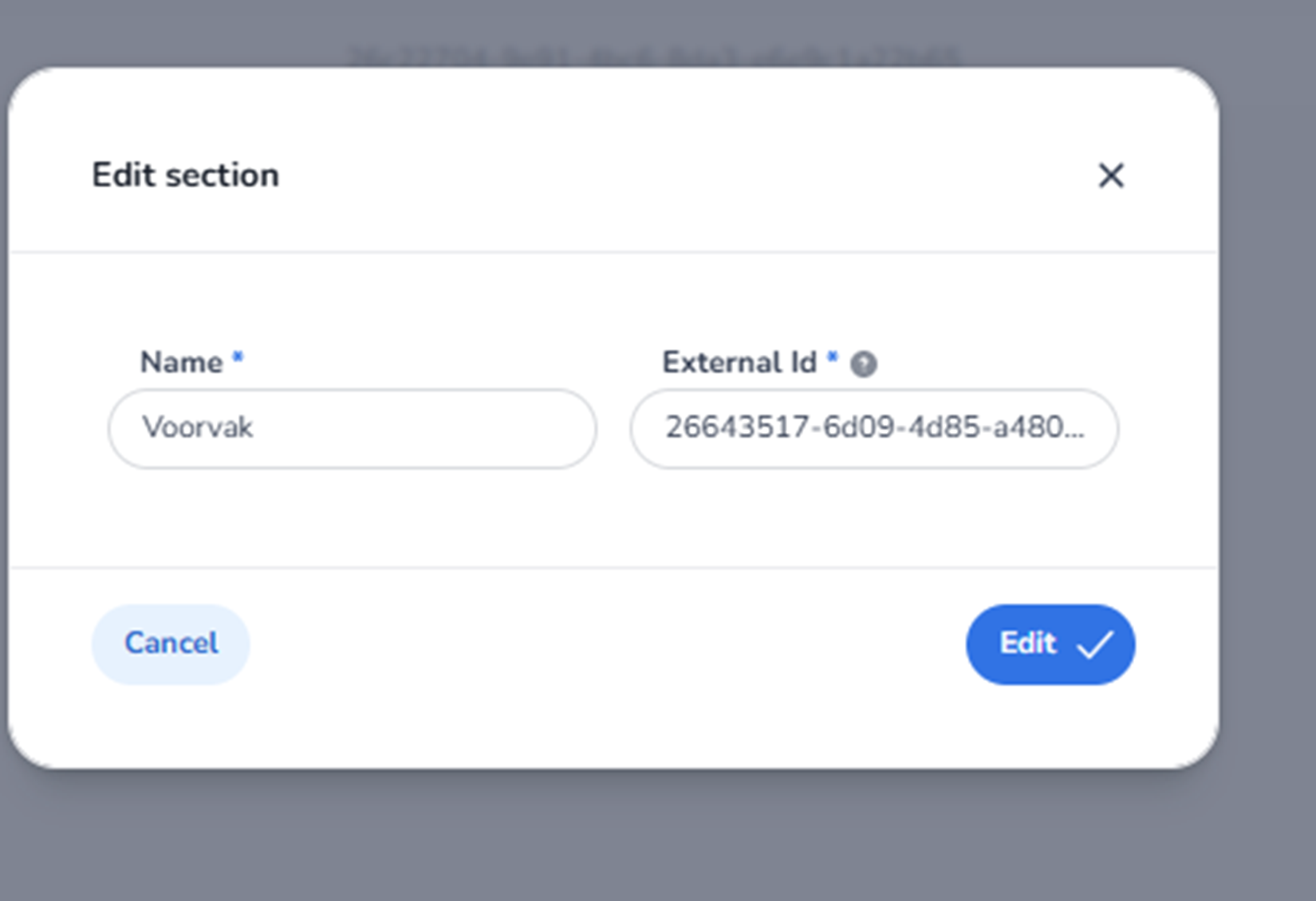
When clicking the pencil icon next to a venue section in the Venue Detail page, the Edit section modal appears.
This modal allows users to modify the core properties of a specific section within a venue.
Sections represent logical or physical subdivisions of a venue, such as seating blocks, standing areas, or access zones.
All names and identifiers shown in the screenshot are example data and differ per organisation.
Modal Structure
The Edit Section modal is a centered pop-up window containing:
-
A title
-
Editable input fields
-
Action buttons
-
A close icon
This modal is focused only on section-level metadata.
Top Section
Edit Section Title
Displayed at the top of the modal.
Indicates:
-
The user is modifying an existing section.
-
This is not creating a new section.
Close Icon (X)
Located in the top-right corner.
Function:
-
Closes the modal.
-
Discards any unsaved changes.
Editable Fields
Name (Required Field)
Label: Name *
Function:
-
Defines the display name of the section.
-
Used in:
-
Ticket assignment
-
Entrance plan rules
-
Reporting
-
Scan analytics
-
Changing the name updates how the section appears across the system.
Requirements:
-
This field is mandatory.
-
Must contain a valid section name.
External ID
Label: External Id
Function:
-
Stores a unique identifier for the section.
-
Used for:
-
API integrations
-
External seating system mapping
-
Synchronisation with third-party tools
-
Important:
-
Should only be modified if integration mapping changes.
-
Does not affect scan rules directly.
Bottom Action Buttons
Cancel
Function:
-
Closes the modal.
-
Discards unsaved changes.
-
Returns to the Venue Detail page.
Edit (Primary Action Button)
Function:
-
Saves changes made to the section.
-
Updates section data in the system.
-
Applies modifications immediately.
After saving:
-
The modal closes.
-
The updated section information is reflected in the section list.
What This Screen Controls
This modal controls the metadata of a specific venue section.
Changes here affect:
-
How tickets reference the section.
-
How entrance plans filter by section.
-
How reports group scan data by section.
-
How the section appears in filtering menus.
It does not directly change:
-
Ticket validation logic.
-
Scan limits.
-
Entrance plan rules.
Those are configured separately.
What You Can Do Here
From this modal, users can:
-
Rename a section.
-
Update the external reference ID.
-
Correct configuration mistakes.
-
Maintain integration consistency.
This function is typically used by:
-
Venue managers
-
Operations administrators
-
Integration specialists