
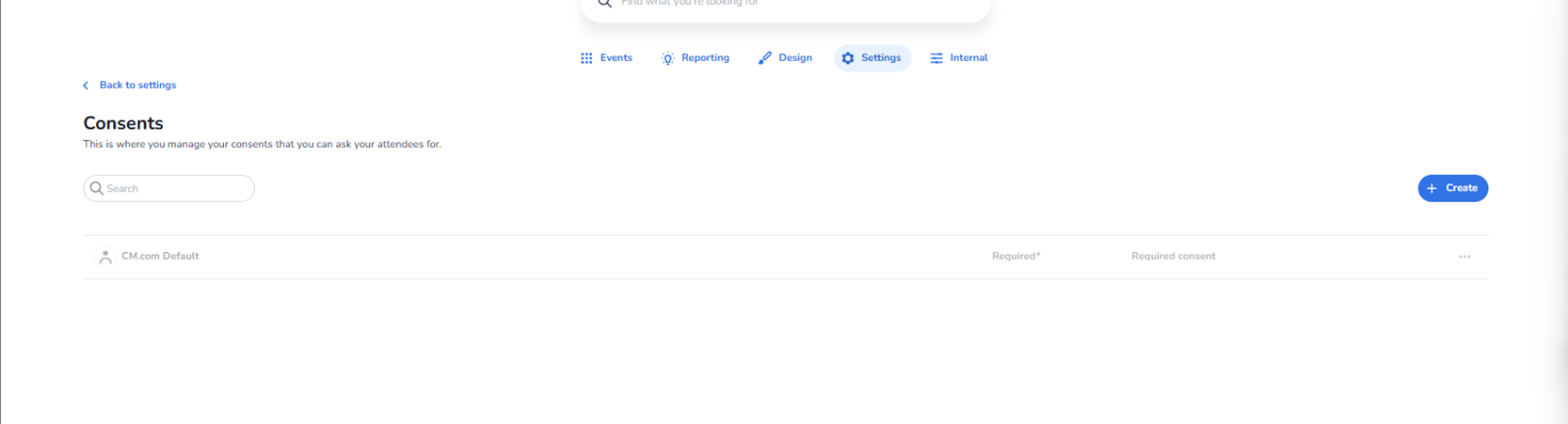
Description
The Consents section is where you manage the consent statements that can be presented to attendees during the ticket purchase process.
This page allows administrators to:
-
View existing consent definitions
-
Create new consent statements
-
Define whether consent is required
-
Control how attendee permissions are collected
All consent configurations are organisation-specific.
Purpose of This Page
This section ensures that:
-
Legal requirements are met
-
Attendee permissions are properly recorded
-
Marketing and communication preferences are captured
-
Privacy compliance (such as GDPR) is maintained
Consents configured here are typically shown during:
-
Checkout
-
Registration
-
Ticket purchase flows
Page Structure
Back to Settings
Located at the top left.
Function:
-
Returns to the main Settings overview.
Search Bar
Allows you to search for existing consents by name.
Useful when:
-
Multiple consent records exist
-
Managing large environments
Create Button (Top Right)
Primary action button.
Function:
-
Opens the consent creation workflow.
-
Allows administrators to define a new consent item.
Used when:
-
Introducing new legal requirements
-
Adding marketing opt-ins
-
Creating event-specific consent statements
Consent Overview Table
Each row represents one consent configuration.
Columns may include:
-
Consent name
-
Required status
-
Required consent setting
-
Additional options (via action menu)
Required
Indicates whether the attendee must respond to the consent before completing purchase.
If enabled:
-
The attendee cannot proceed without accepting or responding.
Required Consent
Indicates whether acceptance is mandatory.
This controls whether:
-
The attendee must actively agree
-
The consent is optional (opt-in)
Action Menu (Three Dots)
Located at the end of each row.
Typically allows:
-
Edit consent
-
Delete consent
-
Modify settings
Creating a New Consent
When clicking Create, administrators can typically define:
-
Consent name
-
Description text
-
Legal text displayed to attendees
-
Whether it is required
-
Whether acceptance is mandatory
-
Where it appears in the purchase flow
This allows flexible configuration for:
-
Marketing communications
-
Data sharing agreements
-
Event photography consent
-
Terms & conditions acceptance
-
Third-party integrations
What This Section Controls
This section directly affects:
-
What attendees must agree to
-
What data can legally be used
-
Whether marketing communication is allowed
-
Compliance reporting
It does not control:
-
Ticket validation
-
Scanning logic
-
Entrance plan rules
Who Should Manage This Section
Typically managed by:
-
Legal or compliance teams
-
Marketing managers
-
Platform administrators
Because consent configuration impacts legal compliance, changes should be reviewed carefully.