
Description
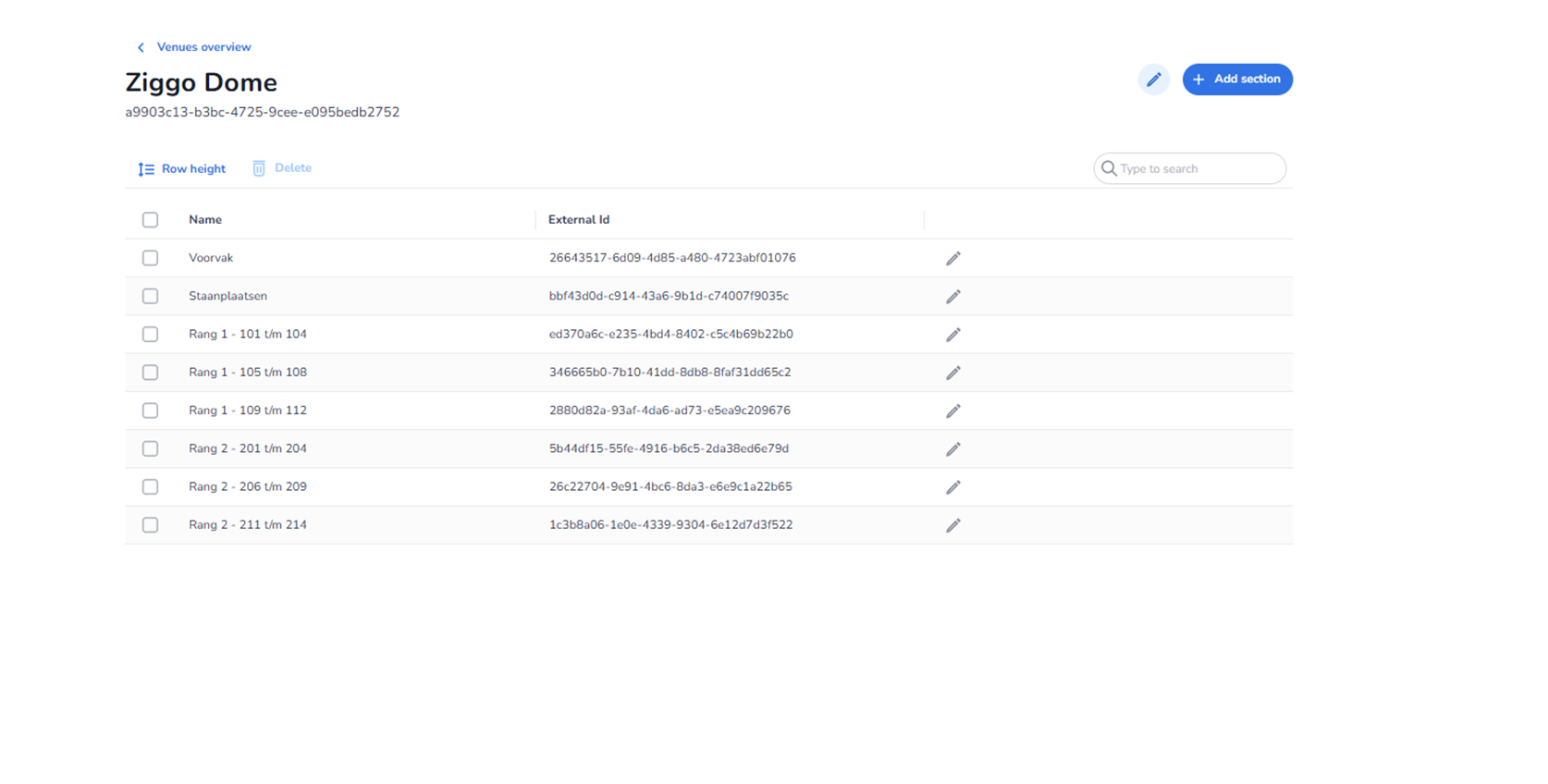
When clicking the pencil icon at the top-right of the Venue Detail page, the Edit Venue configuration is opened.
This section allows users to modify the core properties of the selected venue. It controls the foundational metadata of the venue but does not directly manage individual sections (those are configured separately).
All names and identifiers shown in the screenshot are example data and differ per organisation.
Accessing the Edit Function
Location:
-
Top-right corner of the Venue Detail page.
-
Represented by a pencil icon.
Function:
-
Opens the editable configuration for the selected venue.
-
Allows modification of venue-level settings.
Editable Venue Properties
While the exact fields may vary depending on configuration, the venue edit section typically includes the following core elements:
Venue Name
Function:
-
Defines how the venue appears throughout the platform.
-
Used in:
-
Event configuration
-
Tickets
-
Entrance plans
-
Reporting
-
Changing this updates the display name across the system.
External ID
Function:
-
Stores a unique identifier used for integrations.
-
Used when connecting the venue to external systems.
-
Often referenced in API calls or synchronisation logic.
Important:
-
Should only be modified if integration requirements change.
Venue Type (If Configurable)
Depending on configuration, the venue may support:
-
General admission structure
-
Seated structure
-
Hybrid structure
This setting determines:
-
Whether sections represent seating blocks or open areas.
-
How tickets are assigned to venue sections.
Address or Location Information (If Available)
Some configurations may allow:
-
Physical address
-
City or country
-
Location reference
Used for:
-
Operational clarity
-
Reporting
-
External mapping integrations
Save / Cancel Controls
Save / Update
Primary action button.
Function:
-
Saves modifications.
-
Updates venue information across the system.
-
Applies changes immediately.
Cancel
Function:
-
Closes the edit mode.
-
Discards unsaved changes.
Relationship With Sections
Important distinction:
-
The Edit Venue function modifies venue-level metadata.
-
Individual areas such as seating blocks or standing zones are managed under Sections on the Venue Detail page.
Changing venue-level data does not automatically modify existing sections.
What This Section Controls
Editing a venue affects:
-
How the venue appears in event configuration.
-
How it is referenced in entrance plans.
-
How it is displayed in ticket filtering.
-
Integration identifiers for external systems.
It does not directly affect:
-
Ticket validity rules.
-
Scan logic.
-
Entrance validation behaviour.
Those are managed via entrance plans.
What You Can Do Here
From the venue edit section, users can:
-
Rename the venue.
-
Update integration identifiers.
-
Adjust high-level configuration settings.
-
Maintain consistency across events and entrance plans.
This section is typically used by:
-
System administrators.
-
Venue managers.
-
Operations coordinators.
-
Integration specialists.