
Description
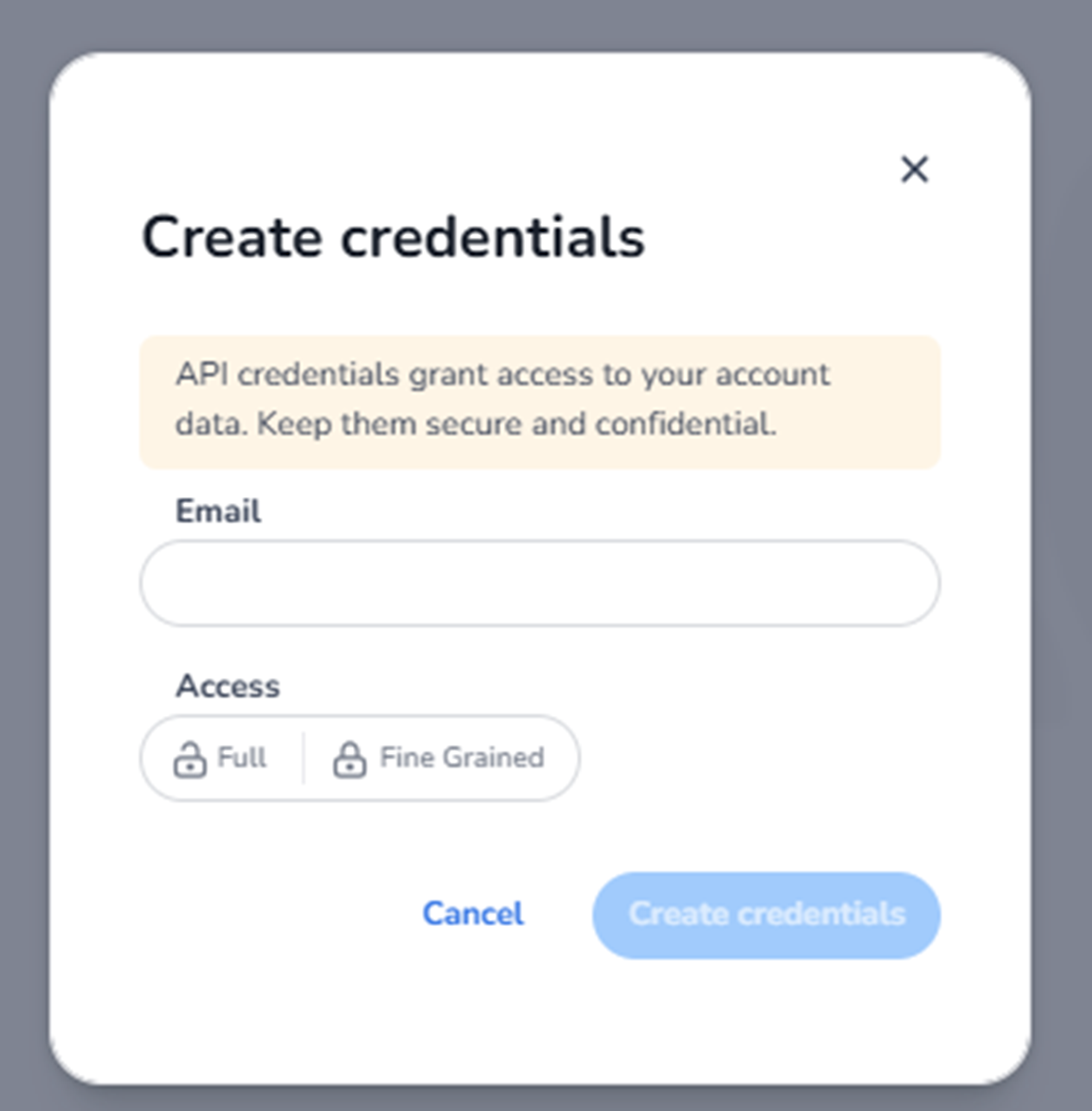
When clicking Create credentials in the Partner API section, the Create credentials modal appears.
This modal allows administrators to generate a new set of API credentials that grant external systems access to account data.
These credentials are sensitive and must be stored securely.
What You See in This Modal
The modal contains:
-
A title
-
A security warning message
-
An email field
-
Access level selection
-
Action buttons
-
A close icon
Security Warning
A highlighted message explains that:
-
API credentials provide access to account data.
-
Credentials must be kept secure and confidential.
This is a reminder that:
-
Anyone with these credentials can perform API actions.
-
Credentials should never be shared publicly.
Email Field
Purpose:
-
Associate the credentials with a responsible contact.
-
Identify who or which integration owns the credentials.
What to do:
-
Enter a valid email address.
-
Use an address linked to the responsible developer or system.
-
Optionally use a technical mailbox for integrations.
This helps with tracking and accountability.
Access Level Selection
Access Options
You can choose between:
Full
-
Grants broad API access.
-
Allows interaction with all available endpoints permitted under the organisation.
-
Suitable for trusted internal integrations.
Fine Grained
-
Allows more restricted access.
-
Used when limiting permissions to specific API scopes.
-
Recommended for security-sensitive integrations.
What to do:
-
Select the appropriate access level based on integration needs.
-
Use Fine Grained access when limiting scope is required.
Action Buttons
Cancel
-
Closes the modal.
-
Discards entered information.
-
No credentials are created.
Create Credentials
-
Becomes active once required fields are completed.
-
Generates the API credentials.
-
Displays the credentials (typically shown once).
After clicking:
-
The system creates the credential set.
-
You receive client ID and secret (or similar).
-
You must copy and store them securely.
-
The secret may not be shown again.
How to Create API Credentials (Step-by-Step)
-
Click Create credentials.
-
Enter the responsible email address.
-
Select the appropriate access level.
-
Click Create credentials.
-
Copy and securely store the generated keys.
Important Security Notes
-
Treat credentials like passwords.
-
Store them in a secure secret manager.
-
Do not share in public repositories.
-
Rotate credentials periodically.
-
Revoke unused credentials.
What This Enables
Once created, credentials allow:
-
External systems to authenticate.
-
API requests to retrieve or modify data.
-
Secure integration between systems.