
This section appears inside:
Design → Ticket design → + New template
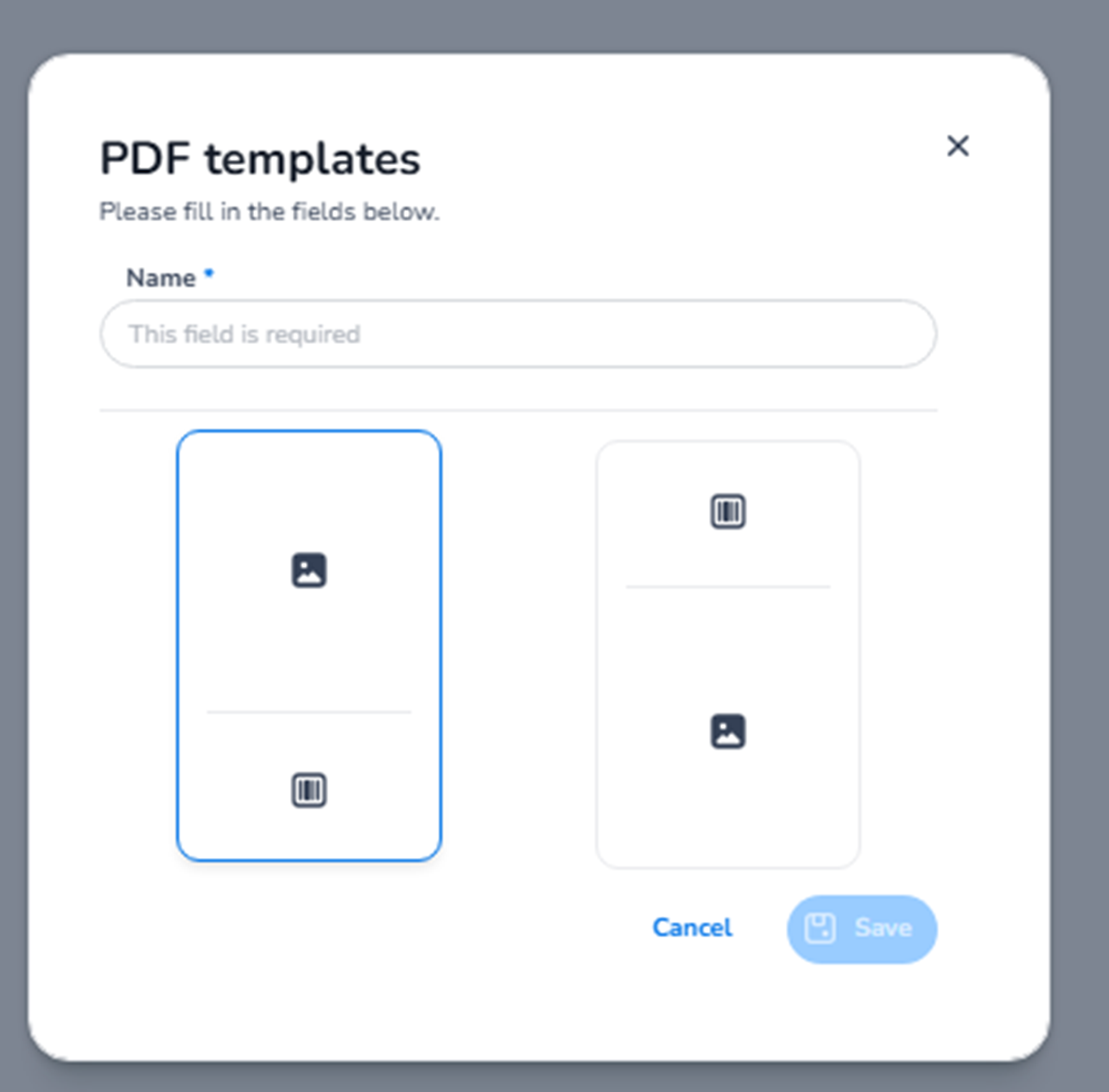
When creating a new ticket template, you see the PDF templates creation modal.
This is used to design the layout of the actual ticket PDF that customers receive and download.
What This Screen Is For
This screen allows you to:
-
Create a new ticket PDF layout
-
Define how tickets will look when downloaded
-
Choose the structural format of the ticket
This controls the ticket file itself — not emails and not the shop.
What You See in This Modal
-
Name
Field: Name (required)
Purpose:
-
Define a clear name for the template.
-
Example:
-
“Festival 2026 Default Ticket”
-
“VIP Ticket Layout”
-
“Corporate Event Template”
-
This helps manage multiple ticket designs across events.
You must enter a name before saving.
-
Layout Selection
You see visual layout options (template previews).
These represent different structural formats of the PDF ticket.
Examples may include:
-
Horizontal ticket layout
-
Vertical ticket layout
-
Barcode/QR positioning differences
-
Image vs information balance differences
You must select one layout before proceeding.
The selected layout determines the structural base of your ticket.
-
Action Buttons
Cancel
Closes the modal without saving.
Save
Creates the new ticket template (enabled once required fields are completed).
What Happens After Saving
After creating the template:
-
You enter the ticket PDF editor.
-
You can customise:
-
Colours
-
Logo
-
Background
-
Text fields
-
QR / barcode placement
-
Event information layout
-
This is where the visual ticket itself is designed.
What This Section Controls
Ticket design controls:
-
The downloadable PDF ticket
-
How the ticket looks when printed
-
Branding on the ticket
-
Placement of ticket information
It does NOT control:
-
Ticket pricing
-
Capacity
-
Order flow
-
Email templates
Functional Summary
Within Ticket design → New template, the user can:
-
Create a new PDF ticket layout
-
Name the template
-
Choose a structural format
-
Start designing the ticket appearance
This section defines the visual identity of the ticket customers receive after purchase.