
Overview
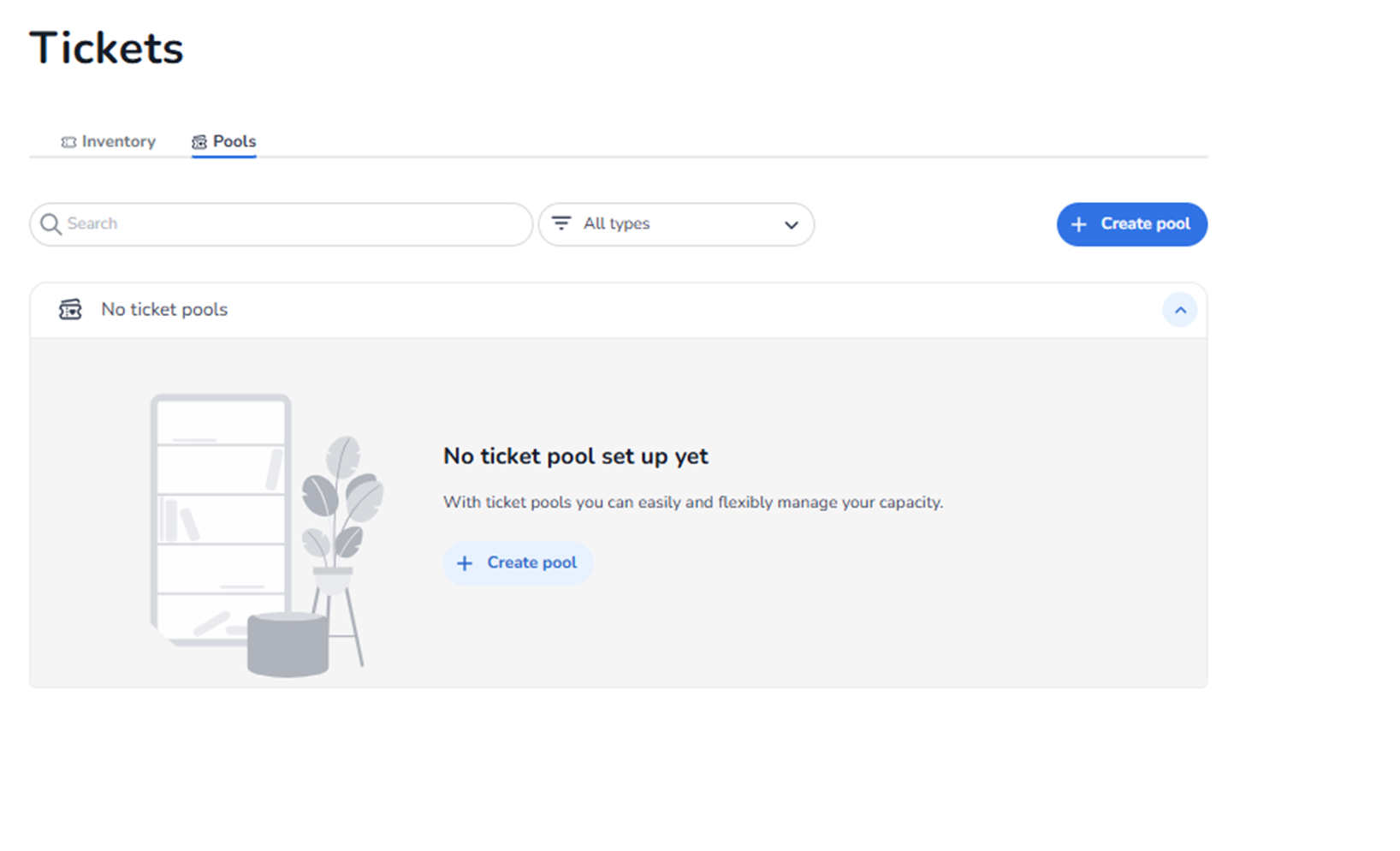
This screen appears when navigating to:
Ticketing → Tickets → Pools
The Pools section is used to manage total ticket capacity across multiple ticket types.
A pool allows you to define one shared maximum capacity, even if you have multiple variations of tickets.
This section is about capacity control and allocation logic.
It is not about pricing, ticket creation, or checkout configuration.
What Is a Pool (Simple Explanation)
A pool defines the maximum number of tickets that can be sold in total.
Example:
You want to sell 300 tickets in total for your event.
You create different ticket types such as:
-
Ticket with tokens
-
Ticket without tokens
-
Ticket with snacks
-
Ticket without snacks
-
VIP ticket
Even though you have different ticket types,
the total number of tickets sold across all types may never exceed 300.
That is what a pool controls.
The variations do not change the total capacity.
The pool ensures the combined sales stay within the defined limit.
What You See in This Section
Tabs – Inventory & Pools
Below the page title Tickets, two tabs are visible:
-
Inventory
-
Pools (active)
Inventory
Used to create and manage ticket types.
Pools
Used to manage capacity allocation and total availability logic.
Search & Filter Controls
Search Bar
Field: Search
Purpose:
-
Search within existing pools.
-
Quickly locate a specific pool when multiple pools exist.
Type Filter
Dropdown: All types
Purpose:
-
Filter the displayed pools by type.
-
Useful when working with more advanced pool structures.
Primary Action Button
Button: + Create pool
Located at the top-right of the screen.
Purpose:
-
Create a new pool.
-
Define a shared maximum capacity.
This is where you set your total event capacity.
Pools List Area
When No Pools Exist
You will see:
-
Header: No ticket pools
-
Message explaining that pools help manage capacity
-
Button: + Create pool
This guides the user to set up capacity control.
When Pools Exist
You will see:
-
A list of configured pools
-
Pool names
-
Allocation information
-
Expand/collapse controls
-
Management options
This allows you to review and adjust capacity structures.
What This Section Actually Controls
Pools control:
-
The maximum number of tickets that can be sold
-
Shared capacity across multiple ticket types
-
Total event availability
They allow:
-
Different ticket variations
-
Flexible pricing structures
-
Package combinations
While still enforcing:
-
One fixed total capacity
Without pools:
-
Each ticket type manages its own capacity separately.
-
You cannot easily enforce a combined limit across multiple ticket types.
Pools prevent overselling when multiple ticket variations exist.
Important Considerations
-
Ticket types must exist before assigning them to a pool.
-
The pool defines the true maximum capacity.
-
All linked ticket types share that capacity.
-
If the pool reaches its limit, all linked tickets stop selling.
Changes to pools affect live availability immediately.
Functional Summary
Within Ticketing → Tickets → Pools, the user can:
-
Define total event capacity
-
Share capacity across multiple ticket types
-
Prevent overselling
-
Manage allocation logic
This section influences:
-
Total tickets sold
-
Availability logic
-
Capacity enforcement
It does NOT control:
-
Ticket pricing
-
Ticket content
-
Shop design
-
Marketing tracking
Pools are used to control the total number of tickets sold, regardless of how many ticket variations you offer.