
Overview
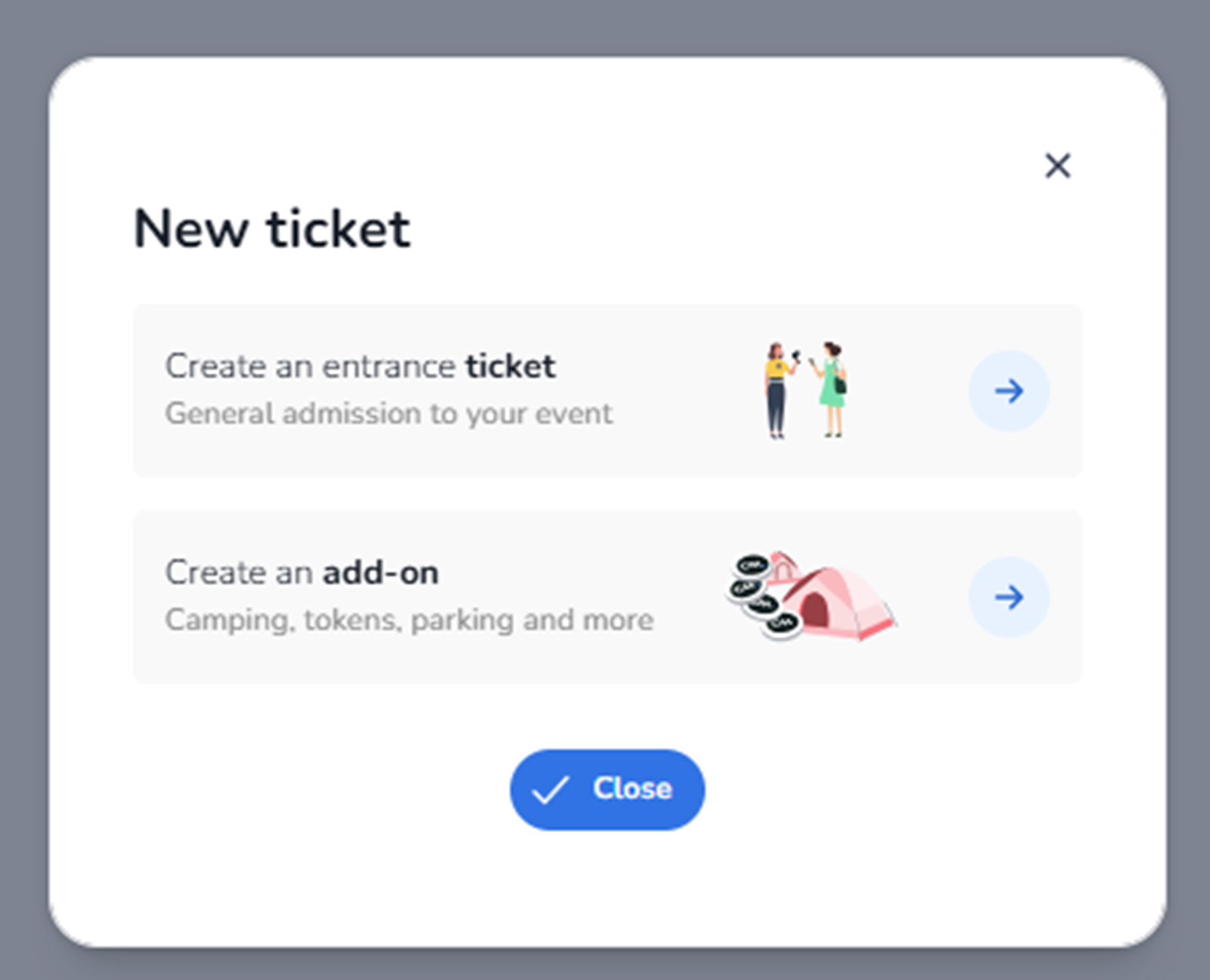
This modal appears when the user clicks + Create → Create ticket in the Inventory tab.
It is the first step in the ticket creation flow.
The user must choose what type of sellable item they want to create:
-
An entrance ticket
-
An add-on product
This screen determines the ticket type before entering detailed configuration.
What You See in This Screen
Modal Title
New ticket
Indicates the start of the ticket creation process.
Top-right corner:
-
X (close icon)
Closes the modal without creating anything.
-
Create an entrance ticket
Description shown:
“Create an entrance ticket
General admission to your event”
Purpose:
-
Create a standard event access ticket.
-
Used for entry to the event.
Typical use cases:
-
General Admission
-
VIP Entry
-
Early Bird Access
-
Day Pass
-
Weekend Pass
Impact:
-
Creates a ticket that grants access to the event.
-
Will later require configuration such as pricing, availability, and rules.
Right side:
-
Arrow button (→)
Selecting this continues to the detailed ticket configuration screen.
-
Create an add-on
Description shown:
“Create an add-on
Camping, tokens, parking and more”
Purpose:
-
Create a non-entrance product.
-
Used for additional purchasable items linked to the event.
Typical examples:
-
Parking tickets
-
Camping access
-
Food & drink tokens
-
Merchandise
-
Locker rental
Impact:
-
Does not grant event entry by itself.
-
Can be sold alongside or attached to entrance tickets.
Right side:
-
Arrow button (→)
Selecting this continues to the add-on configuration flow.
-
Close Button
Button: Close
Purpose:
-
Cancels the action.
-
Closes the modal without creating anything.
What This Screen Actually Controls
This screen controls:
-
The type of sellable object being created
-
Whether the object grants event access (entrance ticket)
-
Or represents an additional product (add-on)
It does NOT:
-
Configure pricing
-
Configure availability
-
Assign pools
-
Set sales channels
It only determines the object type before configuration begins.
Important For The Agent
When the user selects Create ticket, the agent must:
-
Recognise that a selection modal appears.
-
Identify whether the intention is:
-
Event entry → Select Create an entrance ticket
-
Additional product → Select Create an add-on
-
-
Continue to the appropriate configuration flow.
The distinction is critical:
-
Entrance tickets control event access.
-
Add-ons extend the commercial offering but do not provide entry rights.
This modal defines the foundational ticket type before detailed setup.