
Overview
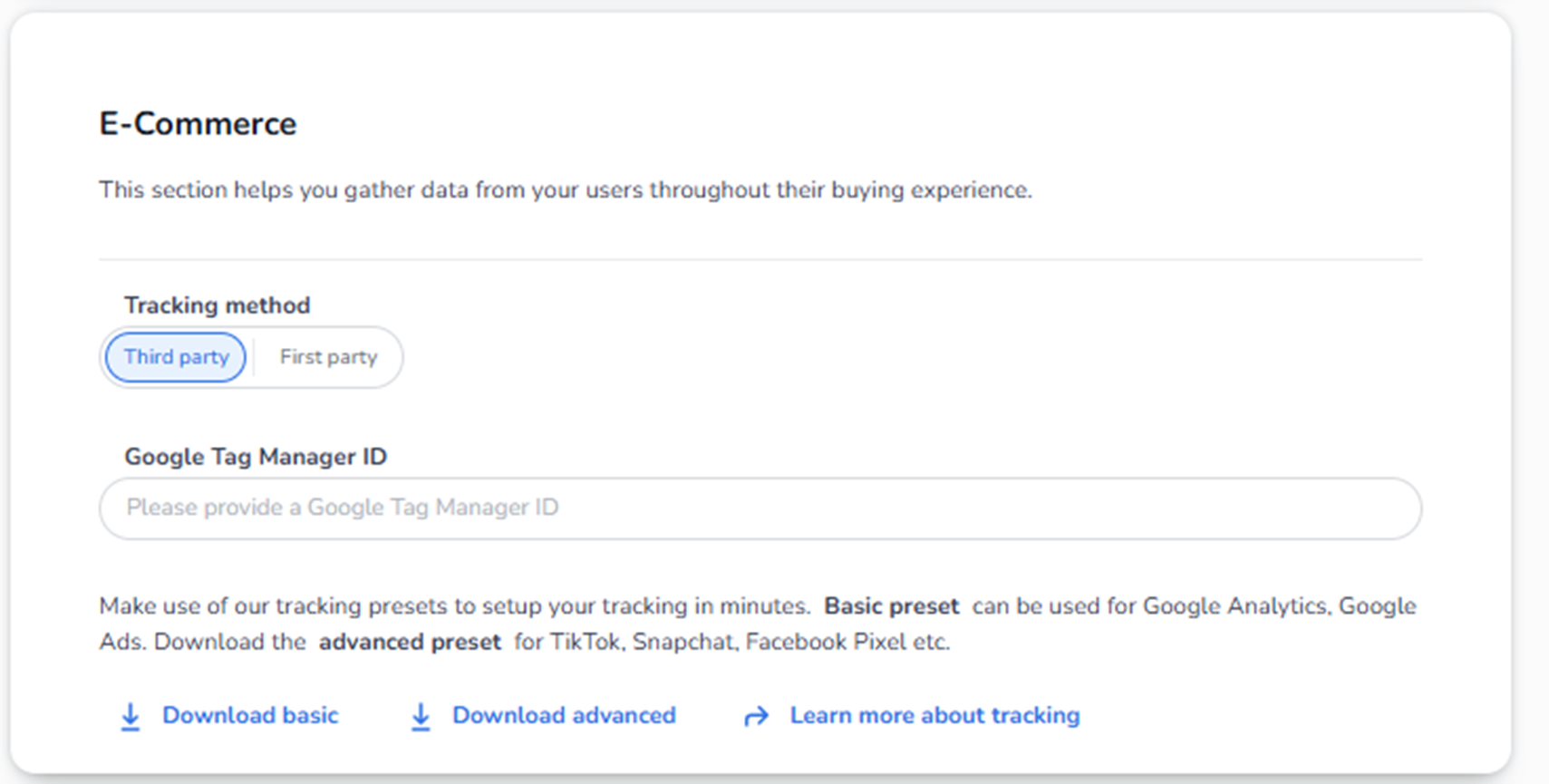
The E-Commerce section is used to configure tracking and analytics for your event shop.
Its purpose is to:
-
Track buyer behaviour
-
Measure conversions
-
Connect marketing tools (Google, Meta, TikTok, etc.)
-
Collect performance data from the checkout flow
This section is not about payments.
It is about marketing analytics and tracking scripts.
What You See in This Section
-
Tracking Method
You can choose between:
-
Third party
This means you use external tracking platforms like:
-
Google Analytics
-
Google Ads
-
Meta (Facebook) Pixel
-
TikTok Pixel
-
Other external tools
The platform sends event data to those tools via tracking scripts.
-
First party
This typically means tracking data is managed more directly (less dependent on third-party cookies).
Often used for:
-
Privacy-compliant setups
-
Server-side tracking
-
More controlled data environments
If unsure, most users select Third party because they use Google Tag Manager.
-
Google Tag Manager ID
Field: Google Tag Manager ID
This is where you enter your GTM container ID.
Example format:
GTM-XXXXXXX
This connects your event shop to your Google Tag Manager account.
Once connected:
-
You can fire tracking events
-
Track purchases
-
Measure cart abandonment
-
Track conversion funnels
-
Trigger remarketing campaigns
If this field is empty:
No external tracking scripts will be injected.
Tracking Presets
You see options:
-
Download basic
-
Download advanced
-
Learn more about tracking
These presets provide ready-made tracking configurations.
Basic preset
Used for:
-
Google Analytics
-
Google Ads
This tracks:
-
Page views
-
Purchase events
-
Revenue
-
Basic conversion metrics
Advanced preset
Used for:
-
TikTok
-
Snapchat
-
Facebook Pixel
-
More detailed event tracking
This tracks:
-
Add to cart
-
Checkout started
-
Purchase completed
-
Possibly enhanced e-commerce events
These presets save setup time.
What This Section Actually Controls
When configured correctly, it enables:
-
Marketing performance measurement
-
Attribution tracking (which campaign sold tickets)
-
Retargeting audiences
-
Conversion optimisation
-
Revenue tracking per channel
Without this:
You cannot properly measure:
-
Ad ROI
-
Campaign performance
-
Funnel drop-off
-
Marketing effectiveness
Important Considerations
If tracking is configured incorrectly:
-
Purchases may not be tracked
-
Revenue may not show in Google Analytics
-
Ads may optimise poorly
-
Remarketing audiences may fail
Always verify:
-
GTM ID is correct
-
Tracking method matches your setup
-
Consent settings allow tracking (important with GDPR)
Relation to Consents
Tracking must comply with:
-
Visitor consents
-
Privacy laws (GDPR)
-
Cookie policies
If tracking depends on consent:
Make sure consent management is correctly configured in the Consents section.
When To Use This
You should configure this section if:
-
You run paid ads
-
You want conversion tracking
-
You analyse sales funnels
-
You use Google Analytics
-
You use Meta Pixel
-
You optimise marketing campaigns
If you do not run marketing campaigns, this section may remain unused.
Summary For The Agent
E-Commerce in Event Settings:
-
Configures marketing tracking
-
Connects Google Tag Manager
-
Enables conversion analytics
-
Supports marketing optimisation
-
Does NOT control payment methods
-
Does NOT control ticket pricing
It is purely for behavioural tracking and analytics.