
Overview
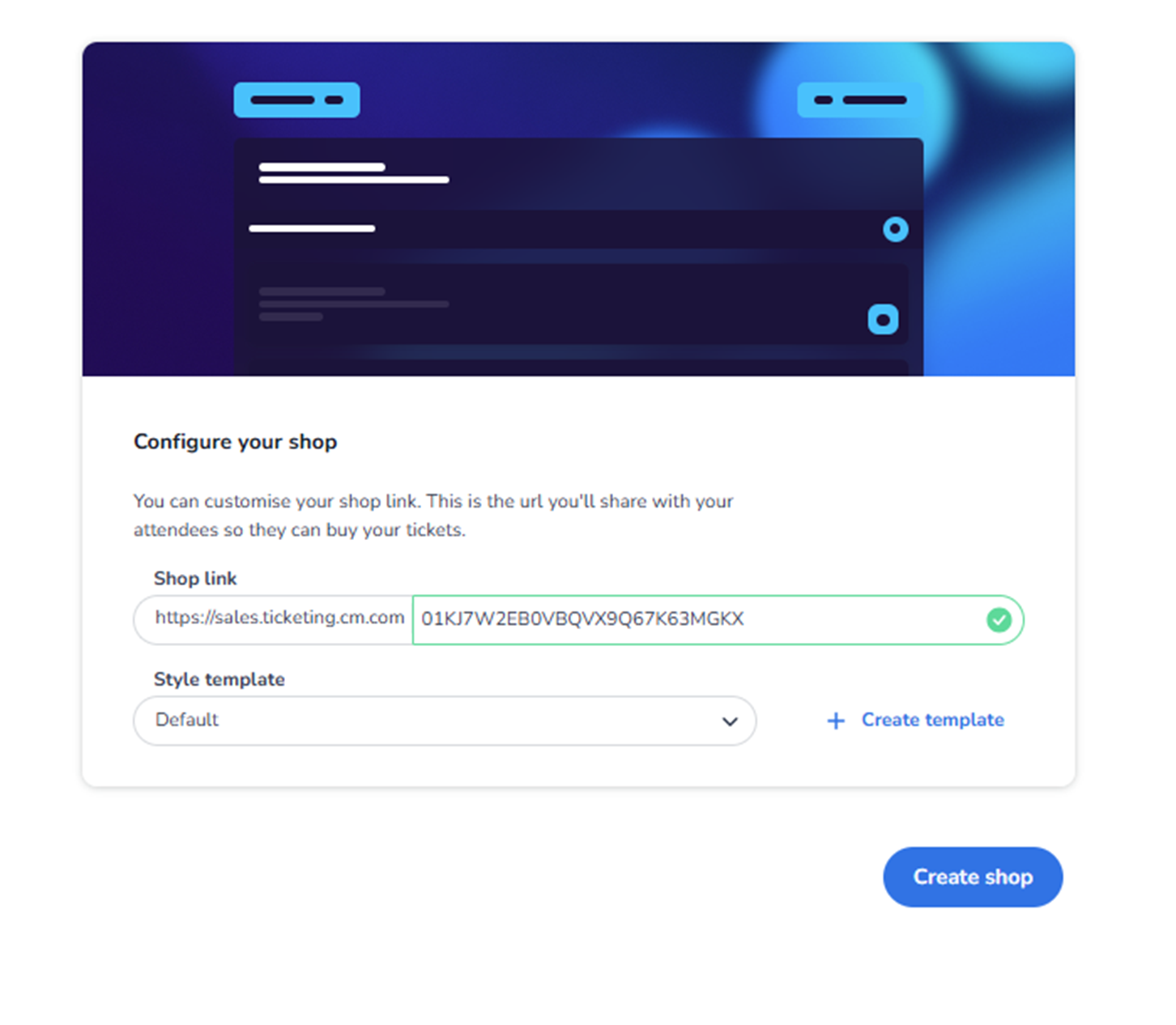
This screen appears when the user clicks + Create shop inside Ticketing → Shops.
It is used to create a new ticket shop for the selected event.
A shop is the sales channel where customers can purchase tickets.
This screen allows the user to:
-
Configure the shop URL
-
Select a style template
-
Create a new style template if needed
What You See in This Screen
Section Title
Configure your shop
Instruction text explains:
-
You can customise your shop link.
-
This is the URL you will share with attendees.
-
Shop Link
Field label: Shop link
Structure:
-
Base URL (e.g., https://sales.ticketing.cm.com)
-
Customisable unique path
Purpose:
-
Define the public URL of the ticket shop.
-
This link is shared with customers.
Validation:
-
The system checks whether the URL is available.
-
A confirmation indicator appears if valid.
Impact:
-
This is the direct access point for buyers.
-
Should be clear and event-related.
Changing this affects:
-
Marketing links
-
Shared URLs
-
Customer access path
-
Style Template
Field label: Style template
Dropdown (example: Default)
Purpose:
-
Select the visual style of the shop.
-
Controls branding elements such as layout, colours, and design structure.
The template defines:
-
Visual appearance
-
Branding consistency
-
Shop presentation
-
Create Template
Button: + Create template
Purpose:
-
Create a new shop style template.
-
Customise branding and design.
Important:
The creation and configuration of templates is described in detail in the Design section of the dashboard knowledge.
The Design module handles:
-
Branding
-
Colours
-
Layout
-
Visual configuration
The Shops module simply assigns a template.
-
Create Shop Button
Button: Create shop
Purpose:
-
Finalise shop creation.
-
Generate the new shop with the configured link and template.
After creation:
-
The shop appears in the Shops overview.
-
Tickets must still be assigned to the shop (via Sales Strategy) to be visible.
What This Screen Actually Controls
Create Shop controls:
-
Sales channel creation
-
Public shop URL
-
Visual template assignment
It defines the external customer-facing shop entry point.
It does NOT control:
-
Ticket pricing
-
Ticket capacity
-
Pool logic
-
Marketing tracking
It establishes the sales channel infrastructure.
Important Considerations
-
The shop link must be unique.
-
Tickets must be assigned to the shop before they appear for sale.
-
Style templates are managed in the Design section.
-
Changing the link later may affect shared marketing materials.
Incorrect setup may result in:
-
Inaccessible shop URLs
-
Shops without visible tickets
-
Branding inconsistencies
Functional Summary
Within Ticketing → Shops → Create shop, the user can:
-
Define shop URL
-
Select style template
-
Create a new style template (via Design module)
-
Launch a new ticket sales channel
This section influences:
-
Customer access
-
Branding presentation
-
Sales channel structure
It is the entry point for setting up a public ticket shop for the event.