
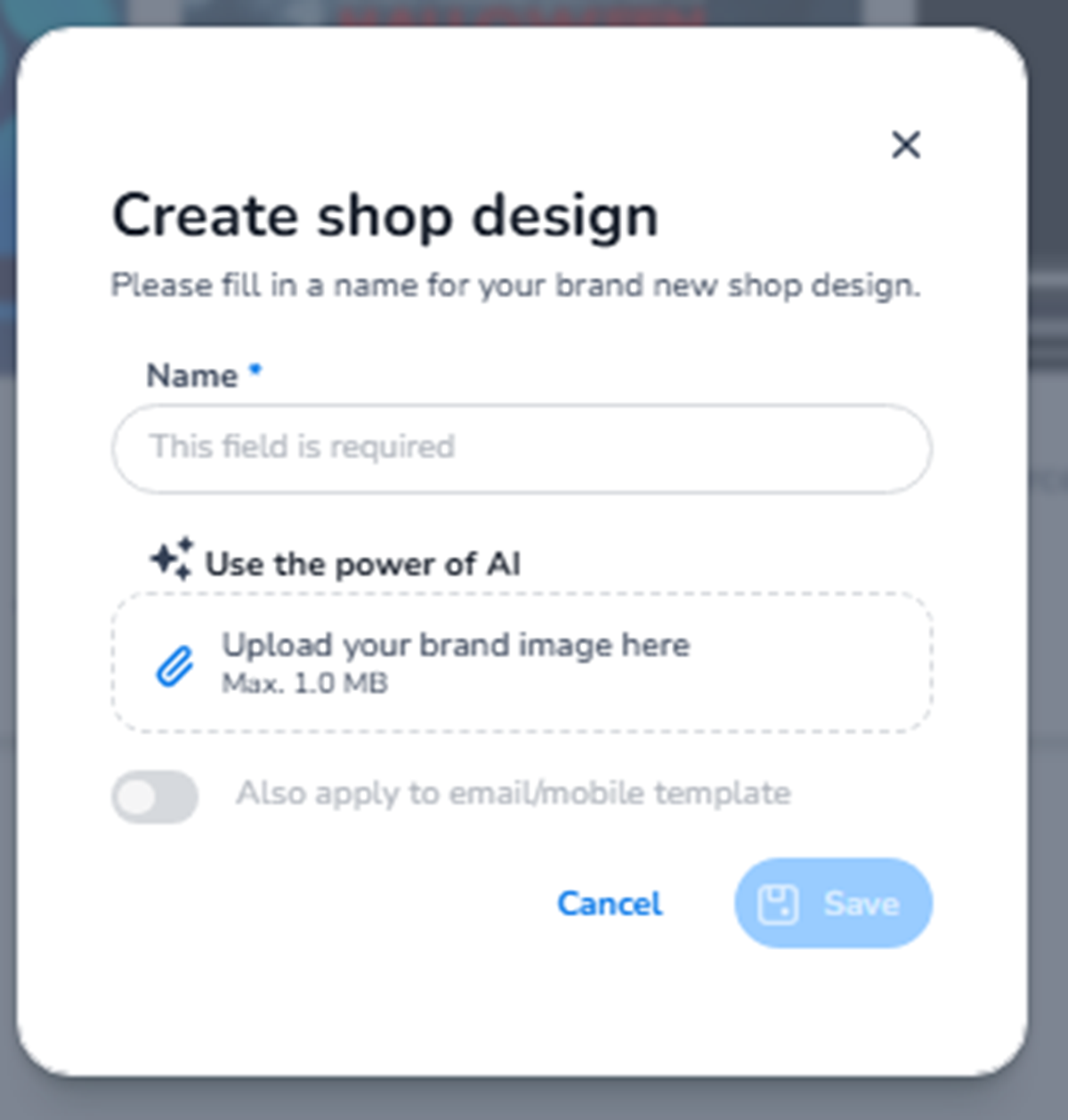
This screen appears when navigating to:
Dashboard → Design → Shop design → + New design
It is used to create a new branded shop layout for your ticket sales page.
Shop design controls the visual appearance of the online ticket shop that customers see when purchasing tickets.
What This Section Means
Creating a new shop design allows you to:
-
Define branding for your ticket shop
-
Upload visual identity elements
-
Prepare a reusable design template
-
Maintain consistent branding across events
This design affects the ticket sales page — not email communication.
What You See in This Screen
Modal Header
Title: Create shop design
Supporting text:
“Please fill in a name for your brand new shop design.”
Top-right:
-
X (close icon) → Closes the modal without saving.
-
Name (Required)
Field: Name*
Placeholder: This field is required
Purpose:
-
Define the internal name of the shop design.
-
Used to identify the design in the overview list.
This name is not shown to customers.
It is used internally for management.
Examples:
-
Default Festival Shop
-
VIP Ticket Shop
-
Corporate Event Layout
-
Use the Power of AI
Section label: Use the power of AI
Purpose:
-
AI can assist in generating a shop design based on branding input.
-
Helps automate layout structure and styling.
This supports faster creation of a branded shop experience.
-
Upload Brand Image
Field: Upload your brand image here
Maximum file size: 1.0 MB
Purpose:
-
Upload a logo or key visual.
-
This image may be used in the shop header or branding areas.
-
Helps generate a cohesive shop layout.
Supported image size restrictions ensure compatibility and proper rendering.
-
Also Apply to Email/Mobile Template (Toggle)
Toggle: Also apply to email/mobile template
Purpose:
-
Apply this branding across both shop and communication templates.
-
Maintain visual consistency between:
-
Shop page
-
Email templates
-
Mobile layouts
-
When enabled, branding alignment becomes easier across multiple channels.
Bottom Actions
Cancel
Closes the modal without creating the design.
Save
Creates the new shop design.
The Save button remains inactive until the required Name field is filled.
What This Section Controls
Shop design creation controls:
-
Visual branding of the ticket shop
-
Header appearance
-
Brand identity consistency
-
Layout foundation for sales pages
It influences:
-
Customer purchase experience
-
Brand perception
-
Visual coherence across events
It does NOT control:
-
Ticket pricing
-
Inventory
-
Order processing
-
Email content
Functional Summary
Within Design → Shop design → Create new shop design, the user can:
-
Create a new branded shop layout
-
Upload logo or brand image
-
Use AI-assisted design generation
-
Optionally align shop and email branding
-
Save and manage reusable shop designs
This section defines the visual identity of the ticket sales environment.