
Overview
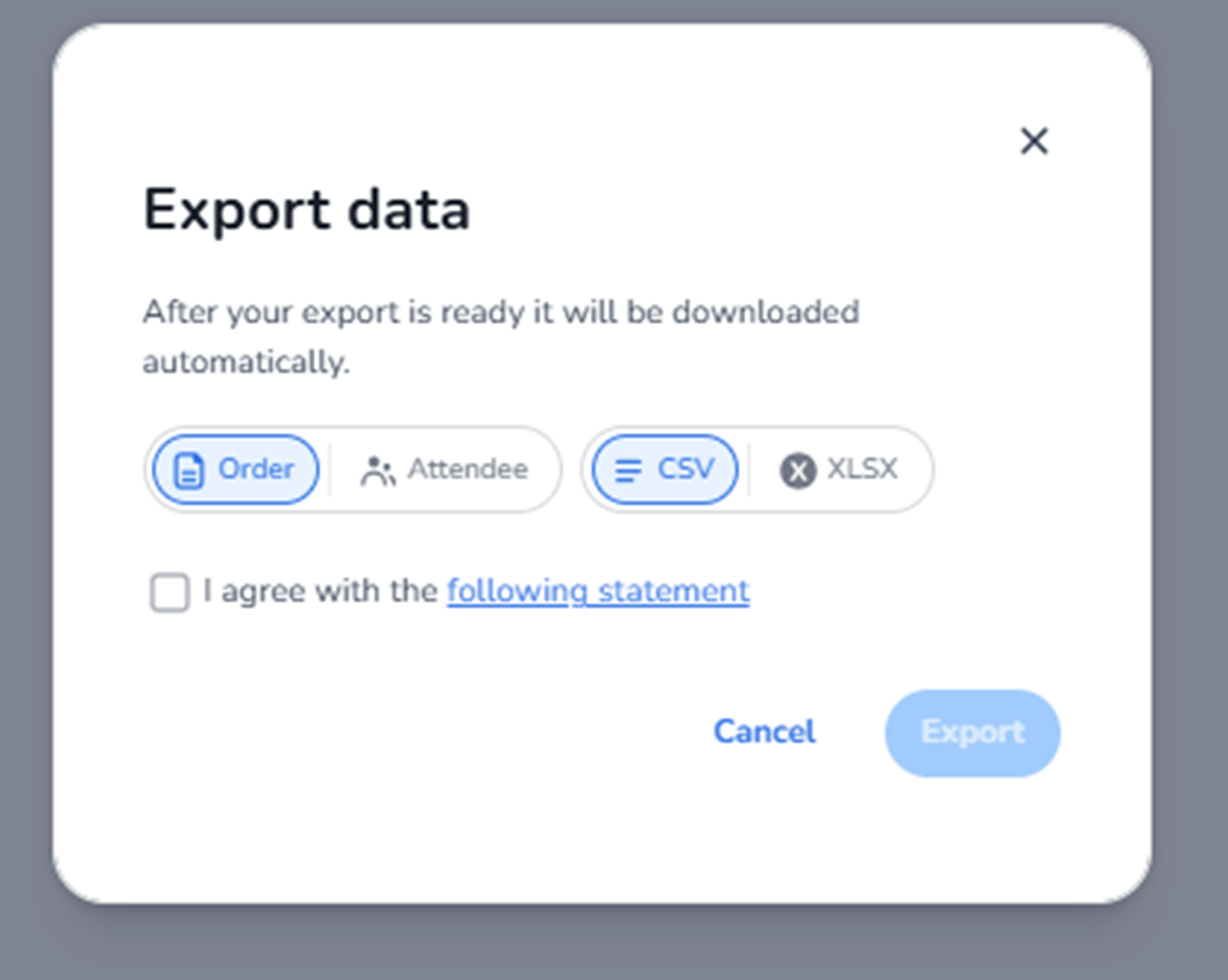
This modal appears when the user clicks Export in the Ticketing → Orders overview.
It is used to export order-related data for reporting, accounting, or external analysis.
The export is generated in the background and will automatically download once ready.
This screen allows the user to define:
-
What type of data to export
-
In which file format
-
Agreement to export terms
What You See in This Screen
Modal Title
Export data
Indicates that the user is configuring a data export.
Top-right corner:
-
X (close icon) → Closes the modal without exporting.
-
Data Type Selection
Two selectable options:
-
Order
-
Attendee
Order
Exports order-level data such as:
-
Order number
-
Customer details
-
Revenue
-
Status
-
Purchase date
Used for:
-
Financial reporting
-
Accounting reconciliation
-
Sales analysis
Attendee
Exports attendee-level data such as:
-
Ticket holders
-
Personalisation data
-
Attendee details
Used for:
-
Event access lists
-
Operational planning
-
Check-in preparation
Only one data type can be selected per export.
-
File Format Selection
Two format options:
-
CSV
-
XLSX
CSV
-
Comma-separated values format
-
Compatible with most systems
-
Commonly used for integrations
XLSX
-
Excel file format
-
Suitable for direct spreadsheet usage
-
Better for formatted reporting
Only one format can be selected.
-
Agreement Checkbox
Checkbox:
I agree with the following statement
Purpose:
-
Confirm acknowledgment of export terms.
-
Required before export can proceed.
Until this is checked:
-
The Export button remains disabled.
This ensures compliance and data responsibility awareness.
-
Action Buttons
Cancel
Closes the modal without exporting.
Export
Starts the export process.
Behaviour:
-
Generates the selected dataset.
-
Automatically downloads once ready.
Button is enabled only when:
-
A data type is selected
-
A file format is selected
-
Agreement checkbox is checked
What This Screen Actually Controls
The Export Data modal controls:
-
Dataset scope (Order vs Attendee)
-
Output format (CSV vs XLSX)
-
Confirmation of export compliance
It does NOT:
-
Modify order data
-
Change ticket information
-
Affect live system behaviour
It strictly generates a data extract.
Important Considerations
-
Active filters in the Orders overview may affect exported results.
-
Ensure correct dataset type is selected before exporting.
-
Attendee exports may contain personal data and must comply with privacy regulations.
-
Export files should be handled securely.
Incorrect selection may result in:
-
Incomplete data extraction
-
Wrong dataset for reporting needs
-
Privacy compliance risks
Functional Summary
Within Ticketing → Orders → Export, the user can:
-
Choose export dataset (Order or Attendee)
-
Select file format (CSV or XLSX)
-
Confirm compliance
-
Download order data
This section influences:
-
Reporting workflows
-
Financial reconciliation
-
Operational preparation
-
External data processing
It is the data extraction interface for the Orders module.