
This section appears inside:
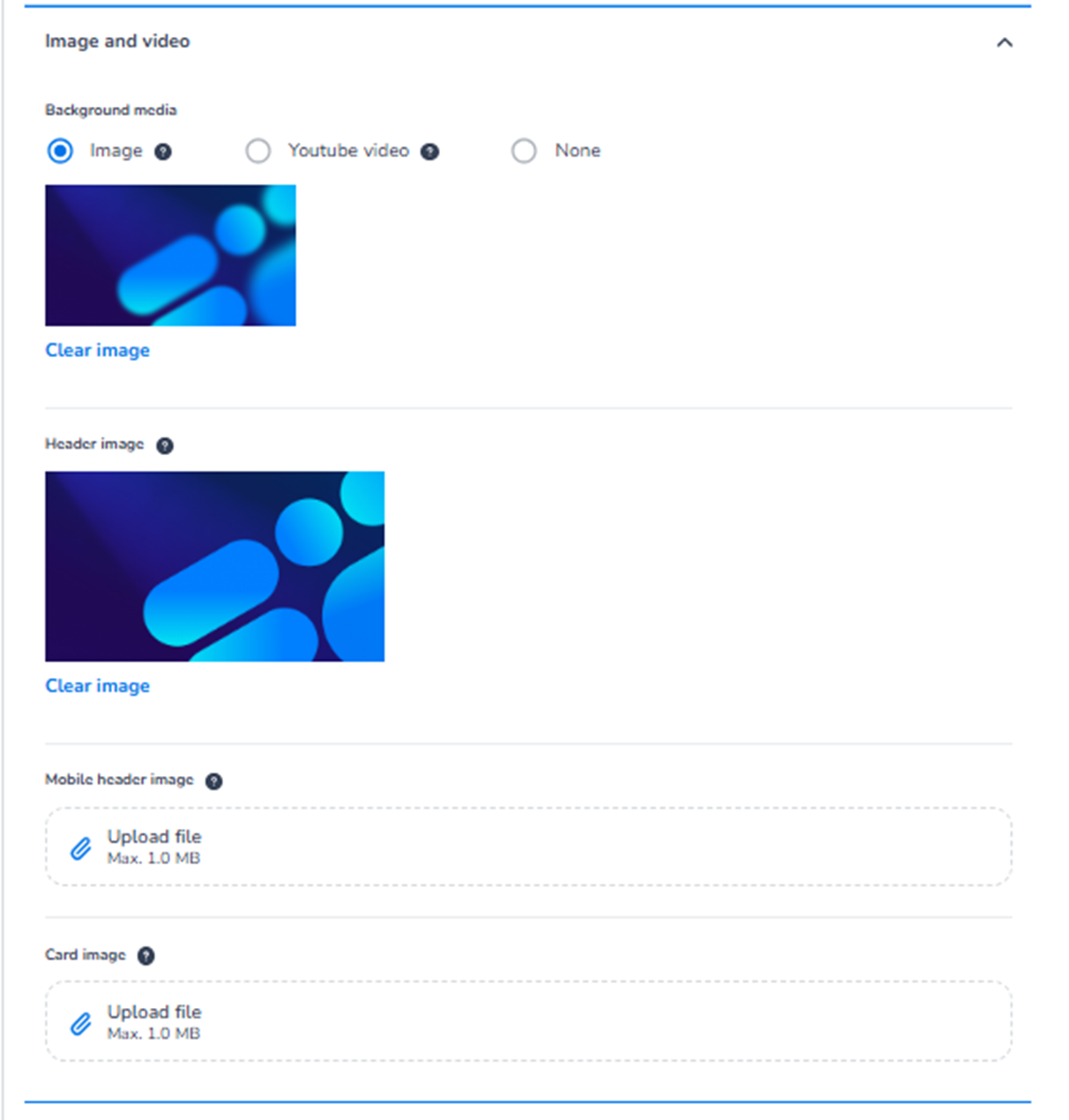
Design → Shop design → Edit → Ticket page → Image and video
It controls the visual media elements used on the ticket page.
This includes:
-
Background media
-
Header images
-
Mobile-specific visuals
-
Card images
These settings define the visual atmosphere of the shop.
What This Section Means
The Image and video section allows you to:
-
Add visual branding to the shop
-
Create a strong first impression
-
Enhance the ticket page with imagery or video
-
Differentiate between desktop and mobile visuals if needed
All changes affect the ticket page step of the checkout flow.
What You See in This Section
-
Background Media
Options:
-
Image
-
YouTube video
-
None
Purpose:
Defines the main background media displayed behind the event header area.
Image
-
Upload a background image.
-
Used as the main visual backdrop.
-
Suitable for:
-
Event banners
-
Brand visuals
-
Campaign artwork
-
You can clear the image using Clear image.
YouTube Video
-
Embed a YouTube video as background.
-
Ideal for:
-
Aftermovies
-
Promotional videos
-
Event teasers
-
This adds dynamic visual impact.
None
-
No background media.
-
Clean and minimal layout.
-
Header Image
Field: Header image
Purpose:
-
Defines the main image displayed at the top of the ticket page.
-
Often contains:
-
Event branding
-
Key visuals
-
Logo combinations
-
This is separate from background media.
You can remove it using Clear image.
-
Mobile Header Image
Field: Mobile header image
Purpose:
-
Upload a different header image specifically for mobile devices.
-
Useful when:
-
The desktop image does not scale well.
-
You need a vertically optimised version.
-
If not uploaded, the default header image is used.
This allows mobile optimisation without changing desktop visuals.
-
Card Image
Field: Card image
Purpose:
-
Upload an image used in ticket cards or event preview blocks.
-
Helps visually identify ticket categories or event branding.
Useful for:
-
Highlighting VIP tickets
-
Creating premium visual presentation
-
Adding recognisable event visuals
Important Behaviour
-
Media changes affect both Mobile and Desktop unless a mobile-specific image is uploaded.
-
The Mobile/Desktop toggle only changes preview layout.
-
Styling is unified; layout adapts responsively.
-
Images must respect file size limits (e.g., 1.0 MB).
-
Changes apply after clicking Save.
What This Section Controls
Image and video controls:
-
Visual atmosphere of the ticket page
-
Header presentation
-
Background immersion
-
Mobile-specific visual optimisation
It influences:
-
Brand perception
-
Emotional impact
-
Professional appearance
-
First impression
It does NOT control:
-
Ticket pricing
-
Inventory
-
Capacity
-
Checkout logic
Functional Summary
Within Ticket page → Image and video, the user can:
-
Add a background image or YouTube video
-
Remove background media
-
Upload header image
-
Upload mobile-specific header image
-
Add card visuals
-
Optimise visuals per device
This section defines the visual storytelling and branding impact of the ticket shop.