
Overview
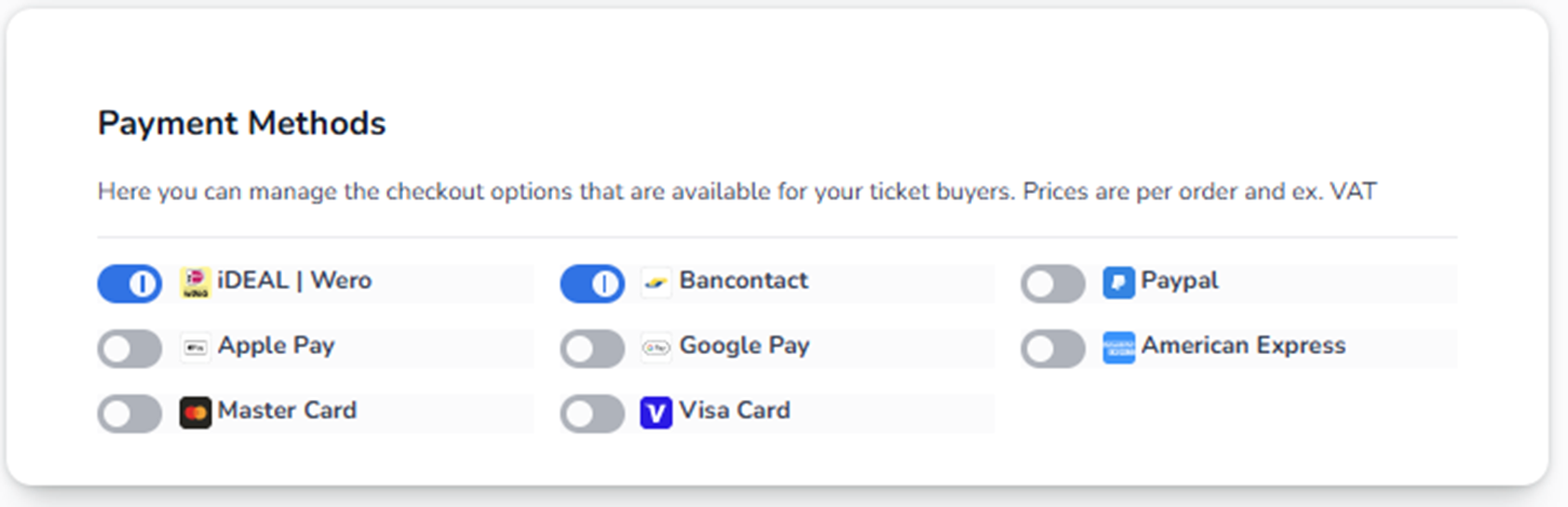
The Payment Methods section controls which payment options are available to buyers during checkout.
This directly affects:
-
How customers can pay
-
Conversion rate
-
International accessibility
-
Transaction success
If a payment method is disabled here, buyers will not see it in checkout.
What You See on This Screen
You see a list of available payment providers, each with:
-
Provider name
-
Provider logo
-
Toggle switch (On / Off)
Examples of payment methods may include:
-
iDEAL
-
Bancontact
-
PayPal
-
Apple Pay
-
Google Pay
-
Visa
-
MasterCard
-
American Express
The exact list may vary depending on account configuration and region.
How the Toggle Works
Each payment method has a switch:
Blue Toggle = Enabled
The payment method is available during checkout.
Grey Toggle = Disabled
The payment method is hidden from buyers.
Changes apply once saved (if a save button is present in your configuration).
How This Affects Checkout
If a payment method is enabled:
-
It appears as a selectable option during payment.
-
Buyers can choose it to complete their order.
If disabled:
-
Buyers will not see it.
-
It cannot be used.
Strategic Considerations
Local Events
Enable region-specific methods.
Example:
-
Netherlands → iDEAL
-
Belgium → Bancontact
International Events
Enable broader payment methods:
-
Visa
-
MasterCard
-
PayPal
-
Apple Pay
-
Google Pay
This increases conversion for international buyers.
High Conversion Setup (Best Practice)
Enable:
-
At least one major credit card (Visa / MasterCard)
-
One local dominant method
-
One digital wallet (Apple Pay / Google Pay)
This reduces checkout friction.
Operational Impact
If users report:
-
“Customers cannot pay”
→ Check if the payment method is disabled. -
“International buyers cannot complete payment”
→ Ensure credit cards are enabled. -
“PayPal not visible”
→ Verify PayPal toggle is enabled. -
“Apple Pay not showing”
→ Check both toggle and browser/device compatibility.
Financial Notes
The note at the top mentions:
“Prices are per order and ex. VAT.”
This means:
-
Pricing configuration may exclude VAT.
-
VAT calculation happens separately.
-
Payment method does not affect VAT logic directly.
Risk Awareness
Disabling too many methods may:
-
Reduce conversion
-
Increase cart abandonment
-
Exclude international buyers
Enabling too few methods limits accessibility.
Summary
Payment Methods controls:
-
Which payment providers buyers can use
-
Checkout flexibility
-
Conversion optimization
-
Regional accessibility
This section directly influences revenue performance.