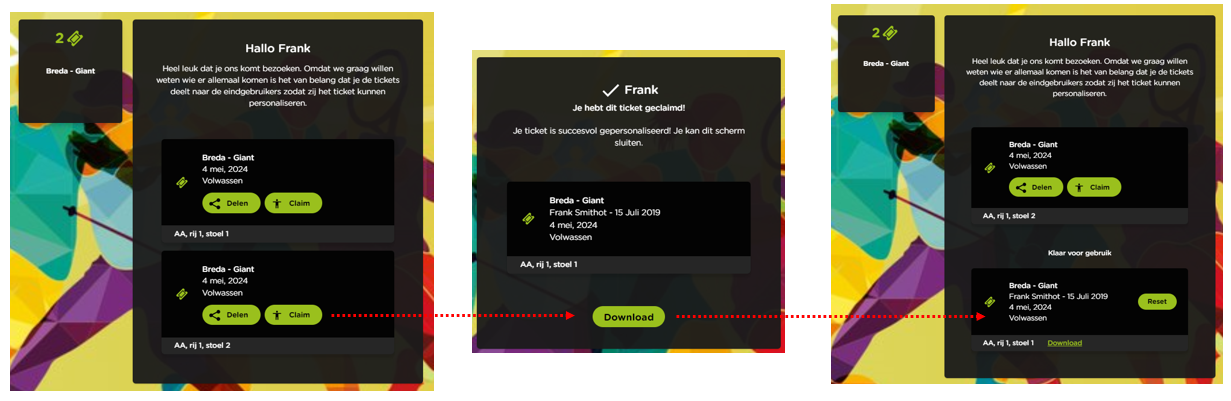
In summary, the steps taken to personalize tickets are:
-
Once the order is completed, the main booker receives an email confirmation with a link to the personalization page.
-
On this page, it is possible to claim a ticket and/or share it for someone else to personalize.
-
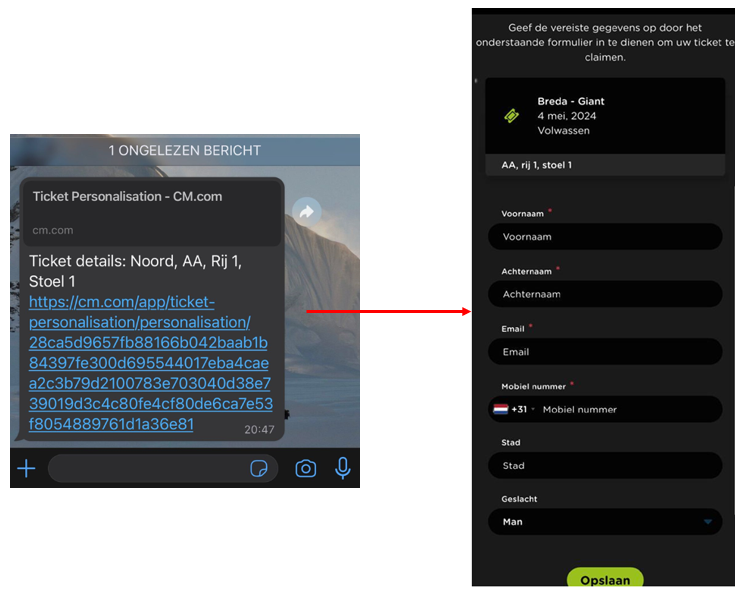
When sharing a ticket, you choose through which channel you want to do that.
-
When the person receives the shared link, they can fill in and submit their details.
-
Once all the information is filled in, the ticket can be downloaded immediately. This download button can be deactivated by the organizer by deactivating Download order enabled in the backend of the shop.
-
As the main booker, you can easily see the status (changing) in your overview, and you can also download each ticket from here.
Example of sharing a link via WhatsApp
Overview page for the main booker